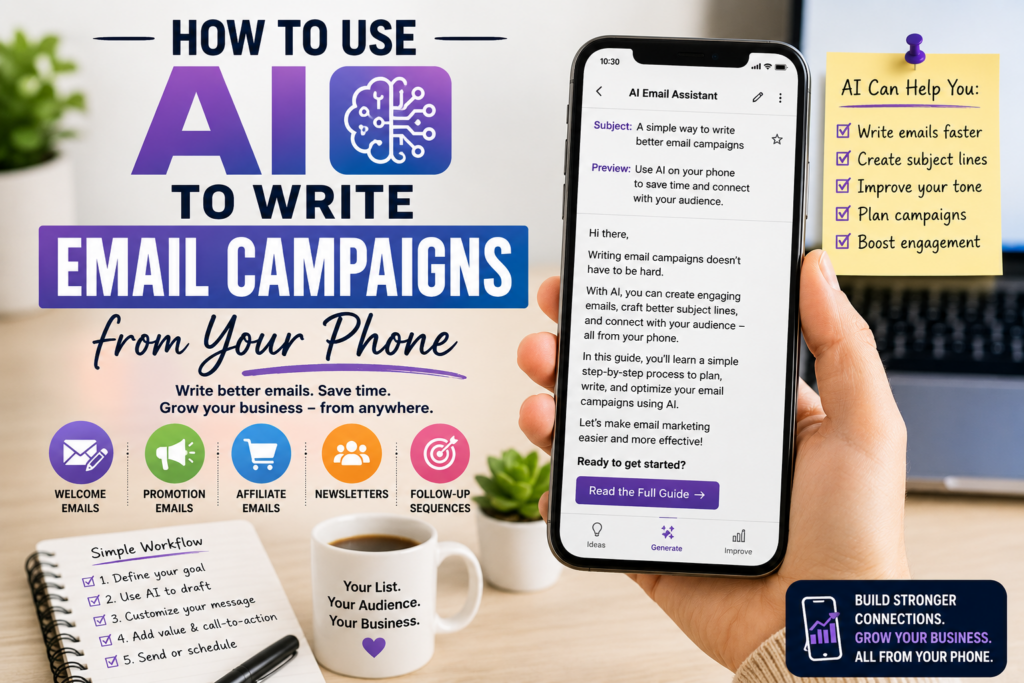
Email marketing can sound like a big business task.
You imagine sitting behind a laptop, opening complicated software, building long campaigns, writing perfect subject lines, designing email templates, checking analytics, and planning everything weeks in advance.
But it does not have to start that way.
Today, you can use your smartphone and AI to write, improve, organize, and plan email campaigns from almost anywhere.
You can write a welcome email during a break.
You can brainstorm subject lines while sitting on the train.
You can turn a blog post into an email from your phone.
You can create a simple product launch sequence without opening a desktop computer.
You can use AI to make your message clearer, shorter, warmer, or more persuasive.
This is especially useful for solopreneurs, bloggers, affiliate marketers, digital product creators, service providers, and people building a business from their phone.
The goal is not to let AI replace your voice.
The goal is to use AI as a writing assistant so you can create better email campaigns faster.
Affiliate disclosure: This post contains affiliate links. If you make a purchase through one of these links, ProBusinessStrategy may earn a small commission at no extra cost to you. We only recommend tools we genuinely believe in.
Why Email Campaigns Still Matter
Social media is useful, but it is not fully under your control.
A TikTok video can disappear quickly.
A Pinterest Pin can bring traffic, but the visitor may leave.
A LinkedIn post may get attention for a day.
A YouTube Short may get views without creating a direct relationship.
Email is different.
When someone joins your email list, you have a more direct way to stay connected.
You can send updates, guides, product recommendations, business ideas, affiliate resources, digital products, service offers, and useful content.
That is why email marketing is still valuable for online businesses.
An email list can help you:
Build trust over time
Send readers back to your website
Promote affiliate offers naturally
Launch digital products
Share new blog posts
Educate beginners
Follow up with interested people
Turn one-time visitors into returning readers
If your website is the home base of your business, email is one of the best ways to bring people back.
Why Your Phone Is Enough to Start
Many beginners delay email marketing because they think they need a full office setup.
But a smartphone is enough for the first stage.
From your phone, you can:
Brainstorm email topics
Write subject lines
Draft email body text
Create welcome emails
Rewrite old blog sections into emails
Plan weekly newsletters
Outline sales sequences
Summarize product benefits
Create email calls-to-action
Review and improve tone
Save campaign ideas in notes
AI makes this even easier.
Instead of staring at a blank screen, you can speak or type a rough idea and ask AI to turn it into a structured email draft.
You can start with something messy like:
“I want to email people about a new article on using AI for market research from your phone. Make it useful and not too salesy.”
AI can turn that into a first draft.
Then you edit it.
This is much faster than trying to write everything perfectly from scratch.
What AI Can Help With
AI can support almost every part of email writing.
It can help you create:
Subject lines
Preview text
Welcome emails
Newsletter intros
Product launch emails
Affiliate recommendation emails
Educational sequences
Follow-up emails
Re-engagement emails
Content summaries
Calls-to-action
Email outlines
Customer pain point lists
Benefit-focused copy
Shorter and clearer versions of long text
But AI works best when you give it direction.
Do not only say:
“Write an email campaign.”
That is too vague.
Say:
“Write a 5-email welcome sequence for beginner entrepreneurs who joined my email list after reading an article about starting a business from a phone. Keep the tone practical, friendly, and helpful. Do not be too aggressive.”
That gives AI a real job.
Step 1: Know the Goal of the Email Campaign
Before writing, decide what the email campaign should do.
Different campaigns have different goals.
An email campaign can:
Welcome new subscribers
Promote a new blog post
Recommend an affiliate product
Launch a digital product
Educate readers about a topic
Invite people to reply
Send traffic to a resource page
Build trust before making an offer
Follow up after someone downloads a checklist
Reactivate inactive subscribers
If you do not know the goal, the email becomes weak.
For example, if your goal is to send readers to a blog post, the email should not try to sell five things at once.
If your goal is to promote an affiliate tool, the email should explain the problem first, then show why the tool is relevant.
If your goal is to welcome new subscribers, the email should make them feel they are in the right place.
One email should usually have one main purpose.
That makes the message clearer.
Step 2: Choose the Type of Campaign
There are several email campaign types a beginner can create from a phone.
Welcome Campaign
This is the first sequence new subscribers receive.
A simple welcome campaign might include:
Email 1: Welcome and what to expect
Email 2: Your best beginner guide
Email 3: A common mistake to avoid
Email 4: A useful resource or tool
Email 5: A soft offer or next step
This is one of the best campaigns to create first because every new subscriber can receive it automatically.
Blog Post Promotion Campaign
This is a simple email that sends readers to a new article.
For example:
“I just published a new guide on how to use AI to write email campaigns from your phone.”
Then explain why the article matters and link to it.
This is useful if you publish often.
Affiliate Recommendation Campaign
This campaign recommends a product or service.
The key is relevance.
For example, if you write about building a website from your phone, you might naturally mention Namecheap for a domain name or Bluehost for hosting.
The email should explain why the tool fits the reader’s situation.
Do not just send a link.
Help them understand the decision.
Digital Product Campaign
If you sell a checklist, template, workbook, e-book, or planner, email can help explain the value.
A campaign might include:
Problem email
Mistake email
Solution email
Product explanation email
Final reminder email
AI can help draft the sequence, but you should edit it so it sounds natural and specific.
Re-Engagement Campaign
This is for subscribers who have not opened or clicked for a while.
A simple message could ask:
“Are you still interested in business ideas from your phone?”
Or:
“Here are the most useful guides you may have missed.”
This keeps your list healthier.
Step 3: Use AI to Create the First Draft
Once you know the goal and campaign type, use AI to draft.
A good prompt could be:
“Write a friendly email to my subscribers about a new article called ‘How to Use AI to Write Email Campaigns from Your Phone.’ The audience is beginner entrepreneurs and solopreneurs. The goal is to get them to read the article. Keep it practical, not hype-driven. Include a subject line, preview text, email body, and call-to-action.”
This gives you a usable first draft.
But do not publish it immediately.
AI drafts are starting points.
Your job is to make the email sound like your brand, your website, and your audience.
Step 4: Improve the Subject Line
The subject line decides whether people open the email.
AI can create many options quickly.
Ask:
“Give me 15 subject lines for this email. Make them clear, useful, and not clickbait.”
Examples:
Use AI to write better emails from your phone
Can your phone help you write email campaigns?
A simple way to write emails with AI
Email marketing from your smartphone
Turn your phone into an email writing assistant
How to write business emails faster with AI
No laptop? You can still plan email campaigns
The best subject lines are usually clear, not clever.
Avoid exaggerated claims like:
“This one AI email trick will make you rich.”
That sounds cheap and untrustworthy.
A better subject line promises a useful result without hype.
Step 5: Add Preview Text
Preview text is the small line people see after the subject line in many inboxes.
It should support the subject line.
Example:
Subject: Use AI to write better emails from your phone
Preview text: A simple workflow for planning, drafting, and improving email campaigns on mobile.
AI can help create options.
Prompt:
“Give me 10 preview text options for this email. Keep them under 100 characters.”
Preview text is small, but it can improve the email’s first impression.
Step 6: Make the Email Useful Before Asking for a Click
A good email should not feel like an empty link.
Give the reader something useful inside the email.
For example:
Explain one mistake.
Give one quick tip.
Share one small framework.
Ask one useful question.
Summarize one practical idea.
Then link to the full article.
Example:
“If you want to write email campaigns from your phone, start by choosing the goal of the campaign first. A welcome email, affiliate recommendation, and product launch email all need different structures.”
Then:
“Read the full guide here.”
This makes the email feel helpful, not lazy.
Step 7: Turn Blog Posts Into Email Campaigns
This is one of the easiest ways to use AI.
If you already write blog posts, you can turn them into email content.
For example, one blog post can become:
A newsletter
A 3-email sequence
A short tip email
A product recommendation email
A social media caption
A lead magnet follow-up
Prompt example:
“Turn this blog post into a 3-email sequence for beginner entrepreneurs. Email 1 should introduce the problem, email 2 should explain the main steps, and email 3 should invite readers to take action.”
This works especially well for content-heavy websites.
You do not need to create everything from zero.
You can repurpose.
Step 8: Write Affiliate Emails Carefully
Affiliate emails can work well, but they must be handled naturally.
Do not make every email a sales pitch.
A good affiliate email starts with the reader’s problem.
For example:
“If you want to build a business from your phone, eventually your ideas need a home base. Social media is useful, but a website gives you more control.”
Then you can mention a domain and website setup.
Natural affiliate links could include:
Namecheap for choosing a domain name
Bluehost for building a WordPress website
WordPress Website Builder for a beginner-friendly setup
Fiverr for outsourcing email templates, design, copywriting, or landing page support
The rule is simple:
The affiliate link should fit the email.
If the email is about writing better campaigns, Fiverr may fit if the reader wants help with design or email copy.
If the email is about building a content business, domain and hosting links may fit.
Do not force links where they do not belong.
Step 9: Use AI to Match the Tone
One of the best uses of AI is rewriting tone.
You can ask:
“Make this email warmer.”
“Make this email shorter.”
“Make this email sound more professional.”
“Make this email easier for beginners.”
“Remove hype and make it more trustworthy.”
“Make the call-to-action softer.”
“Make this sound less like a sales email.”
This is very useful from a phone.
You can write a rough draft quickly, then ask AI to polish it.
But always read it before sending.
AI sometimes makes text too generic. Your email should feel human.
Step 10: Create a Simple Email Campaign Template
To make this easier, use a repeatable structure.
A simple email could look like this:
Subject line
Preview text
Opening problem
Useful insight
Short explanation
Link to full article or offer
Soft closing
Example structure:
Opening:
Many beginners delay email marketing because they think they need complicated software.
Insight:
But with a phone and AI, you can start by writing simple campaigns one email at a time.
Value:
The key is to know the goal of each campaign before writing.
CTA:
Read the full guide here.
This structure is simple and works for many topics.
Mobile Workflow for Writing Email Campaigns
Here is a practical workflow you can use from your phone.
Step 1: Open your notes app.
Step 2: Write or speak the rough idea.
Step 3: Ask AI to turn it into an email draft.
Step 4: Ask for subject line options.
Step 5: Choose the best one.
Step 6: Edit the email in your own style.
Step 7: Add one clear link.
Step 8: Save the email in your email marketing tool.
Step 9: Preview it on mobile.
Step 10: Send or schedule.
This is simple enough for a beginner.
The hardest part is not the technology.
The hardest part is deciding what the email should say.
AI helps with that.
Email Campaign Ideas You Can Write From Your Phone
Here are campaign ideas that work well for solopreneurs.
New Subscriber Welcome Sequence
Email 1: Welcome
Email 2: Best beginner article
Email 3: Common mistake
Email 4: Useful tools
Email 5: Next step
Blog Promotion Sequence
Email 1: New article announcement
Email 2: Key lesson from the article
Email 3: Related resource or next action
Affiliate Tool Recommendation
Email 1: Problem
Email 2: What to look for in a tool
Email 3: Recommended option and why it fits
Digital Product Launch
Email 1: Problem
Email 2: Behind the product
Email 3: What is included
Email 4: Who it is for
Email 5: Final reminder
Weekly Newsletter
Sections:
One business idea
One useful tip
One recommended article
One tool or resource
One question to think about
AI can help write each section.
Common Mistakes to Avoid
Mistake 1: Letting AI Sound Too Generic
AI often writes smooth but generic text.
You need to add specific examples, your own angle, and your own brand voice.
Mistake 2: Making Every Email Too Long
Not every email needs to be an article.
Sometimes a short, useful email works better.
Mistake 3: Sending Too Many Offers
If every email sells something, readers may stop trusting you.
Mix education, stories, tips, and offers.
Mistake 4: No Clear Call-to-Action
Each email should have one clear next step.
Read the article.
Download the checklist.
Reply to the question.
View the resource.
Check the guide.
Do not confuse readers with five different actions.
Mistake 5: Not Checking Links on Mobile
Since many people read email on a phone, preview your email on a phone before sending.
Make sure links work.
Make sure paragraphs are not too long.
Make sure the subject line looks good.
How AI Can Help Optimize Emails
AI can also help improve existing emails.
You can paste an email draft and ask:
“Where is this unclear?”
“Make this more beginner-friendly.”
“Improve the subject line.”
“Make the CTA stronger but not pushy.”
“Shorten this by 30%.”
“Rewrite this for people who are new to online business.”
“Give me three different versions: friendly, professional, and direct.”
This helps you improve faster.
It is like having a writing assistant in your pocket.
Why This Fits a Phone Business Strategy
This article belongs perfectly in a Phone Business strategy because email campaigns do not require a full desktop setup in the beginning.
You can use your phone to:
Capture ideas
Write drafts
Edit emails
Create subject lines
Plan sequences
Promote articles
Recommend tools
Follow up with readers
Build trust
Schedule campaigns
This connects naturally with using AI from your phone, market research from your phone, and mobile business planning.
A smartphone is not only for consuming content.
It can help you build a communication system for your business.
Getting Started This Week
Start with one simple campaign.
Do not try to build a complicated automation system immediately.
Create a 3-email welcome sequence.
Email 1: Welcome and what your site helps with
Email 2: Your most useful beginner article
Email 3: A simple next step or recommended resource
Use AI to draft the emails.
Then edit them yourself.
Keep them short, useful, and clear.
Once that is done, create a weekly email format.
For example:
One new business idea
One practical tip
One related article
One useful tool
That is enough to start.
You can improve later.
Final Thoughts
AI can make email marketing easier, especially from a smartphone.
It can help you write subject lines, draft emails, plan sequences, summarize blog posts, create affiliate recommendations, and improve your message before sending.
But the strategy still matters.
AI should not replace your judgment.
You still need to know your audience.
You still need to choose one clear goal.
You still need to provide value.
You still need to edit the message.
You still need to make the email feel human.
Used well, AI turns your phone into an email campaign assistant.
And for a solopreneur building a business from a smartphone, that can be a serious advantage.
Internal Linking
Related Articles:
How to Use ChatGPT from Your Phone for Business
How to Use AI for Market Research from Your Smartphone



