Writing social media captions sounds easy until you have to do it every day.
You have the image.
You have the video.
You know what you want to say.
But then you open Instagram, TikTok, Facebook, Pinterest or YouTube Shorts and suddenly your mind goes blank.
Should the caption be short?
Should it be funny?
Should it ask a question?
Should it include keywords?
Should it tell a story?
Should it sell something?
Should it sound personal or professional?
For many small business owners, creators and mobile entrepreneurs, captions become one of the most annoying parts of social media.
This is where AI can help.
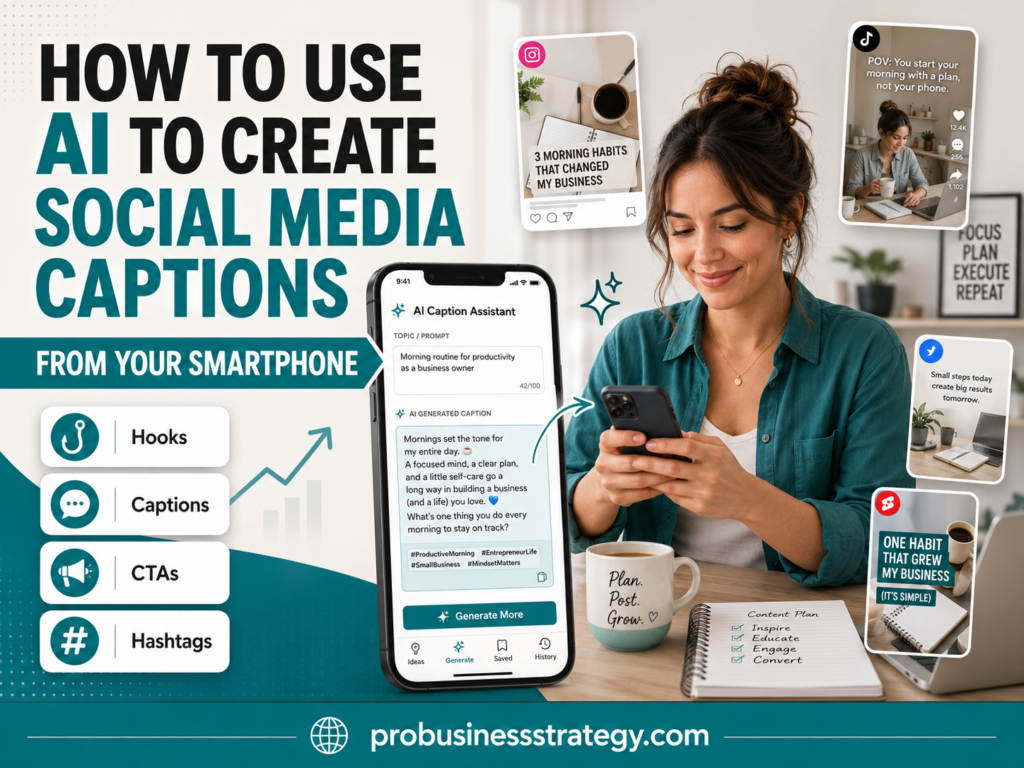
With the right prompts, you can use AI to create social media captions from your smartphone in minutes. You can write captions for Instagram posts, TikTok videos, Facebook updates, Pinterest Pins, YouTube Shorts, product promotions, blog articles, affiliate content and personal brand posts.
You do not need a laptop.
You do not need a full content team.
You do not need to stare at your phone for 30 minutes trying to write one sentence.
You need a clear idea, a simple prompt and a repeatable mobile workflow.
This guide will show you how to use AI to create better social media captions from your smartphone.
Affiliate disclosure: This post contains affiliate links. If you make a purchase through one of these links, ProBusinessStrategy may earn a small commission at no extra cost to you. We only recommend tools we genuinely believe in.
Why Social Media Captions Matter
A caption is more than text under a post.
It gives context.
The image or video gets attention, but the caption helps people understand what they are looking at, why it matters and what they should do next.
A good caption can:
Explain the message
Add personality
Start a conversation
Give useful information
Support a product or service
Encourage people to click
Increase saves or shares
Make a post easier to understand
Help your content show up in search
Build trust with your audience
A weak caption does the opposite.
It can make a good post feel unfinished.
For example, this caption is weak:
“New post is live.”
This is better:
“Starting a business feels overwhelming when you try to do everything at once. This guide breaks the first 10 customers plan into simple steps so you can stop planning forever and start getting real conversations.”
The second caption gives people a reason to care.
It tells them who the content is for, what problem it solves and why they should pay attention.
That is the purpose of a strong caption.
Why AI Is Useful for Caption Writing
AI is useful because it helps you move faster.
Instead of writing every caption from scratch, you can use AI to create first drafts, variations and platform-specific versions.
AI can help you write:
Short captions
Long captions
Story-style captions
Question captions
Educational captions
Product captions
Promotional captions
Pinterest descriptions
YouTube Shorts descriptions
Instagram Reel captions
TikTok captions
Facebook post copy
Affiliate content captions
Call-to-action variations
Hashtag ideas
Hook ideas
This is especially useful if you run a phone-based business.
When your business is built around your smartphone, every small workflow matters. If you can create captions faster, you can publish more consistently without feeling stuck.
This fits perfectly with a mobile business system. You can write ideas, create posts, prepare captions and publish from your phone.
If you are building a business from your smartphone, you may also like:
50 Businesses You Can Run from Your Phone
How to Use ChatGPT from Your Phone for Business
Step 1: Start With the Goal of the Post
Before you ask AI to write a caption, decide what the post should do.
Many captions are weak because the goal is unclear.
A social media post can have different goals:
Educate
Inspire
Entertain
Promote a product
Send traffic to a blog post
Build trust
Start a conversation
Share a quick tip
Show a behind-the-scenes moment
Announce something
Encourage comments
Get people to save the post
Get people to click a link
Introduce a business idea
The caption should match the goal.
For example, if the goal is education, the caption should be clear and useful.
If the goal is conversation, the caption should include a good question.
If the goal is traffic, the caption should create curiosity and point people to the full article, profile link or website.
Before using AI, write one simple sentence:
“The goal of this post is to [goal].”
Example:
“The goal of this post is to get new entrepreneurs to read my article about finding their first 10 customers.”
Now AI has direction.
Without a goal, AI may write a caption that sounds nice but does not do anything useful.
Step 2: Give AI the Right Input
AI captions are only as good as the information you provide.
A vague prompt gives vague captions.
Weak prompt:
“Write a caption about business.”
Better prompt:
“Write a social media caption for a blog post about how new business owners can get their first 10 customers. The audience is beginner entrepreneurs. The tone should be practical, encouraging and clear. The caption should make people curious enough to read the full article.”
That is much stronger.
Before creating a caption, collect a few details:
Topic
Platform
Audience
Goal
Tone
Main message
Call to action
Important keywords
Length preference
Type of content
For example:
Topic: AI product descriptions from your phone
Platform: Pinterest
Audience: mobile ecommerce sellers
Goal: get clicks to the article
Tone: practical and helpful
Main message: AI can help turn product details into stronger descriptions
CTA: read the full guide
Keywords: AI product descriptions phone, ecommerce copy, product listings
Now AI can create a more useful caption.
Do not treat AI like a mind reader.
Treat it like an assistant who needs a proper brief.
Step 3: Use a Simple Caption Prompt
Here is a basic prompt you can use from your smartphone:
Prompt:
Write 5 social media captions for this post.
Topic: [topic]
Platform: [platform]
Audience: [target audience]
Goal: [goal of the post]
Tone: [tone]
Main message: [main point]
Call to action: [CTA]
Make the captions clear, natural and engaging. Avoid sounding too salesy.
This prompt gives you multiple options.
You can choose the best one, combine parts from different versions or ask AI to improve a specific caption.
For example:
Prompt Example:
Write 5 Instagram captions for a post about using AI to create social media captions from a smartphone.
Audience: small business owners and creators
Goal: encourage them to read the full guide
Tone: practical, friendly and motivating
Main message: AI can help you write captions faster without losing your own voice
Call to action: read the full guide on ProBusinessStrategy.com
Make the captions clear, natural and engaging. Avoid sounding too salesy.
This gives AI a clear job.
You are not asking for random caption ideas. You are asking for captions with a purpose.
Step 4: Ask for Different Caption Styles
One of the best ways to use AI is to generate different styles of captions for the same post.
You may not know which version will work best until you see several options.
Ask for:
Short caption
Long caption
Story caption
Educational caption
Question caption
Bold hook caption
Soft promotional caption
Direct call-to-action caption
Personal brand caption
Pinterest-style caption
Use this prompt:
Prompt:
Create 10 different caption styles for this social media post:
Topic: [topic]
Audience: [audience]
Platform: [platform]
Goal: [goal]
Include:
- Short caption
- Long caption
- Story-style caption
- Educational caption
- Question caption
- Bold hook caption
- Soft promotional caption
- Direct call-to-action caption
- Personal brand caption
- Search-friendly caption
This helps you avoid using the same caption style every time.
Some posts need a short caption.
Some need a stronger hook.
Some need a story.
Some need a practical explanation.
AI lets you test different angles quickly.
Step 5: Create Platform-Specific Captions
A caption that works on Instagram may not be ideal for Pinterest.
A TikTok caption is not the same as a Facebook post.
A YouTube Shorts description is different from a LinkedIn-style business caption.
Each platform has its own behavior.
Instagram often works well with a clear hook, context and personal tone.
TikTok often needs short, direct captions that support the video.
Pinterest needs searchable descriptions and clear keywords.
Facebook can handle slightly longer, conversational posts.
YouTube Shorts benefits from clear descriptions and relevant keywords.
LinkedIn usually works better with professional, insight-driven writing.
You can ask AI to adapt one idea for different platforms.
Prompt:
Turn this content idea into captions for different platforms:
Content idea: [idea]
Audience: [audience]
Goal: [goal]
Tone: [tone]
Create:
- Instagram caption
- TikTok caption
- Facebook post
- Pinterest Pin description
- YouTube Shorts description
Keep the message consistent, but adapt the style for each platform.
This is one of the biggest advantages of using AI from your phone.
You can create one piece of content and quickly turn it into multiple captions for different channels.
That saves time and helps you publish more consistently.
Step 6: Use AI to Create Strong Opening Hooks
The first line of your caption matters.
Many people only see the first sentence before deciding whether to keep reading.
A weak opening line says:
“Here are some tips for social media.”
A stronger opening line says:
“Your social media post is not finished when the image is done.”
Another example:
Weak:
“AI can help with captions.”
Stronger:
“If writing captions slows you down, AI can become your fastest content assistant.”
The opening line should create interest.
It can do this by:
Pointing out a problem
Making a bold statement
Asking a useful question
Sharing a surprising idea
Calling out the audience
Promising a clear benefit
Challenging a common mistake
Use this prompt:
Prompt:
Give me 20 strong opening hooks for a social media caption about:
[topic]
Audience: [audience]
Tone: [tone]
Goal: [goal]
Make the hooks short, clear and scroll-stopping without being clickbait.
Then choose one hook and build the rest of the caption around it.
A strong hook can turn an average caption into a much better one.
Step 7: Add a Clear Call to Action
A caption should usually tell the reader what to do next.
That does not always mean “buy now.”
A call to action can be simple.
Examples:
Read the full guide
Save this for later
Follow for more business tips
Comment with your biggest challenge
Share this with a friend
Try this prompt today
Visit the link in bio
Use this idea for your next post
Start with one caption today
Check the full article on ProBusinessStrategy.com
The call to action should match the goal of the post.
If you want traffic, ask people to read the full guide.
If you want engagement, ask a question.
If you want saves, make the content practical and say “save this.”
If you want people to try something, give them a simple action.
Use this prompt:
Prompt:
Give me 15 call-to-action options for this social media caption.
Topic: [topic]
Platform: [platform]
Goal: [goal]
Audience: [audience]
Make them natural, not pushy.
This helps you avoid using the same CTA every time.
Step 8: Keep Your Own Voice
AI can write captions quickly, but sometimes the result sounds too generic.
You may see phrases like:
Unlock your potential
Take your content to the next level
Elevate your brand
In today’s digital world
Game-changer
Must-have strategy
Revolutionize your workflow
These phrases are common in AI-generated content.
They are not always wrong, but they can make your captions sound like everyone else.
After AI writes a caption, edit it.
Make it sound more like you.
You can make captions better by:
Shortening long sentences
Removing vague phrases
Adding a more specific example
Using simpler words
Adding your own opinion
Making the first line stronger
Removing exaggerated claims
Adding a practical detail
Making the CTA clearer
You can also train AI to match your tone.
Use this prompt:
Prompt:
Rewrite this caption in a more natural, practical and human tone. Make it sound helpful, not hype-driven. Keep the message clear and remove generic AI phrases.
Caption:
[paste caption]
This is important.
AI should help you write faster, but it should not remove your personality.
Step 9: Create Captions in Batches
One caption at a time is useful.
Batching captions is even better.
If you create content regularly, use AI to prepare several captions at once.
For example, you can create:
5 captions for blog posts
10 captions for Pinterest Pins
7 captions for Instagram posts
10 TikTok caption ideas
5 Facebook posts
3 YouTube Shorts descriptions
A week of captions for one topic
Use this prompt:
Prompt:
Create a 7-day social media caption plan for this topic:
Topic: [topic]
Audience: [audience]
Goal: [goal]
Platforms: [platforms]
Tone: [tone]
For each day, include:
- Caption
- Hook
- Call to action
- Suggested hashtags
- Content angle
This gives you a simple mobile content plan.
You can save the output in your notes app, spreadsheet, content calendar or social scheduling tool.
Batching captions helps you avoid daily decision fatigue.
Instead of asking, “What should I post today?” you already have options ready.
Step 10: Use AI for Hashtags Carefully
AI can help with hashtags, but hashtags should not be random.
Ask for relevant hashtags based on the topic, audience and platform.
For example, a post about mobile business may use hashtags around:
Phone business
Small business
Solopreneur
Online business
Content creation
Ecommerce
Digital marketing
AI tools
Business tips
Work from phone
But do not use every hashtag AI gives you automatically.
Some may be too broad.
Some may be irrelevant.
Some may not match your audience.
Some may feel spammy.
Use this prompt:
Prompt:
Suggest relevant hashtags for this social media caption.
Caption:
[paste caption]
Platform: [platform]
Audience: [audience]
Topic: [topic]
Group them into:
- Broad hashtags
- Niche hashtags
- Audience hashtags
- Topic-specific hashtags
Avoid irrelevant or spammy hashtags.
This gives you more control.
Hashtags are support, not the main strategy.
The caption itself still needs to be useful.
Step 11: Turn One Blog Post Into Multiple Captions
If you publish blog posts, AI can help you promote each article in several ways.
One article can become:
A Pinterest Pin description
An Instagram caption
A Facebook post
A TikTok caption
A YouTube Shorts description
A short teaser
A question post
A carousel caption
A list-style caption
A quote-style caption
For example, an article about using AI to write social media captions from your smartphone can become captions such as:
“Still writing every caption from scratch? Your phone can help you turn one content idea into captions for Instagram, TikTok, Pinterest, Facebook and more.”
Or:
“Social media captions do not need to slow down your business. With the right AI prompt, you can create hooks, captions, CTAs and hashtags directly from your smartphone.”
Or:
“Your caption should not just describe the post. It should give context, create interest and tell people what to do next.”
Use this prompt:
Prompt:
Turn this blog post topic into 10 social media captions.
Blog post title: [title]
Main idea: [main idea]
Audience: [audience]
Goal: drive traffic to the article
Tone: helpful and practical
Create:
- 3 short captions
- 3 educational captions
- 2 question captions
- 2 promotional captions
This is useful for content marketing because you can promote the same article several times without repeating the exact same caption.
Step 12: Save Your Best Prompts
If you use AI for captions often, do not rewrite prompts from scratch every time.
Save your best prompts on your phone.
You can keep them in:
Notes app
Google Docs
Notion
A spreadsheet
A text expansion app
A content planning document
Create a small prompt library.
For example:
Instagram caption prompt
TikTok caption prompt
Pinterest description prompt
Facebook post prompt
Hashtag prompt
Hook prompt
CTA prompt
Blog promotion caption prompt
Product caption prompt
Affiliate content caption prompt
This turns AI caption writing into a repeatable system.
Your phone becomes your mini content studio.
You can open your saved prompt, change the topic and generate new captions quickly.
That is much better than starting from zero every time.
Step 13: Check the Final Caption Before Posting
AI can help you write, but you still need to review the final caption.
Before publishing, check:
Is the caption accurate?
Does it match the post?
Is the first line strong?
Is the tone right?
Is the CTA clear?
Are the hashtags relevant?
Is the caption too long?
Does it sound like your brand?
Does it avoid exaggerated claims?
Is it easy to read on a phone?
Also check formatting.
Mobile readers scan quickly.
Use short paragraphs.
Avoid giant blocks of text.
Put the strongest sentence near the top.
Make the CTA easy to see.
Keep the message focused.
A caption does not have to be perfect, but it should be clear.
Clarity beats cleverness.
Example: AI Caption Workflow From Your Phone
Let’s say you created a blog post called:
“How to Use AI to Write Product Descriptions from Your Phone”
You want to create a caption for Instagram.
You could use this prompt:
Prompt:
Write 5 Instagram captions for a blog post called “How to Use AI to Write Product Descriptions from Your Phone.”
Audience: ecommerce sellers, print-on-demand shop owners and mobile business owners
Goal: get people to read the full article
Tone: practical, clear and encouraging
Main message: AI can help turn simple product details into better product descriptions, bullet points and SEO-friendly copy
CTA: read the full guide on ProBusinessStrategy.com
One possible caption:
“Writing product descriptions can slow down your online store, especially when every product starts to sound the same.
AI can help you turn basic product details into clearer benefits, stronger bullet points and SEO-friendly copy directly from your phone.
This is useful for ecommerce sellers, print-on-demand shops and mobile business owners who want to publish faster without writing everything from scratch.
Read the full guide on ProBusinessStrategy.com.”
That is already much better than:
“New blog post about AI product descriptions.”
The AI-assisted version explains the problem, the benefit and the next step.
A Simple Mobile Caption Workflow
Here is a repeatable workflow you can use:
- Choose the post or content idea
- Decide the platform
- Define the goal
- Write the main message
- Open your AI tool on your phone
- Use a saved caption prompt
- Generate multiple versions
- Choose the strongest caption
- Improve the opening hook
- Add a clear call to action
- Add relevant hashtags if needed
- Edit the caption in your own voice
- Save or publish
This workflow keeps caption writing simple.
You do not need to overthink every post.
You need a system.
Common Mistakes to Avoid
Asking AI for Captions Without Context
If you only say, “Write a caption,” the result will usually be generic.
Always include topic, audience, platform, goal and tone.
Publishing the First Draft Without Editing
AI can create a good start, but the final caption should still feel human.
Making Every Caption Promotional
Not every post should sell.
Mix educational, personal, inspirational and promotional captions.
Forgetting the Platform
A Pinterest description should not be written exactly like a TikTok caption.
Adapt the caption to the channel.
Using Too Many Hashtags
Hashtags can help, but too many irrelevant hashtags can make a post look messy.
Losing Your Own Voice
AI should support your content, not make every caption sound the same.
Writing Captions That Do Not Match the Image or Video
The caption should support the content people are seeing.
If the image and caption feel disconnected, people may ignore the post.
Final Thoughts
Using AI to create social media captions from your smartphone can save a lot of time.
It helps you turn ideas into captions, hooks, calls to action, hashtags and platform-specific versions without starting from a blank screen every day.
But the best results come from a simple process.
Start with the goal.
Give AI clear input.
Ask for multiple versions.
Adapt the caption to the platform.
Improve the hook.
Add a clear CTA.
Edit the final version in your own voice.
AI is not there to replace your message.
It is there to help you express it faster.
For a phone-based business owner, that can be a major advantage.
Your smartphone is no longer just a place where you post content.
It can become the place where you plan, write, improve and publish your social media captions.
And once caption writing becomes easier, it becomes much easier to stay consistent.
That consistency is often what turns a small content habit into real business momentum.
Related Articles
50 Businesses You Can Run from Your Phone
How to Use ChatGPT from Your Phone for Business
How to Create a YouTube Affiliate Channel from Your Smartphone