People can think they need a laptop, an office, expensive software or a large startup budget before they can begin a business.
That is no longer true.
Today, your smartphone can be the center of a real business. You can use it to research ideas, create content, communicate with customers, design simple products, manage orders, publish videos, write emails, track payments, build an audience and even launch a small online store.
A phone is not perfect for every task. Some businesses will still become easier when you later use a laptop, a larger screen or more advanced tools. But for the beginning stage, your phone can be enough to test an idea, get your first audience, sell your first offer or build your first small income stream.
That is why phone business ideas are so powerful.
They lower the barrier.
You do not need to wait until everything is perfect. You can start small, learn quickly and build from the device you already use every day.
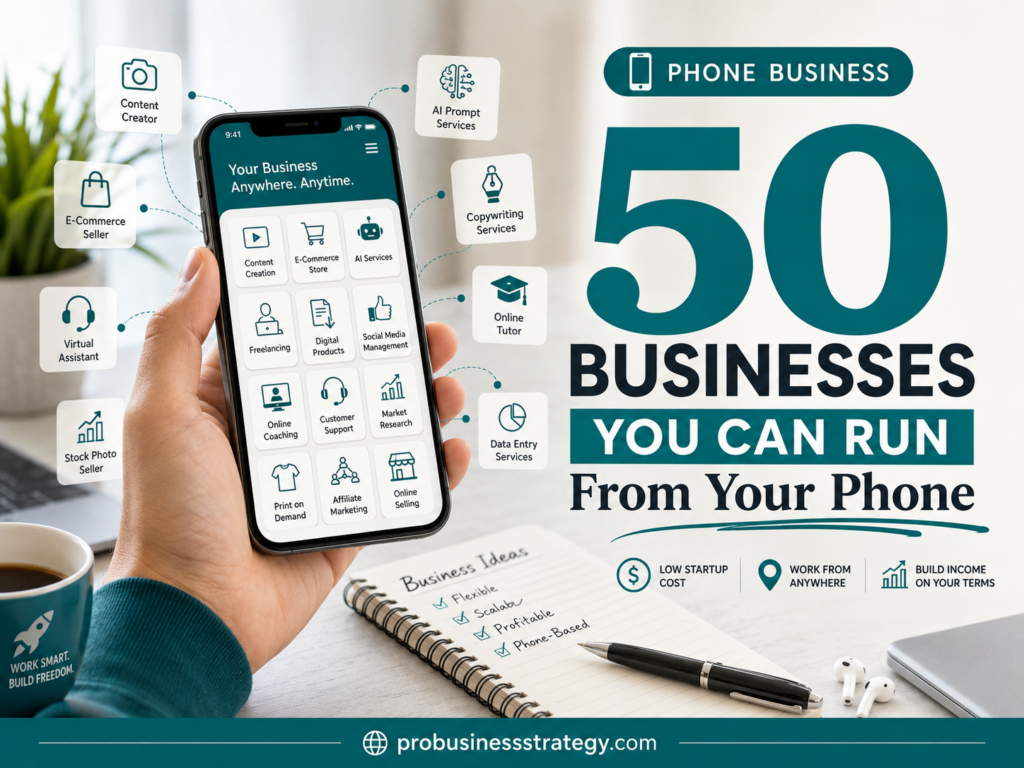
This guide gives you 50 businesses you can run from your phone. Some are simple service businesses. Some are content businesses. Some use AI tools. Some are digital product ideas. Some are e-commerce ideas. Some are local business ideas. The goal is not to tell you that every idea is easy money. The goal is to show you how many business models are now possible from a smartphone.
You can use this list as your starting point, your brainstorming tool or your personal mobile business idea library.
For the full Phone Business hub, you can also visit Phone Business.
Affiliate disclosure: This post contains affiliate links. If you make a purchase through one of these links, ProBusinessStrategy may earn a small commission at no extra cost to you. We only recommend tools we genuinely believe in.
What Makes a Good Phone-Based Business?
A good phone-based business should be simple enough to start without a complicated setup.
That does not mean it requires no work. It means the first version of the business can be planned, created, published, promoted or managed from your phone.
A strong phone business usually has at least one of these qualities:
It can be started with low upfront cost.
It can be promoted through social media, search, email or direct messages.
It does not require heavy equipment.
It can be managed with mobile apps.
It can begin as a service, content channel, affiliate site, digital product or simple online store.
It can be tested before you spend a lot of money.
The best phone business ideas are not always the flashiest ideas. Often, the best ones are simple and useful.
A beginner does not need to build the next big tech company from a phone. A beginner needs a practical offer, a clear audience and a repeatable way to get attention.
Tools That Make Phone Businesses Easier
Before we look at the 50 ideas, it helps to understand the kind of tools that make phone-based businesses possible.
You do not need every tool. Start with the simplest setup.
Useful phone business tools include:
ChatGPT or another AI writing assistant for brainstorming, planning, writing and improving ideas.
Perplexity or another AI search tool for research.
Google Docs or Notes for writing.
Canva for graphics, social media posts, simple digital products and presentation-style content.
CapCut or another mobile video editor for short videos.
YouTube Studio for managing a channel.
Pinterest, TikTok, Instagram, Facebook and YouTube apps for publishing and audience building.
WordPress mobile tools for managing content.
Stripe, PayPal or other payment tools for simple payments.
Shopify, Etsy or Gumroad-style platforms for selling products.
Fiverr for offering or outsourcing freelance services.
A website platform such as Bluehost, Namecheap or a WordPress AI Sitebuilder can become useful when you are ready to build a stronger online home for your business.
But do not overcomplicate the beginning.
Your first goal is not to build the perfect system.
Your first goal is to test one idea.
1. AI Business Idea Researcher
An AI business idea researcher helps people find business ideas that match their skills, interests, budget and lifestyle.
This is a strong phone-based business because the entire early workflow can happen from your smartphone. You can ask AI tools to generate ideas, organize them into categories, compare difficulty levels and create short reports for clients or readers.
You could serve beginners who want to start a side hustle but feel overwhelmed.
How it makes money:
You can sell custom idea reports, create digital business idea guides, offer niche research packages or build a content website around business ideas.
Useful apps:
ChatGPT, Perplexity, Google Docs, Canva, Notion.
Beginner angle:
Start by creating free sample reports like “25 phone business ideas for beginners” or “10 AI business ideas for people with no technical skills.”
This idea also connects naturally with How to Use AI to Generate Business Ideas from Your Smartphone.
2. Phone-Based Affiliate Marketing Channel
Affiliate marketing means you recommend products, tools or services and earn a commission when someone buys through your link.
This can be run from your phone if you focus on simple content formats like short videos, Pinterest Pins, blog outlines, email tips or social posts.
You do not need to become a loud influencer. You can build a small, focused recommendation channel around one niche.
Examples:
AI tools for beginners.
Small business software.
Home office products.
Website tools.
Budget startup tools.
Digital product tools.
How it makes money:
Affiliate commissions.
Useful apps:
ChatGPT, Canva, Pinterest, TikTok, Instagram, YouTube Studio, Google Docs.
Beginner angle:
Start with helpful tutorials instead of direct promotion. For example: “How to choose a website builder for your first business.”
For a deeper version of this idea, read How to Create a YouTube Affiliate Channel from Your Smartphone.
3. Short-Form Video Content Business
Short-form video is one of the easiest content formats to start from a phone because the phone is already the camera, editor and publishing tool.
You can create videos for your own brand or offer video creation as a service to others.
You do not always need to show your face. You can make text-based videos, screen recordings, product tips, quote videos, tutorial clips, list videos or story-based content.
How it makes money:
Brand growth, affiliate links, digital products, services, sponsorships or client work.
Useful apps:
CapCut, Canva, TikTok, Instagram, YouTube Shorts, ChatGPT.
Beginner angle:
Choose one topic and create 30 short videos around simple questions beginners ask.
Examples:
“3 business ideas you can start from your phone.”
“1 AI tool every beginner should try.”
“Simple business mistake to avoid.”
4. Pinterest Content Business
Pinterest is not just a social platform. It also works like a visual search engine. That makes it useful for blogs, affiliate content, digital products and niche websites.
A Pinterest business can be run largely from your phone if you create simple Pins, write descriptions and link to helpful content.
You can build your own Pinterest channel or offer Pinterest Pin creation as a service.
How it makes money:
Blog traffic, affiliate content, digital product sales, client services.
Useful apps:
Pinterest, Canva, ChatGPT, Google Docs.
Beginner angle:
Start with one niche and create 5 to 10 Pins per article or product idea.
Good niches:
Business ideas.
Home organization.
Budgeting.
Digital products.
Wedding inspiration.
Travel planning.
Food ideas.
5. AI-Assisted Blog Content Business
A blog content business can begin from a smartphone, especially in the planning and drafting stage.
You can use your phone to research topics, outline articles, draft sections, create titles, write meta descriptions and manage a content calendar.
The business can be your own blog or a service where you help small businesses with article drafts.
How it makes money:
Affiliate income, display ads, digital products, sponsored posts or writing services.
Useful apps:
ChatGPT, Perplexity, Google Docs, WordPress, Canva.
Beginner angle:
Start with long-tail keywords and simple informational articles.
Example niches:
Phone business ideas.
AI business tools.
Home business ideas.
Beginner marketing.
Personal finance basics.
Simple e-commerce ideas.
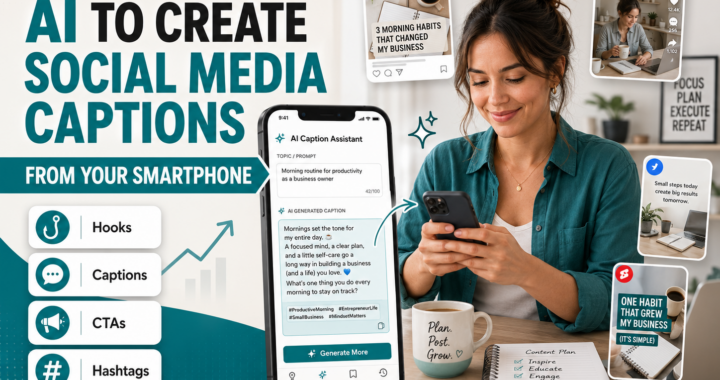
6. Social Media Caption Service
Many small business owners know they should post on social media, but they struggle with what to say.
You can offer a simple caption-writing service from your phone.
Your offer could be:
10 captions per week.
30 captions per month.
Product launch captions.
Instagram captions.
Facebook business posts.
TikTok hook ideas.
How it makes money:
Monthly service packages.
Useful apps:
ChatGPT, Google Docs, Instagram, Facebook, Canva.
Beginner angle:
Choose one type of business first. For example, cafés, beauty salons, coaches, real estate agents or local shops.
This makes your offer much clearer than saying, “I write captions for everyone.”
7. Local Business Content Assistant
Local businesses often do not have time to create content. They need posts, short announcements, Google Business Profile updates, simple promotions and customer-friendly explanations.
You can become a mobile content assistant for local businesses.
This is a practical phone business because you can message clients, create drafts, edit images and schedule content from your phone.
How it makes money:
Monthly retainer.
Useful apps:
Google Docs, Canva, ChatGPT, Facebook, Instagram, WhatsApp.
Beginner angle:
Offer a small starter package:
8 social media posts.
4 promotional captions.
4 simple graphics.
1 content calendar.
Do this for one local business first and use it as your example.
8. AI Email Newsletter Writer
Email newsletters are valuable because businesses own their email list. But many business owners do not know what to write.
You can use your phone to create newsletter ideas, draft emails and build simple weekly email content.
How it makes money:
Newsletter writing packages, email sequence packages, monthly retainers.
Useful apps:
ChatGPT, Google Docs, Gmail, Mailchimp or another email platform.
Beginner angle:
Start with simple newsletters for small businesses:
Weekly tip.
Product update.
Local event announcement.
Customer story.
Special offer.
This can become a strong service if you learn how to write clear subject lines and simple calls to action.
9. Digital Product Idea Shop
You can build a business around creating and selling small digital products.
Examples:
Checklists.
Templates.
Planners.
Prompt packs.
Spreadsheets.
Mini-guides.
Workbooks.
Content calendars.
Your phone can be used to brainstorm ideas, write the content, design simple pages and publish promotional posts.
How it makes money:
Digital product sales.
Useful apps:
Canva, Google Docs, ChatGPT, Gumroad-style platforms, Etsy, PayPal.
Beginner angle:
Start with one very specific product.
Examples:
“30-Day Phone Business Idea Tracker.”
“AI Prompt Pack for New Entrepreneurs.”
“Simple Social Media Caption Calendar.”
“Small Business Launch Checklist.”
10. Canva Template Business
Many people want nice designs but do not want to create them from scratch.
You can create Canva templates for social media posts, Pinterest Pins, planners, worksheets, lead magnets or small business marketing materials.
This can start from a phone, although a tablet or laptop may become easier later for design-heavy work.
How it makes money:
Template sales, custom design packages, template bundles.
Useful apps:
Canva, Pinterest, Instagram, Etsy-style marketplace apps.
Beginner angle:
Choose one clear template type.
Examples:
Pinterest Pin templates for bloggers.
Instagram quote templates for coaches.
Flyer templates for local businesses.
Planner templates for digital product sellers.
11. AI Prompt Pack Seller
AI prompt packs are collections of useful prompts for a specific audience.
Instead of selling general prompts, make them niche-specific.
Examples:
Prompts for bloggers.
Prompts for Etsy sellers.
Prompts for real estate agents.
Prompts for small business owners.
Prompts for YouTube creators.
Prompts for people starting a phone business.
How it makes money:
Digital product sales.
Useful apps:
ChatGPT, Google Docs, Canva.
Beginner angle:
Create a small pack first, such as “50 ChatGPT Prompts for Starting a Business From Your Phone.”
Then expand it into bundles.
12. Smartphone Photography Service
Your phone camera can be enough for certain photography services, especially if you understand lighting, composition and editing.
You could offer simple photo packages for:
Local restaurants.
Small product sellers.
Social media profiles.
Marketplace listings.
Local events.
Personal brands.
How it makes money:
Photo packages.
Useful apps:
Phone camera, Lightroom mobile, Canva, Instagram.
Beginner angle:
Start with small businesses that need better social media photos, not luxury photography clients.
Offer a simple package like:
30 edited phone photos.
10 social media-ready images.
1 week delivery.
13. Product Listing Photo Service
Many online sellers need better product photos for marketplaces, social media or their own stores.
You can use your phone to take simple, clean product photos.
This is especially useful for small handmade sellers, local shops or people selling second-hand products.
How it makes money:
Per-product photo packages.
Useful apps:
Phone camera, Canva, Lightroom mobile, marketplace apps.
Beginner angle:
Create before-and-after examples.
Show how a messy product photo can become a cleaner listing image with better lighting and background.
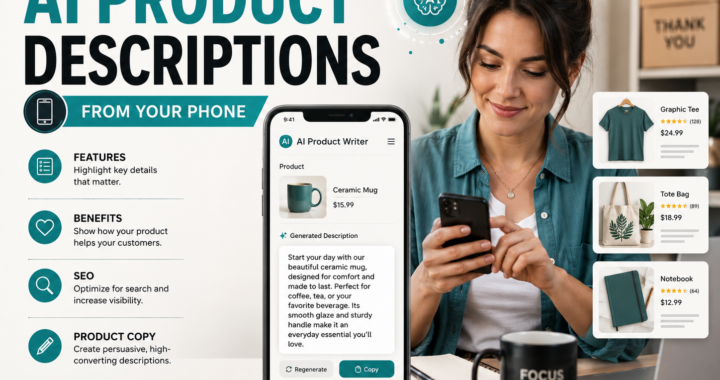
14. Mobile Product Description Writer
Product descriptions matter. Many small sellers upload products with weak descriptions, missing benefits and unclear details.
You can offer product description writing from your phone.
How it makes money:
Per product, per batch or monthly package.
Useful apps:
ChatGPT, Google Docs, Shopify app, Etsy app, Google Sheets.
Beginner angle:
Offer packages like:
10 product descriptions.
25 product descriptions.
Product title + bullet points + short description.
This works well for small e-commerce shops.
15. Print-on-Demand Store
Print-on-demand allows you to sell designs on products without holding inventory. The supplier prints and ships products after orders come in.
This can be managed partly from your phone, especially when you use simple designs, mobile-friendly platforms and social media promotion.
You could sell:
T-shirts.
Mugs.
Wall art.
Tote bags.
Phone cases.
Sweatshirts.
Niche gifts.
How it makes money:
Product profit margins.
Useful apps:
Canva, Printful, Shopify, Pinterest, TikTok, Instagram.
Beginner angle:
Start with one niche and one product type. Do not try to sell everything.
Examples:
Funny teacher mugs.
Minimalist business quote posters.
Pet owner shirts.
Wedding planning gifts.
Entrepreneur wall art.
16. Simple Shopify Store
A simple online store can be managed from your phone once the basic setup is in place.
This does not mean you should randomly open a store with hundreds of products. The better approach is to create a focused store around a specific audience or product category.
How it makes money:
Product sales.
Useful apps:
Shopify, Canva, ChatGPT, Instagram, TikTok, Pinterest.
Beginner angle:
Start with a small store idea:
One product.
One audience.
One problem.
One clear message.
For example, instead of “fitness store,” think “simple home workout accessories for beginners.”
17. Digital Guide Publisher
A digital guide is one of the simplest products you can create from your phone.
You can write a short guide in Google Docs, design it in Canva and sell it through a simple platform or your own website.
Examples:
Beginner guide to phone business ideas.
Simple guide to starting a home business.
AI tools guide for small businesses.
Pinterest marketing guide for beginners.
How it makes money:
Digital guide sales.
Useful apps:
Google Docs, ChatGPT, Canva, PayPal, Gumroad-style tools.
Beginner angle:
Do not write a 300-page book. Start with a useful 15 to 30-page guide that solves one problem.
18. Mini-Course Creator
A mini-course can be created from your phone using short videos, slides, voice recordings or written lessons.
You do not need a giant course. A simple course can teach one outcome.
Examples:
How to create your first Pinterest Pin.
How to use ChatGPT for business ideas.
How to create 30 social media posts.
How to start a phone-based affiliate channel.
How to make a simple digital product.
How it makes money:
Course sales.
Useful apps:
Canva, CapCut, phone camera, Google Docs, course platform apps.
Beginner angle:
Make the course short and practical. The best beginner mini-courses help someone complete one small task.
19. Voiceover Service
If you have a clear voice, you can offer voiceovers for short videos, ads, intros, tutorials or social media clips.
Your phone can record audio, especially with a decent microphone and quiet space.
How it makes money:
Voiceover gigs.
Useful apps:
Voice recorder, CapCut, Fiverr, Google Drive.
Beginner angle:
Create 5 to 10 sample recordings in different styles:
Warm and friendly.
Professional.
Energetic.
Calm narrator.
Short ad voice.
You can offer this as a freelance service on Fiverr or through direct outreach.
20. Faceless YouTube Channel
A faceless YouTube channel does not require you to appear on camera.
You can create videos using voiceover, stock visuals, screen recordings, slides, animations or text-based storytelling.
Phone-friendly niches include:
Business ideas.
AI tools.
History stories.
Book summaries.
Personal finance basics.
Product comparisons.
Travel tips.
How it makes money:
Affiliate links, digital products, sponsorships, ads after eligibility, lead generation.
Useful apps:
YouTube Studio, CapCut, Canva, ChatGPT.
Beginner angle:
Start with Shorts before trying long videos. Shorts are easier to test from your phone.
21. YouTube Shorts Affiliate Channel
A YouTube Shorts affiliate channel focuses on short videos that recommend useful tools, products or services.
This is different from random product promotion. The best approach is to create helpful videos that explain why a tool solves a problem.
Examples:
“3 tools that help you start a business from your phone.”
“Best AI tools for new entrepreneurs.”
“Simple website tools for beginners.”
How it makes money:
Affiliate commissions.
Useful apps:
YouTube, YouTube Studio, CapCut, Canva, ChatGPT.
Beginner angle:
Choose one niche and make 30 Shorts around that niche before changing direction.
You can build this further with How to Create a YouTube Affiliate Channel from Your Smartphone.
22. TikTok Niche Channel
TikTok can be used for more than dancing or entertainment. It can become a business discovery channel.
You can build a niche TikTok account around:
Business ideas.
AI tools.
Productivity.
Personal finance.
Side hustles.
Home business.
Digital products.
How it makes money:
Affiliate links, digital products, services, brand deals, traffic to other platforms.
Useful apps:
TikTok, CapCut, Canva, ChatGPT.
Beginner angle:
Use repeatable formats:
“3 ideas for…”
“Do not start…”
“Beginner mistake…”
“Simple business you can start…”
“What I would do if…”
Repeatable formats make content creation easier.
23. Instagram Theme Page
An Instagram theme page is built around a topic, not necessarily your personal face.
Examples:
Business quotes.
Startup tips.
Minimalist home business ideas.
AI tool tips.
Digital product ideas.
Wedding inspiration.
Travel inspiration.
How it makes money:
Affiliate links, digital products, sponsored posts, shoutouts, traffic.
Useful apps:
Instagram, Canva, ChatGPT.
Beginner angle:
Do not only post quotes. Add useful carousel posts, checklists, mini-guides and short Reels.
24. Facebook Page or Group Business
Facebook still works well for certain audiences and local topics.
You can build a page or group around a niche and use it to share tips, answer questions and recommend useful resources.
Examples:
Local business tips.
Home business ideas.
Beginner entrepreneur support.
Budget meal planning.
Local travel tips.
Parenting resources.
How it makes money:
Affiliate links, services, digital products, local ads, community offers.
Useful apps:
Facebook, Canva, Messenger, ChatGPT.
Beginner angle:
A group works best when people have a reason to interact. Ask questions, share examples and create weekly themes.
25. WhatsApp Business Service
WhatsApp Business can be used to communicate with customers, send updates, answer questions and manage simple service businesses.
This works especially well for local or personal services.
Examples:
Cleaning service.
Tutoring.
Local delivery.
Personal shopping.
Event planning.
Beauty appointments.
How it makes money:
Direct service payments.
Useful apps:
WhatsApp Business, Google Calendar, Canva, payment apps.
Beginner angle:
Use WhatsApp Business features like quick replies, labels and business profile details to look more professional.
26. Mobile Appointment Setter
Many businesses need help booking appointments, following up with leads and organizing simple customer communication.
You can offer appointment-setting support from your phone.
How it makes money:
Hourly rate, monthly retainer or per-booked-appointment fee.
Useful apps:
Google Calendar, Gmail, WhatsApp, Messenger, CRM mobile apps.
Beginner angle:
Choose one type of client:
Real estate agents.
Beauty salons.
Coaches.
Local contractors.
Fitness trainers.
Your job is to help them respond faster and keep their calendar full.
27. Customer Support Assistant
Small businesses often miss messages because they are busy. You can help them answer common customer questions.
This can include:
Replying to messages.
Organizing FAQs.
Creating response templates.
Managing comments.
Following up with customers.
How it makes money:
Monthly support package.
Useful apps:
Gmail, WhatsApp Business, Facebook, Instagram, ChatGPT, helpdesk apps.
Beginner angle:
Start with simple message management, not complex support systems.
You can also use AI to draft reply templates, then personalize them before sending.
28. AI Customer Reply Template Service
Instead of answering messages directly for clients, you can create ready-made reply templates for them.
Examples:
Appointment confirmation messages.
Shipping delay messages.
Product question replies.
FAQ answers.
Refund policy responses.
Welcome messages.
How it makes money:
Template packs, custom template packages, business setup services.
Useful apps:
ChatGPT, Google Docs, Canva.
Beginner angle:
Create niche-specific template packs.
Examples:
“50 reply templates for beauty salons.”
“50 customer service templates for online stores.”
“30 reply templates for local restaurants.”
29. Mobile Virtual Assistant
A virtual assistant helps business owners with administrative tasks.
Phone-friendly tasks include:
Email sorting.
Calendar updates.
Simple research.
Social media scheduling.
Customer replies.
Data entry in spreadsheets.
Follow-up messages.
How it makes money:
Hourly rate or monthly package.
Useful apps:
Gmail, Google Calendar, Google Sheets, Trello, Notion, WhatsApp.
Beginner angle:
Offer one simple package first, such as “Inbox and calendar support for busy solopreneurs.”
30. Online Research Assistant
Many entrepreneurs need research but do not have time to do it.
You can research:
Competitors.
Product ideas.
Content ideas.
Affiliate programs.
Market questions.
Customer problems.
Trend topics.
How it makes money:
Research reports, hourly service, monthly research package.
Useful apps:
Perplexity, Google, ChatGPT, Google Docs, Google Sheets.
Beginner angle:
Make your deliverable simple:
A 3-page research summary.
A spreadsheet of 50 ideas.
A list of competitors.
A list of customer pain points.
Research is valuable when it saves someone time.
31. Lead List Builder
Businesses need leads. You can build simple lead lists from your phone using online research.
Examples:
Local restaurants in a city.
Wedding planners in a region.
Small e-commerce stores.
Coaches in a niche.
Real estate agents.
Local gyms.
How it makes money:
Per-list fee or monthly lead research package.
Useful apps:
Google Maps, Google Sheets, LinkedIn, Instagram, Perplexity.
Beginner angle:
Do not sell spam lists. Sell organized research with useful details:
Business name.
Website.
Contact page.
Social profile.
Location.
Notes.
Possible need.
32. Local SEO Checklist Service
Many local businesses have weak online profiles.
You can offer a simple local visibility checklist service.
You could review:
Google Business Profile.
Website contact details.
Opening hours.
Reviews.
Local keywords.
Social media links.
Photos.
Basic FAQs.
How it makes money:
Audit fee, monthly improvement package.
Useful apps:
Google Maps, Google Docs, Canva, ChatGPT.
Beginner angle:
Start with a simple “local business online presence audit.”
You do not need to promise rankings. You can offer practical improvement suggestions.
33. Review Response Service
Local businesses often receive reviews but do not respond consistently.
You can help them write polite, professional replies to positive and negative reviews.
How it makes money:
Monthly review response package.
Useful apps:
Google Business Profile app/tools, ChatGPT, Google Docs.
Beginner angle:
Create sample responses.
Examples:
Positive review reply.
Complaint reply.
Late delivery reply.
Service recovery reply.
Thank-you reply.
This is a small but useful service for busy business owners.
34. Mobile Resume and Cover Letter Service
Many job seekers need help improving resumes and cover letters.
You can use your phone and AI tools to create better drafts, formatting suggestions and job-specific cover letters.
How it makes money:
Resume packages, cover letter packages, LinkedIn profile review.
Useful apps:
ChatGPT, Google Docs, Canva, LinkedIn.
Beginner angle:
Start with simple packages:
Resume review.
Cover letter draft.
LinkedIn summary rewrite.
Entry-level job application package.
Always personalize the work. Do not only copy AI output.
35. LinkedIn Profile Optimization Service
Professionals often have weak LinkedIn profiles.
You can offer a mobile-friendly service that improves:
Headline.
About section.
Experience descriptions.
Featured section.
Profile keywords.
Connection message.
How it makes money:
One-time optimization packages.
Useful apps:
LinkedIn, ChatGPT, Google Docs.
Beginner angle:
Focus on one group:
Job seekers.
Freelancers.
Coaches.
Consultants.
Small business owners.
The more specific your target audience, the easier it is to write strong profiles.
36. Mobile Copywriting Service
Copywriting means writing text that helps sell, persuade or move someone to action.
From your phone, you can write:
Landing page copy.
Sales page sections.
Product descriptions.
Social media ads.
Email sequences.
Website headlines.
How it makes money:
Per-project fees, retainer packages.
Useful apps:
Google Docs, ChatGPT, Grammarly, Notion.
Beginner angle:
Start with small projects.
Examples:
10 product headlines.
5 email subject lines.
1 landing page rewrite.
20 ad hooks.
Build your skill before offering large sales pages.
37. Micro Consulting Calls
If you know something useful, you can offer short consulting calls.
This works best when the topic is specific.
Examples:
How to start a blog.
How to use AI for content.
How to organize a Pinterest strategy.
How to choose a phone business idea.
How to create a simple digital product.
How it makes money:
Paid 30-minute or 60-minute calls.
Useful apps:
Google Meet, Zoom, Calendly, WhatsApp, payment apps.
Beginner angle:
Create a clear promise for the call.
For example:
“In 45 minutes, we will choose your first phone business idea and create your first 7-day action plan.”
38. Mobile Tutoring Business
Tutoring can be managed and sometimes delivered from your phone.
You could tutor:
Languages.
Math basics.
Writing.
Business English.
Exam preparation.
Digital skills.
AI tools for beginners.
How it makes money:
Hourly lessons, lesson packages.
Useful apps:
Zoom, Google Meet, WhatsApp, Google Docs, Canva.
Beginner angle:
Offer simple lesson packages with clear outcomes.
Examples:
5 beginner English sessions.
4 AI basics lessons.
3 resume writing lessons.
10 conversation practice calls.
39. Language Practice Partner
Many people want conversation practice in a language, not formal tutoring.
You can offer language practice sessions through calls or voice messages.
How it makes money:
Session fees, weekly practice packages.
Useful apps:
WhatsApp, Telegram, Zoom, Google Meet.
Beginner angle:
Position it clearly:
“Dutch conversation practice for beginners.”
“English practice for job interviews.”
“Business English practice for entrepreneurs.”
A focused offer is easier to sell than general language help.
40. Mobile Coaching Accountability Service
Some people do not need complex coaching. They need accountability.
You can create a phone-based accountability service for:
Business goals.
Fitness habits.
Study routines.
Content creation.
Budget tracking.
Job applications.
How it makes money:
Weekly or monthly accountability packages.
Useful apps:
WhatsApp, Telegram, Google Sheets, Notion, Google Calendar.
Beginner angle:
Keep it simple:
Daily check-in.
Weekly review.
Progress tracker.
Motivation message.
Goal adjustment.
This can work well when you choose a specific audience.
41. Budget Tracker Template Business
People want to manage money more simply.
You can create and sell budget trackers, spending sheets and savings planners.
This can be done with mobile-friendly spreadsheet tools and Canva.
How it makes money:
Digital template sales.
Useful apps:
Google Sheets, Canva, ChatGPT.
Beginner angle:
Create templates for specific audiences:
New business owners.
Students.
Families.
Freelancers.
People saving for travel.
The more specific the template, the easier it is to market.
42. Meal Plan Content Business
Meal planning is a strong content and digital product niche.
You can create:
Weekly meal plans.
Shopping lists.
Budget meal plans.
Healthy lunch ideas.
Family dinner plans.
Diet-specific content.
How it makes money:
Digital products, affiliate links, ads, memberships, sponsored content.
Useful apps:
Canva, Pinterest, Instagram, TikTok, Google Docs.
Beginner angle:
Start with one audience:
Busy parents.
Students.
Budget shoppers.
Fitness beginners.
People who cook with limited equipment.
43. Travel Itinerary Planner
A travel itinerary planner helps people organize trips.
You can create basic itineraries from your phone using research tools, maps and templates.
How it makes money:
Custom itinerary fees, digital travel guides, affiliate content.
Useful apps:
Google Maps, Perplexity, Google Docs, Canva, Pinterest.
Beginner angle:
Choose one destination or travel style.
Examples:
Bangkok first-time visitor itinerary.
Amsterdam weekend itinerary.
Budget Europe travel plan.
Family-friendly city trips.
Food-focused travel guides.
44. Event Planning Assistant
Event planning can start as a mobile service if you help with organization, checklists, vendor research and communication.
Examples:
Birthday parties.
Small weddings.
Business meetups.
Community events.
Quinceañera planning.
Local workshops.
How it makes money:
Planning packages, vendor research fees, coordination support.
Useful apps:
WhatsApp, Google Sheets, Google Calendar, Canva, Pinterest.
Beginner angle:
Start with planning templates and vendor research instead of full event coordination.
This keeps the business manageable from your phone.
45. Wedding Inspiration Content Business
Wedding inspiration is highly visual, which makes it suitable for Pinterest, Instagram and mobile content creation.
You can build a niche around:
Wedding dresses.
Cultural wedding styles.
Budget wedding ideas.
Wedding moodboards.
Wedding planning checklists.
How it makes money:
Affiliate links, ads, digital products, vendor leads, planning templates.
Useful apps:
Pinterest, Canva, Instagram, ChatGPT.
Beginner angle:
Choose a specific angle.
Examples:
Cultural wedding dress inspiration.
Minimalist wedding planning.
Budget wedding moodboards.
Destination wedding ideas.
46. Niche Newsletter Business
A newsletter is one of the simplest media businesses to start.
You can write and manage the early version from your phone.
Newsletter ideas:
Weekly AI business ideas.
Home business tips.
Local event roundup.
Best digital tools for solopreneurs.
Side hustle ideas.
Pinterest marketing tips.
How it makes money:
Sponsorships, affiliate links, digital products, paid subscriptions.
Useful apps:
Email newsletter app, ChatGPT, Perplexity, Google Docs.
Beginner angle:
Start with one weekly email.
Do not try to write daily.
A useful weekly email is better than an abandoned daily newsletter.
47. Mobile Community Curator
A community curator gathers useful resources, discussions and opportunities for a specific audience.
This can be done through:
Facebook groups.
WhatsApp groups.
Telegram channels.
Email newsletters.
Discord communities.
How it makes money:
Paid community, sponsorships, affiliate offers, digital products, services.
Useful apps:
Facebook, WhatsApp, Telegram, Discord, Canva.
Beginner angle:
Start with a free community and one clear promise.
Examples:
“Daily phone business ideas.”
“AI tools for small business owners.”
“Pinterest tips for beginner bloggers.”
48. Digital Product Reviewer
People want help choosing tools, templates, apps and products.
You can build a business reviewing digital products.
Examples:
AI tools.
Website builders.
Design tools.
Online course platforms.
Productivity apps.
Business apps.
How it makes money:
Affiliate commissions, sponsored reviews, comparison content.
Useful apps:
ChatGPT, Perplexity, YouTube, TikTok, WordPress, Pinterest.
Beginner angle:
Create helpful comparison content.
Examples:
“Best tools for starting a business from your phone.”
“Can you build a website from your phone?”
“Best AI apps for beginner entrepreneurs.”
When you are ready to build a website around reviews, tools like Bluehost, Namecheap or a WordPress Website Builder can become relevant.
49. Mobile Website Starter Service
Many small business owners do not need a complicated website at first. They need a simple online presence.
You can offer a starter service where you help them plan or set up:
Homepage text.
About section.
Contact page.
Service list.
FAQ section.
Basic images.
Simple call to action.
How it makes money:
Website starter packages.
Useful apps:
WordPress, Google Docs, Canva, ChatGPT, website builder apps.
Beginner angle:
You do not have to become a full developer. You can start as a website content planner or simple setup assistant.
For hosting and website setup, relevant tools can include Bluehost, Namecheap or WordPress AI Sitebuilder.
50. Phone Business Education Brand
This is the bigger idea that connects many of the ideas in this list.
You can build a brand that teaches people how to start and run simple businesses from their phones.
This can include:
Blog posts.
Pinterest Pins.
YouTube Shorts.
TikTok videos.
Digital guides.
AI prompt packs.
Business idea lists.
Mini-courses.
Affiliate recommendations.
How it makes money:
Affiliate income, digital products, ads, sponsorships, email list, courses, consulting.
Useful apps:
ChatGPT, Canva, WordPress, Pinterest, YouTube Studio, TikTok, Instagram, email tools.
Beginner angle:
Start by documenting simple phone-based business ideas and helping beginners choose their first idea.
This is a powerful model because every piece of content can become part of a larger library.
One article becomes a Pin.
One Pin becomes a Short.
One Short becomes a TikTok.
One idea becomes a digital product.
One digital product becomes a lead magnet.
One lead magnet grows an email list.
This is how a simple phone-based content project can become a real business asset over time.
Best Phone Business Ideas for Beginners
If you are just starting, do not choose the most complicated idea.
Choose something simple, testable and low cost.
The easiest phone business ideas for beginners are usually:
Social media caption service.
Pinterest content business.
AI prompt pack seller.
Digital guide publisher.
Short-form video content business.
Local business content assistant.
Product description writer.
Affiliate marketing channel.
AI business idea researcher.
Virtual assistant.
These ideas are beginner-friendly because they do not require inventory, expensive equipment or advanced technical skills.
They mostly require:
Clear communication.
Consistency.
Simple tools.
A specific audience.
A useful offer.
That is enough to begin.
Best Phone Business Ideas With Low Startup Cost
Some business ideas require almost no money to test.
Low-cost phone business ideas include:
AI business idea research.
Social media captions.
Review response service.
Online research assistant.
Lead list builder.
Newsletter writer.
Resume and cover letter service.
LinkedIn profile optimization.
Digital prompt packs.
Simple consulting calls.
These businesses are attractive because you can start with your time and skills instead of a large budget.
The tradeoff is that you need to find clients or build an audience.
If you do not have money, you need patience, outreach and consistency.
Best Phone Business Ideas for Content Creators
If you enjoy content, choose a model where attention becomes the asset.
Good content-based phone businesses include:
Faceless YouTube channel.
YouTube Shorts affiliate channel.
TikTok niche channel.
Instagram theme page.
Pinterest content business.
Niche newsletter.
Digital product reviewer.
Wedding inspiration content business.
Meal plan content business.
Phone business education brand.
These ideas can take longer to make money, but they can become powerful because content keeps working after you publish it.
A service business can bring money faster.
A content business can become more scalable later.
Best Phone Business Ideas for AI Beginners
AI makes phone-based businesses more powerful because it helps you think, write, plan and organize faster.
Good AI-supported phone businesses include:
AI business idea researcher.
AI prompt pack seller.
AI email newsletter writer.
AI customer reply template service.
AI-assisted blog content business.
AI social media caption service.
AI local business content assistant.
AI product description writer.
AI research assistant.
AI website content planner.
The key is to use AI as an assistant, not as a replacement for quality.
AI can create drafts.
You still need to improve the result, check the details and make the work useful for real people.
For a deeper guide on this, read How to Use ChatGPT from Your Phone for Business.
How to Choose the Right Phone Business Idea
With 50 ideas, it is easy to feel overwhelmed.
Do not try to start all of them.
Use this simple filter.
Ask yourself:
Can I start this with the tools I already have?
Can I explain the idea in one sentence?
Do I know who this helps?
Can I test it in 7 days?
Can I create content around it?
Can it make money through a product, service, affiliate offer or audience?
Would I still care about this topic after 30 days?
If the answer is no to most of these questions, choose a simpler idea.
A good first business idea should be small enough to start, but useful enough to matter.
A Simple 7-Day Plan to Start From Your Phone
You do not need a complicated business plan.
Here is a simple 7-day phone business test.
Day 1: Choose One Idea
Pick one idea from this list.
Write down:
Who it helps.
What problem it solves.
How it could make money.
What the first small offer could be.
Day 2: Research the Audience
Use your phone to search:
What questions do people ask?
What content already exists?
What products or services already sell?
What problems keep appearing?
Use ChatGPT or Perplexity to organize your findings.
Day 3: Create a Simple Offer
Create one simple offer.
Examples:
10 captions for small businesses.
A 20-page digital guide.
A 30-minute consulting call.
A lead list of 50 businesses.
A product description package.
Keep it small.
Day 4: Create Proof
Create samples.
Examples:
3 sample captions.
1 sample product description.
1 sample digital guide page.
1 sample research report.
1 before-and-after example.
People trust examples more than promises.
Day 5: Publish Content
Create 3 to 5 pieces of content from your phone.
Examples:
Pinterest Pin.
Short video.
Facebook post.
Instagram carousel.
Blog outline.
LinkedIn post.
The content should explain the problem and show your solution.
Day 6: Reach Out
Contact a small number of potential customers or share your offer in relevant places.
Do not spam people.
Be useful and specific.
Example message:
“I created a simple set of social media caption ideas for local cafés. Would you like me to send you a free sample?”
Day 7: Review the Results
Ask:
Did anyone respond?
Did people click?
Did people save the content?
Did anyone ask a question?
Did the idea feel practical?
What needs to change?
This is how you test an idea before wasting months on it.
Common Mistakes to Avoid
Phone businesses are easier to start, but they still require discipline.
Avoid these mistakes.
Mistake 1: Trying Too Many Ideas at Once
A list of 50 ideas is useful for brainstorming, but action requires focus.
Choose one idea and test it.
Mistake 2: Only Consuming Content
Watching business videos all day is not the same as building a business.
Use your phone to create, publish and communicate.
Mistake 3: Choosing an Idea With No Audience
A business needs people who care.
Before you build, research whether people are already asking questions or spending money in that niche.
Mistake 4: Depending Completely on AI
AI can help, but you need judgment.
Check facts.
Improve drafts.
Add examples.
Make the final result useful.
Mistake 5: Waiting for Perfect Tools
You do not need the perfect app stack.
Start with notes, documents, simple design tools and one publishing platform.
Better tools can come later.
The Best First Phone Business for Most Beginners
If you are completely new, the best first phone business is usually a simple service business.
Why?
Because services can be tested faster than products.
You do not need a big audience.
You do not need inventory.
You do not need a huge website.
You only need one clear problem and one person willing to pay for help.
Good first service ideas include:
Social media captions.
Product descriptions.
Research reports.
Customer reply templates.
Local business content.
Virtual assistant tasks.
Review response writing.
After you learn what people want, you can turn your service into a digital product, template, course or content brand.
That is the smarter path.
Start with service.
Learn the market.
Then build assets.
Final Thoughts
Your phone is not just a device for scrolling.
It can become a business tool.
You can use it to research ideas, create content, write offers, communicate with customers, build an audience, sell digital products, manage simple services and test business models.
The opportunity is not that every person can become rich from a phone overnight.
That is not realistic.
The real opportunity is that the starting line is much closer than before.
You do not need to wait for a perfect office, perfect website, perfect camera or perfect plan.
You can choose one idea, test it from your phone and improve as you go.
Start small.
Pick one audience.
Solve one problem.
Create one offer.
Publish one piece of content.
Send one message.
That is how a phone business begins.
Not with perfection.
With action.
Related Articles
How to Use ChatGPT from Your Phone for Business
How to Create a YouTube Affiliate Channel from Your Smartphone
How to Use AI to Generate Business Ideas from Your Smartphone