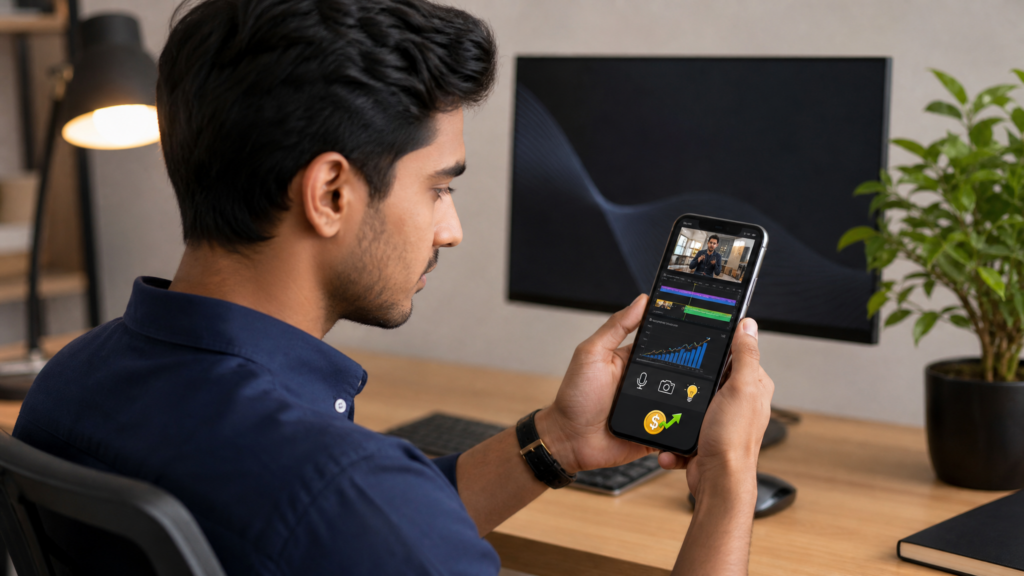
If you still think you need a DSLR camera, a full desktop setup, and expensive editing software to build a profitable YouTube affiliate business, 2026 is the year to let go of that idea.
A modern smartphone is more than powerful enough to build a serious YouTube channel. You can research products, script videos, film in 4K, edit on mobile apps, create thumbnails, upload content, respond to comments, and track your affiliate earnings directly from your phone.
That matters because YouTube is one of the best affiliate marketing platforms in the world. Unlike short-form social content that can disappear in a day, YouTube videos often keep generating views, clicks, and commissions for months or even years. When someone types in search terms like “best app for…”, “review”, “comparison”, or “how to use…”, they are often very close to making a purchase. That is exactly the kind of traffic affiliate marketers want.
So if you want to create a long-term mobile income stream, a YouTube affiliate channel is one of the smartest business models you can build.
Affiliate disclosure: This post contains affiliate links. If you make a purchase through one of these links, ProBusinessStrategy may earn a small commission at no extra cost to you. We only recommend tools we genuinely believe in.
Why a YouTube Affiliate Channel Works So Well on Mobile
YouTube is different from most social platforms because people use it with intent. They are not only scrolling for entertainment. They are actively searching for help, answers, reviews, tutorials, and buying advice.
That gives you three major advantages as a smartphone-based affiliate marketer:
1. Buyer-focused traffic
A person watching a product review or tutorial is already interested. That means the click on your affiliate link is usually much more valuable than a random social media view.
2. Long-term content lifespan
A good YouTube video can continue ranking in search and suggested videos for a long time. One useful video can become a passive traffic source.
3. A full business can be run from your phone
You can plan, shoot, edit, publish, optimize, and monetize everything without touching a laptop. If you are already learning the basics, start with How to Start Affiliate Marketing from Your Smartphone and then use this guide to specialize into YouTube.
In other words, YouTube gives mobile entrepreneurs the best of both worlds: content-driven discovery and search-driven buyer intent.
Step 1: Choose a Niche That Is Easy to Review, Demonstrate, or Explain
The biggest mistake beginners make is starting a “general” channel. A broad channel feels flexible, but it usually grows slower because viewers do not know what to expect from you.
A better approach is to choose a focused niche that works well with affiliate content and can be created easily from a smartphone.
Strong YouTube affiliate niches for mobile creators
Mobile business tools
Productivity apps
Website builders
E-commerce tools
AI apps for entrepreneurs
Creator tools
Side hustle software
Digital products and templates
Budget tech for entrepreneurs
Online business tools for beginners
The key is simple: choose a niche where you can show the product, explain the result, or compare options.
For example, a channel about “mobile business tools” gives you endless content ideas:
best apps for affiliate marketers
best website builders for beginners
Shopify vs WordPress for small sellers
AI tools for content creators
mobile tools for freelancers
That kind of niche is practical, commercial, and highly monetizable.
If you want your channel to look more professional from day one, you can outsource small design tasks like a YouTube banner, logo, or thumbnail template through Fiverr. That is often a smart shortcut if you want polished branding without spending weeks figuring it out yourself.
Step 2: Pick Affiliate Offers That Actually Fit YouTube
Not every affiliate offer is ideal for YouTube. The best ones are usually products or services that benefit from explanation, demonstration, walkthroughs, or comparisons.
That is why software, website tools, e-commerce platforms, hosting, digital services, and creator tools often perform very well.
Good types of affiliate products for a YouTube channel
Website builders
Domain and hosting services
E-commerce platforms
Print-on-demand services
AI tools
SaaS subscriptions
Freelancer marketplaces
Productivity apps
Email marketing tools
Digital products
For example, if your audience wants to build an online business from their phone, you can naturally recommend:
If you are still building your offer stack, this article pairs well with Best Affiliate Networks That Work on Mobile Devices and How to Promote Digital Products as an Affiliate from Your Phone.
The rule is this: promote tools that solve a clear problem your viewer already has.
Step 3: Set Up Your Channel Like a Real Business
Treat your YouTube channel like a media asset, not a hobby.
Even if you are filming on a phone, your channel should look clean, clear, and trustworthy. That means your branding, channel description, and links all need to support the niche you chose.
What to set up from your phone
Channel name
Profile image
Banner image
About section
Contact email
Link strategy
Thumbnail style
Content categories
Your “About” section should clearly say:
who the channel helps
what kind of videos you publish
what kind of tools you review or teach
where people can learn more
If you want stronger authority, it is smart to connect your channel to a website. Even a simple blog or landing page increases trust, gives you another traffic source, and lets you build an email list later.
For example, if your channel recommends online business tools, you can send viewers to a related blog article or resource page built with WordPress Website Builder or WordPress AI Sitebuilder. If you need hosting for a more traditional site setup, Bluehost or Namecheap can fit naturally into that workflow.
The point is not to overcomplicate things. The point is to make your YouTube channel feel connected to a real business ecosystem.
Step 4: Use Video Formats That Convert Well for Affiliate Sales
You do not need cinematic content to make affiliate commissions. In fact, simple and helpful content often performs better.
The best affiliate videos are not built around “looking impressive.” They are built around helping someone make a decision.
High-converting YouTube affiliate video formats
1. Product reviews
These are classic for a reason. People search for reviews when they are close to buying.
Examples:
Shopify review for beginners
Printful review for creators
Bluehost review for small business owners
2. Comparisons
Comparison videos attract people who are already evaluating options.
Examples:
Shopify vs WordPress for e-commerce
Bluehost vs Namecheap for beginners
Printful vs other print-on-demand platforms
3. Tutorials
These work extremely well because they combine education with product exposure.
Examples:
how to build a store on Shopify from your phone
how to launch print-on-demand with Printful
how to create a starter website with WordPress Website Builder
4. “Best tools” lists
This format lets you promote multiple affiliate offers in one video.
Examples:
best website builders for side hustlers
best mobile business tools in 2026
best AI tools for entrepreneurs on a smartphone
5. Workflow videos
These show how tools fit together in a real business setup.
Examples:
domain + hosting + website builder workflow
Shopify + Printful mobile business workflow
WordPress + AI tools content workflow
This is where YouTube becomes powerful. You are not just dropping links. You are helping viewers understand the system.
Step 5: Build a Smartphone-Only Content Workflow
One of the biggest advantages of this business model is speed. A smartphone-based creator can move quickly because every tool is already in one device.
A practical mobile workflow looks like this:
Research
Use YouTube search suggestions, Google search, competitor videos, comments, Reddit, and product review pages to find what people are asking.
Scripting
Write bullet points in your notes app or in a mobile doc. Do not over-script. YouTube usually performs best when the delivery sounds natural and direct.
Filming
Use your phone camera, natural light, and a simple tripod. Clean audio matters more than fancy visuals.
Screen recordings
For app tutorials, website builder walkthroughs, or dashboard demos, screen recordings are often more useful than talking-head video.
Editing
Use mobile-friendly editing apps like CapCut, VN, or InShot. Focus on:
cutting out pauses
adding text overlays
using simple transitions
inserting callouts for links or key points
Thumbnail creation
Use Canva or another simple design app to create readable, high-contrast thumbnails with minimal text.
Upload and optimize
Use the YouTube app and YouTube Studio to upload, write descriptions, choose thumbnails, and monitor performance.
This is also why a YouTube affiliate channel is one of the best branches to pair with How to Create High-Converting Affiliate Content from Your Smartphone. The core skill is the same: helpful content first, monetization second.
Step 6: Place Affiliate Links Strategically Without Looking Spammy
Bad affiliate marketers dump links everywhere and hope for clicks.
Good affiliate marketers place links where they make sense and support the viewer’s next step.
The best places to put affiliate links on YouTube
In the first lines of your description
Most viewers do not expand the full description. Put the most relevant affiliate link near the top.
Example:
“If you want to build your store from your phone, start with Shopify.”
In a pinned comment
A pinned comment keeps your main recommendation visible under the video. This works especially well for tutorials and reviews.
In a resource section
If your video includes several tools, create a clean “recommended tools” list in the description.
Example:
Build your store: Shopify
Add print-on-demand: Printful
Launch a website: WordPress Website Builder
Find creative help: Fiverr
In your supporting website content
Sometimes the best affiliate click does not happen on YouTube itself. It happens when someone reads your blog post, comparison page, or tool roundup after watching your video.
That is why companion content works so well. If your channel grows, you can publish matching articles on your site and route viewers there for deeper breakdowns.
For clean mobile link strategies, see How to Share Affiliate Links from Your Smartphone.
Step 7: Make SEO Work for YouTube, Even From a Phone
A lot of beginner creators think YouTube success is only about going viral. That is not true for affiliate content.
Affiliate channels often grow faster through searchable, problem-solving videos than through entertainment-style content.
What to optimize
Video title
Use clear search-based phrasing. Examples:
Shopify Review for Beginners (2026)
How to Start Print-on-Demand from Your Phone
Best Website Builder for a Mobile Business
Thumbnail
Keep it simple. One main object, one emotional expression or clear visual, and short readable text.
Description
Use your main keyword early, summarize what the viewer will learn, and place your main affiliate recommendation near the top.
Spoken keywords
YouTube understands spoken content. If your video is about Shopify for mobile entrepreneurs, say that clearly in the video.
Viewer retention
The longer people watch, the more YouTube trusts your content. Start fast. Get to the point. Remove slow intros.
Content depth
A useful 8-minute tutorial usually outperforms a shallow 2-minute video if it genuinely solves the viewer’s problem.
If you already use short-form platforms, this also connects well with How to Use TikTok for Affiliate Marketing from Your Phone and How to Do Affiliate Marketing on Instagram from Your Phone. Short-form can drive discovery, while YouTube builds long-form trust.
Step 8: Create Content That Builds Trust First, Then Monetizes
The fastest way to fail with affiliate marketing on YouTube is to sound like an ad.
People do not want hype. They want clarity.
That means your content should answer questions like:
Who is this tool best for?
Who should avoid it?
What does it cost?
What are the pros and cons?
Is it beginner-friendly?
Can it be used from a smartphone?
What result can someone realistically expect?
When you create content this way, affiliate sales become a natural byproduct of trust.
For example, if you make a video about launching an online store from your phone, you can say:
use Shopify if you want a streamlined e-commerce setup
use Printful if you want print-on-demand fulfillment
use WordPress Website Builder if you want more content flexibility
use Fiverr if you need help with branding or video assets
That is useful, not pushy.
Step 9: Track What Is Actually Making Money
Views are not the goal. Clicks and commissions are.
Some videos with lower views can outperform viral videos if the audience is more commercial.
That is why you should monitor:
click-through rate on thumbnails
average view duration
comments that reveal buying intent
affiliate dashboard clicks
conversions by product
topics that lead to the best revenue
If you are creating content regularly, use Best Apps to Track Affiliate Commissions from Your Phone in 2026 to stay on top of what is actually working.
The goal is to identify which content type brings in the best return:
reviews
comparisons
tutorials
lists
workflows
Then make more of what converts.
Step 10: Scale the Channel Into a Real Mobile Business Asset
Once your YouTube affiliate content starts working, do not stop at random uploads. Turn the channel into a real business asset.
Ways to scale
publish videos in topic clusters
build playlists around product categories
create matching blog content
build an email list
add lead magnets
create tool roundups
repurpose videos into Shorts, TikToks, and Reels
update old descriptions with stronger offers
make “best of” and “comparison” videos every year
For example, a single content ecosystem could look like this:
YouTube review of Shopify
blog post comparing Shopify and WordPress
short-form clips from the review
email follow-up with recommended tools
companion guide for print-on-demand using Printful
That is how a smartphone-based side hustle becomes a long-term digital business.
Recommended Tool Stack for a Mobile YouTube Affiliate Channel
If you want a simple starting stack, these are easy fits for the kind of business model covered in this article:
Build a website or resource hub with WordPress Website Builder
Launch faster with WordPress AI Sitebuilder
Secure your domain with WordPress.com Domain Names
Start an online store with Shopify
Add print-on-demand with Printful
Find affordable branding or editing help through Fiverr
Use Bluehost or Namecheap if you want a more traditional hosting route
Final Thoughts
You do not need a studio to build a YouTube affiliate business anymore.
You need a niche that makes sense, products that fit your audience, a smartphone-based content workflow, and the discipline to create genuinely useful videos. If you do that consistently, YouTube can become one of the most powerful affiliate traffic sources in your entire mobile business.
The biggest shift is mental: stop thinking like a random creator trying to upload videos, and start thinking like a publisher building a library of buyer-focused content.
Every review, tutorial, comparison, and workflow video becomes a digital asset.
And the best part is that you can build the whole system from your phone.
If you want to keep expanding your mobile affiliate business, next read:



