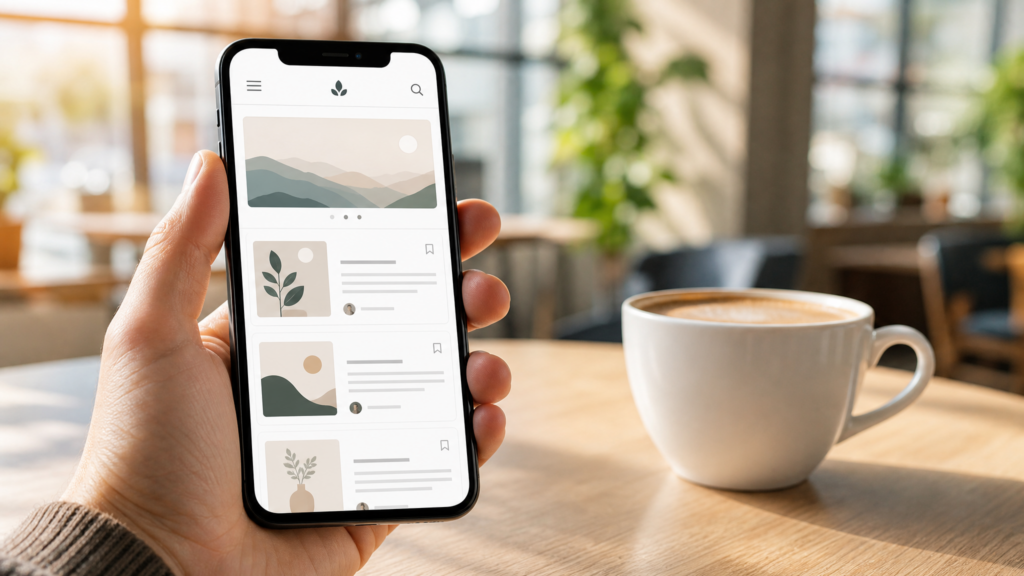
If you tell a traditional web developer that you want to launch, write, and manage a profitable affiliate blog entirely from a smartphone, they will laugh at you.
They will talk about complex coding, heavy server management, and the absolute necessity of a dual-monitor desktop setup.
In 2026, you can politely ignore them.
The mobile web ecosystem has matured to the point where laptops are becoming optional for content creators. With the right combination of mobile-friendly platforms, responsive Page Builders, and content workflows, you can build a highly professional affiliate blog from your couch, a cafe, or a train station.
Here is the realistic, step-by-step masterplan to building and running your affiliate blog using nothing but your phone.
Affiliate disclosure: This post contains affiliate links. If you make a purchase through one of these links, ProBusinessStrategy may earn a small commission at no extra cost to you. We only recommend tools we genuinely believe in.
1. Choose a Mobile-Optimized Hosting & CMS
To build a blog on a phone, you need a Content Management System (CMS) that doesn’t crash your mobile browser.
Do not try to build a custom-coded HTML website. Instead, go with the industry standard: self-hosted WordPress.
Why self-hosted WordPress is perfect on mobile:
The WordPress Mobile App: WordPress has a dedicated native app for iOS and Android. It lets you write draft posts, upload images directly from your phone’s camera roll, reply to comments, and check your basic traffic stats on the go.
Modern Mobile Browser Dashboards: Excellent hosting providers like Hostinger or Bluehost have optimized their setup wizards so you can install WordPress with literally one click using your phone’s Chrome or Safari browser.
2. Use a Mobile-Responsive Theme and Builder
Once WordPress is installed, you need a design theme. You want a theme that is extremely fast and lightweight so it loads quickly on mobile networks.
The Mobile Design Toolkit:
The Theme (Astra or Kadence): These themes are built for speed. They have beautiful, pre-designed templates that you can import with a single tap. Their customization menus are fully responsive, meaning you can adjust your site’s header, footer, and colors easily from your phone screen.
The Page Builder (Elementor Mobile): Elementor’s editing interface works amazingly well on tablets and mobile screens. You can select elements, edit headings, drag text boxes, and build custom pages (like your social link hub page) directly through your web browser.
3. The Smartphone Creation Workflow
The biggest challenge of mobile blogging isn’t the technology—it is the physical limitation of typing thousands of words on a small glass keyboard.
To write 2,500+ word pillar posts without getting thumb cramps, you need a smart mobile creation workflow.
✍️ Phase 1: Dictation (Voice-to-Text)
Don’t type your first draft. Speak it. Modern smartphone dictation tools (like Google Keyboard Gboard or Apple’s built-in dictation) are incredibly accurate in 2026.
Action: Sit in a quiet room, open a simple app like Google Docs or Notion on your phone, and dictate your article as if you are explaining it to a friend. You can easily “write” 1,000 words in 10 minutes.
✍️ Phase 2: Mobile Formatting
Once your raw text is captured in Google Docs, open it on your phone to clean it up:
Break long paragraphs into short, 1-2 sentence bites (ideal for mobile readers).
Add clear H2 and H3 subheadings so your readers can easily skim the article.
Insert your clean, cloaked affiliate links using your keyboard shortcuts.
✍️ Phase 3: One-Tap Publishing
Copy your formatted text from Google Docs, open the WordPress app on your phone, paste it into a new post, select your category, set your featured image, and hit Publish.
4. Mobile Asset & Image Management
A great affiliate blog needs stunning visuals to break up the text. You don’t need Photoshop for this.
Generating Images: Tap into advanced AI image generation assistants (like the one you are using right now) to describe the exact, high-quality hero images and diagrams you need. Custom-made imagery always beats generic royalty-free stock photos on Google and Pinterest.
Sizing & Optimization: Always make sure your files are optimized so they don’t slow down mobile loading times. You can use free web-based converters right on your mobile browser to convert bulky PNGs into lightweight JPGs or WebP formats before uploading them to your WordPress media library.
Conclusion: Start Small, Think Big
Building an affiliate blog on a smartphone is not only possible in 2026—it is an incredibly efficient way to run a low-overhead, highly portable business. By utilizing voice-to-text dictation, mobile-responsive page builders, and simplified link managers, you turn your phone into a remote income generator.
Stop waiting for the perfect laptop or the perfect desk setup. Set up your hosting, install WordPress, start writing, and build your digital real estate today.
🔗 Complete Your Mobile Business Infrastructure: