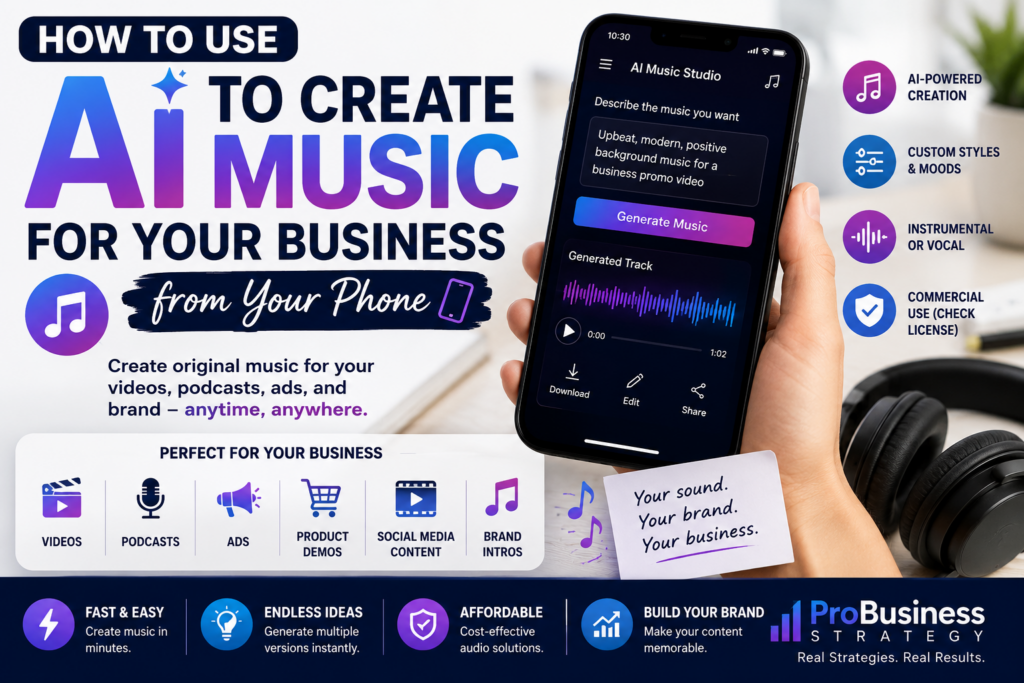
Music can make a business feel more professional.
A short intro can make a YouTube video feel branded.
Background music can make a product video more engaging.
A simple audio theme can make a podcast feel recognizable.
A jingle can make a small brand more memorable.
A calm instrumental track can improve a tutorial, presentation, or social media video.
But for many small business owners, music feels out of reach.
Hiring a composer may be too expensive.
Buying stock music can feel confusing.
Licensing rules can be difficult to understand.
Editing music may feel technical.
Creating original audio can sound like something only musicians can do.
That is changing.
Today, AI music tools make it possible to create business audio from your smartphone. You can generate short songs, background tracks, jingles, instrumental music, intro music, podcast beds, ad music, and social media audio ideas without owning a studio.
You still need to be careful with licensing and commercial rights, but the creative process is much easier than it used to be.
This makes AI music creation from a phone an interesting business skill for solopreneurs, content creators, coaches, affiliate marketers, YouTubers, TikTok creators, digital product sellers, e-commerce owners, and small business owners.
Your phone can become a small music creation studio.
Affiliate disclosure: This post contains affiliate links. If you make a purchase through one of these links, ProBusinessStrategy may earn a small commission at no extra cost to you. We only recommend tools we genuinely believe in.
Why Business Music Matters
Most beginners think of branding as colors, logos, fonts, and website design.
But sound is also part of branding.
Think about how quickly people recognize certain brands from a short sound, intro, or jingle. You do not always need a full song. Sometimes a few seconds of sound can create recognition.
For a small business, music can help with:
YouTube intros
Podcast intros
TikTok videos
Instagram Reels
Pinterest video Pins
Product demos
Online courses
Webinars
Digital product previews
E-commerce ads
Brand trailers
Explainer videos
Meditation or wellness content
Children’s content
Motivational content
Local business ads
Music affects mood.
A soft acoustic track feels warm.
A clean electronic beat feels modern.
A cinematic intro feels serious.
A playful melody feels friendly.
A luxury-style instrumental feels premium.
A fast beat feels energetic.
That means music can support the message you want your business to send.
Why Use AI Music From Your Phone?
The biggest advantage is speed.
You do not need to sit behind a full desktop setup. You can create a music idea from your phone whenever inspiration appears.
From your phone, you can:
Write a music prompt
Generate a short track
Test different styles
Create background music
Save ideas
Download audio
Use it in a video editor
Add it to a TikTok, Reel, Short, or ad
Create multiple versions for testing
This is useful for people who already create content from their phone.
For example, if you create a short video for your business, you can also create music or background audio that matches the mood of the video.
Instead of searching for the perfect stock track, you can generate something closer to what you need.
What AI Music Tools Can Create
AI music tools can help create many kinds of business audio.
Examples include:
Background music
Short jingles
Intro music
Outro music
Instrumental tracks
Podcast beds
YouTube background audio
Social media music loops
Ad music
Product demo music
Meditation tracks
Motivational music
Brand theme ideas
Event music
Voice-and-music concepts
Lyric-based songs
Short theme songs
Tools like Suno allow users to turn prompts into songs and generate music from written descriptions. Suno’s own pricing information states that its free plan allows daily song generation for personal use, while paid plans include commercial use rights; its help center also explains that songs made while subscribed to Pro or Premier plans are granted commercial use rights. Always check the current plan terms before using generated music in business content.
This matters because business use is different from personal experimentation.
If you create music for a monetized YouTube channel, paid ad, product video, podcast, or business website, you need to understand whether your plan allows that use.
Important Licensing Warning
Before using AI-generated music for business, check the tool’s licensing rules.
Do not assume that “AI-generated” automatically means “free for commercial use.”
Different platforms have different rules.
Some may allow personal use on a free plan.
Some may require a paid plan for commercial use.
Some may limit distribution.
Some may have attribution rules.
Some may have special rules for monetized content.
Some may treat ownership differently from commercial usage rights.
For example, Suno states that its free plan does not include commercial use, while paid plans include commercial use rights, and its help center notes that free-plan songs are intended for personal, non-commercial use.
So the safe business rule is simple:
If you want to use AI music for business, read the current terms of the tool you use and choose the correct plan.
This is especially important for:
YouTube monetization
TikTok business content
Paid ads
Podcast intros
Online courses
Digital product audio
Client work
Commercial videos
Branding materials
Music distribution platforms
The creative part is easy.
The rights part needs attention.
Step 1: Decide What the Music Is For
Do not start by asking AI to “make a song.”
Start by deciding the business purpose.
Ask:
Where will this music be used?
What mood should it create?
How long should it be?
Does it need vocals?
Should it loop?
Should it stay in the background?
Should it feel modern, calm, playful, premium, cinematic, or energetic?
Will it be used commercially?
Will it be part of a brand identity?
A YouTube intro needs different music than a meditation video.
A product demo needs different music than a wedding dress inspiration video.
A business podcast needs different music than a TikTok ad.
The clearer the purpose, the better the prompt.
Step 2: Choose the Style and Mood
AI music works better when you describe style and mood clearly.
Instead of writing:
“Make business music.”
Write:
“Create a clean, modern, upbeat instrumental track for a small business marketing video. It should feel professional, optimistic, and not too distracting.”
Or:
“Create a calm, elegant instrumental track for a luxury bridal inspiration video. Soft piano, light strings, warm atmosphere, no vocals.”
Or:
“Create a short energetic intro jingle for a YouTube channel about business ideas. Modern, confident, memorable, 10 seconds.”
Useful mood words include:
Professional
Warm
Friendly
Luxury
Modern
Energetic
Calm
Cinematic
Minimal
Playful
Inspirational
Trustworthy
Elegant
Corporate
Creative
Futuristic
Hopeful
Relaxed
Motivational
Useful style words include:
Acoustic
Piano
Electronic
Lo-fi
Cinematic
Pop
Corporate
Ambient
Synthwave
Orchestral
Jazz
Folk
Minimal techno
Soft piano
Upbeat instrumental
Podcast intro
Background loop
Your prompt is the creative brief.
Step 3: Decide Whether You Need Vocals
For most business content, instrumental music is safer and more flexible.
Vocals can distract from your message.
If you are speaking in a video, teaching in a course, recording a podcast, or showing a product, background vocals may compete with your voice.
Instrumental music is usually better for:
Tutorials
Explainer videos
Product demos
YouTube background tracks
Podcast beds
Course lessons
Website videos
Brand trailers
Pinterest video Pins
Vocals may work for:
Jingles
Brand theme songs
Short ads
Campaign music
Children’s content
Entertainment content
Fun product launches
If you use vocals, be careful with lyrics.
The words should support the brand, not sound random or cheesy.
Step 4: Generate Several Versions
Do not stop at the first result.
AI music creation works best when you create several versions and compare them.
Generate:
One calm version
One upbeat version
One luxury version
One modern electronic version
One shorter version
One instrumental-only version
One version with a stronger intro
One loopable background version
Then ask:
Which one fits the brand?
Which one supports the message?
Which one is not distracting?
Which one feels professional?
Which one would work in a short video?
The first version may not be perfect.
That is normal.
AI music is often a process of testing.
Step 5: Edit the Track for Business Use
A generated song may be longer than you need.
You may need to cut it into:
5-second intro
10-second jingle
15-second TikTok version
30-second ad version
60-second background track
Loopable podcast bed
Short outro
From your phone, you can use mobile video editing apps to trim, fade, lower volume, and place music under your content.
Basic edits include:
Trim the start
Fade in
Fade out
Lower background volume
Cut the best section
Loop a clean part
Remove vocals if needed
Match the beat to video transitions
The music does not need to be complicated.
It needs to fit the content.
Step 6: Use AI Music in Social Media Content
AI music can support many social media formats.
TikTok
Use custom background tracks for faceless videos, business ideas, product demos, or motivational short clips.
For example:
A short beat under a faceless business idea video
A calm track under a productivity tip
A modern sound under an AI tool tutorial
A playful jingle for a recurring content series
YouTube Shorts
Shorts often benefit from music that builds energy quickly.
You can create short instrumental hooks for:
Business idea videos
Tutorial clips
Before-and-after videos
Product explanations
Digital product previews
Affiliate product demos
Instagram Reels
Reels can use music for mood, pacing, and brand style.
AI-generated audio can help if you want a more original sound than a common trend track.
Pinterest Video Pins
Pinterest video Pins can use soft, clean background music to make business tips, product guides, and visual content feel more polished.
This is especially useful for niches like home office, wedding dress inspiration, digital products, AI business ideas, and gift guides.
Step 7: Use AI Music for Website and Brand Content
AI music can also support your website content.
Possible uses:
Homepage intro video
Brand story video
Product demo
Course preview
Digital product trailer
About page video
Sales page background audio
Webinar intro
Lead magnet promo
Email course video
Do not autoplay music on your website without care.
Many visitors dislike unexpected audio.
But music can be useful inside embedded videos, product demos, and short brand clips.
If you are building a website for your business, tools like Namecheap for a domain and Bluehost for WordPress hosting can help create the home base where those videos, lead magnets, and brand assets live.
Step 8: Use AI Music for Podcasts
A podcast does not need a complicated theme.
It may only need:
Intro music
Outro music
Transition music
Background bed for short segments
A recurring audio identity
From your phone, you can generate a short podcast intro that matches your niche.
Examples:
Business podcast: clean, confident, modern
Wellness podcast: calm, soft, atmospheric
Wedding podcast: elegant, romantic, warm
Marketing podcast: energetic, upbeat, modern
Finance podcast: serious, trustworthy, steady
Keep podcast music short.
A 5 to 10 second intro is often enough.
People came for the content, not a long song.
Step 9: Use AI Music for Ads
Small businesses can use AI music in ad concepts.
Examples:
Facebook ad background track
TikTok ad sound
YouTube ad intro
Product launch ad
Local business promotion
E-commerce product video
Digital product promo
Lead magnet video ad
The music should support the offer.
For a business course, choose something confident and professional.
For a wedding product, choose something elegant and emotional.
For a productivity tool, choose something clean and focused.
For a children’s story product, choose something playful and warm.
Again, check commercial rights before using AI music in paid ads.
Paid ads are clearly commercial use.
Step 10: Create a Small Audio Brand Kit
A business can have an audio brand kit.
This can include:
Main brand theme
Short intro jingle
Outro sound
Background music style
Podcast intro
Ad music style
Social media loop
Calm version
Energetic version
Premium version
This helps your content feel consistent.
For example, a business ideas website could use a clean, modern, optimistic sound across YouTube intros, short videos, and course previews.
A bridal inspiration website could use elegant piano and soft strings.
A memorial gifts business could use gentle, respectful instrumental music.
A TikTok business account could use energetic electronic loops.
AI music makes it easier to create variations around the same mood.
Business Ideas Around AI Music From a Phone
This article is also a business idea.
You could use AI music creation as part of a service.
Possible offers:
AI intro music for YouTubers
Custom podcast intro packages
Background music for small business videos
Jingles for local businesses
Music for product videos
Audio branding starter kits
AI music for digital product trailers
Music loops for faceless creators
Wedding video background music concepts
Meditation track concept creation
You do not need to claim to be a professional composer if you are not one.
Position it correctly.
For example:
“AI-assisted audio branding concepts for small creators.”
Or:
“Simple custom intro music ideas for YouTube channels and small businesses.”
If you need help with mixing, editing, audio cleanup, cover art, or video integration, Fiverr can be useful for outsourcing technical parts of the process.
Prompt Examples for Business Music
Here are prompt examples you can use.
YouTube Intro
“Create a 10-second modern instrumental intro for a YouTube channel about business ideas. It should feel confident, energetic, professional, and memorable. No vocals.”
Podcast Intro
“Create a short podcast intro for a show about entrepreneurship and online business. Clean, warm, professional, modern, with light electronic elements. No vocals.”
Product Demo
“Create soft background music for a product demo video. Calm, clean, modern, not distracting, suitable for a small business website.”
Wedding Business
“Create elegant background music for a bridal inspiration video. Romantic, soft piano, light strings, premium feel, no vocals.”
AI Business Content
“Create futuristic but professional background music for a video about AI business tools. Clean electronic style, optimistic, not too intense, no vocals.”
Memorial Gift Business
“Create gentle instrumental music for a respectful memorial gift video. Warm, emotional, soft piano, peaceful, no vocals.”
Home Office Content
“Create relaxed productivity background music for a home office setup video. Calm, focused, modern, light beat, no vocals.”
Local Business Ad
“Create a 30-second upbeat instrumental track for a local business advertisement. Friendly, trustworthy, positive, clear ending.”
Common Mistakes to Avoid
Mistake 1: Ignoring Commercial Rights
This is the biggest mistake.
Always check whether the music can be used for business.
Mistake 2: Making the Music Too Loud
Background music should support the message, not overpower it.
If people cannot hear the voice or understand the video, the music is too loud.
Mistake 3: Choosing the Wrong Mood
A finance video with playful cartoon music may feel untrustworthy.
A memorial gift video with loud energetic music may feel insensitive.
Match the music to the message.
Mistake 4: Using Full Songs When You Need Short Clips
Business content often needs short sections.
Cut the best part.
Do not force the full song into a short video.
Mistake 5: Using Vocals Under Voiceovers
Vocals and voiceovers often clash.
Use instrumental tracks when someone is speaking.
Mistake 6: Not Saving Your Best Prompts
When you create a good result, save the prompt.
You can reuse and adjust it later for consistent branding.
Mistake 7: Forgetting the Brand
Do not create a completely different music style for every piece of content.
Some variation is fine, but your brand should still feel consistent.
A Simple Mobile Workflow
Here is a practical phone-based workflow.
Step 1: Decide the use case.
Step 2: Choose the mood.
Step 3: Write a clear prompt.
Step 4: Generate several tracks.
Step 5: Pick the best version.
Step 6: Check usage rights.
Step 7: Download or save the track.
Step 8: Trim it in a mobile editor.
Step 9: Add it to your video, podcast, or ad.
Step 10: Save the prompt and final audio in a business folder.
This workflow is simple enough to use from a phone.
The more you do it, the faster it gets.
Who This Is Best For
AI music creation from a smartphone is useful for:
YouTubers
TikTok creators
Pinterest video creators
Podcasters
Bloggers
Affiliate marketers
Digital product creators
Small e-commerce owners
Coaches
Course creators
Local businesses
Wedding businesses
Children’s content creators
Meditation and wellness brands
Faceless video creators
It is especially useful for people who create a lot of content and need consistent background audio.
Getting Started This Week
Start with one small project.
Do not try to create a full brand soundtrack immediately.
Create a 10-second intro for one piece of content.
For example:
A YouTube intro
A podcast intro
A product demo background
A TikTok business idea sound
A Pinterest video Pin track
Use a prompt like:
“Create a short, clean, professional instrumental intro for a small business education brand. It should feel modern, optimistic, and trustworthy. No vocals.”
Generate a few versions.
Choose one.
Test it under a short video.
If it works, save it as your first audio asset.
Then create variations.
Final Thoughts
AI music creation from your phone gives small businesses a new creative advantage.
You no longer need a studio, expensive composer, or deep music production knowledge to start exploring branded audio.
You can create intros, background tracks, jingles, podcast music, product demo music, social media loops, and ad concepts directly from your smartphone.
But use it responsibly.
Check commercial rights.
Match the music to your brand.
Keep background music subtle.
Save your best prompts.
Edit tracks for the right length.
Use music to support the message, not distract from it.
Music can make your business feel more polished, memorable, and emotionally clear.
And with AI tools on your phone, creating that sound is now more accessible than ever.
Internal Linking
Related Articles:
How to Use ChatGPT from Your Phone for Business
How to Use AI to Write Email Campaigns from Your Phone



