Pinterest is not only for recipes, wedding inspiration, home decor, fashion, and DIY ideas.
It can also become a powerful traffic source for digital tools.
People use Pinterest to search for solutions. They want ideas, checklists, tutorials, workflows, templates, software recommendations, productivity systems, AI tools, website tools, content creation tools, and online business resources.
That makes Pinterest interesting for affiliate marketers.
If you promote digital tools, you do not need to rely only on Google rankings, YouTube videos, or social media posts. You can create Pinterest boards that attract people who are already looking for tools that help them solve a problem.
The key is not to create random boards.
The key is to create Pinterest boards with commercial intent.
A board called “Business Tools” is too broad.
A board called “AI Tools for Small Business Owners” is much stronger.
A board called “Website Tools for Beginner Entrepreneurs” is even clearer.
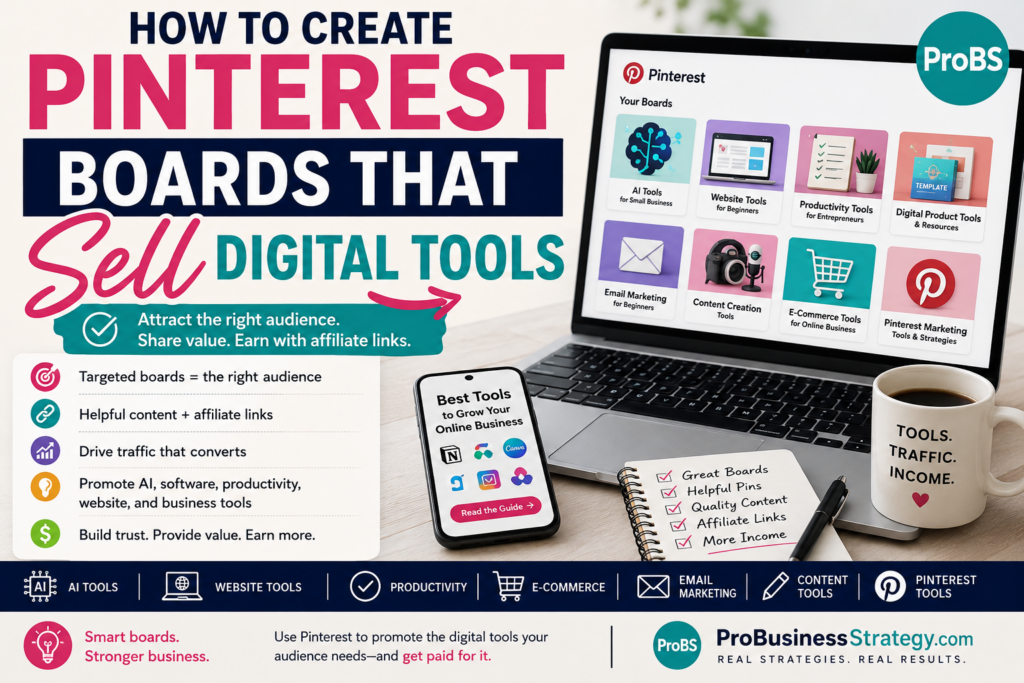
This article explains how to create Pinterest boards that can help sell digital tools, software, productivity apps, AI tools, website builders, design tools, email tools, and online business resources through affiliate marketing.
Affiliate disclosure: This post contains affiliate links. If you make a purchase through one of these links, ProBusinessStrategy may earn a small commission at no extra cost to you. We only recommend tools we genuinely believe in.
Why Pinterest Works for Digital Tool Affiliate Marketing
Pinterest is often misunderstood.
Many people think of it as a visual social platform, but it also works like a search and discovery engine.
Users search for:
How to start a blog
Best tools for small business
AI tools for entrepreneurs
Pinterest marketing tools
Productivity apps
Website builder ideas
Content creation tools
Digital product tools
Email marketing tips
Business planning templates
Work from home tools
These searches show intent.
A person searching for “best AI tools for business” may be open to trying a tool.
A person searching for “website tools for beginners” may need a domain, hosting, website builder, theme, template, or tutorial.
A person searching for “productivity tools for solopreneurs” may be interested in planners, apps, dashboards, automation tools, or digital systems.
This makes Pinterest useful for affiliate content because the user is already exploring a solution.
Your job is to guide them.
What Are Pinterest Boards That Sell Digital Tools?
A Pinterest board is a themed collection of Pins.
But in a business strategy, a board can do more than organize content.
A good board can become a targeted traffic channel.
For example:
AI Tools for Solopreneurs
Website Tools for Beginners
Digital Product Tools
Pinterest Marketing Tools
Productivity Tools for Entrepreneurs
Email Marketing Tools for Small Business
Content Creation Tools
Blogging Tools for Beginners
Affiliate Marketing Tools
Business Automation Tools
Each board tells Pinterest what your content is about.
Each board also tells visitors what kind of help they can expect.
A strong board has:
A specific topic
A clear audience
Keyword-rich title
Helpful board description
Relevant Pins
Consistent content
Links to useful articles
Commercial but helpful intent
The goal is not to spam affiliate links directly.
The goal is to use Pinterest to send visitors to helpful content where the digital tools are explained naturally.
The Best Digital Tool Categories for Pinterest Boards
Digital tools work well when they are connected to a clear problem.
Here are strong categories.
AI Tools
AI tool content is perfect for Pinterest because many beginners want to understand how AI can help them work faster.
Board ideas:
AI Tools for Small Business
AI Tools for Solopreneurs
AI Tools for Content Creators
AI Business Ideas
AI Tools for Marketing
AI Tools for Blogging
AI Tools for Digital Products
AI Tools You Can Use From Your Phone
Pins can lead to articles about using AI for market research, email campaigns, business planning, content creation, product ideas, and automation.
This connects well with AI-focused content and mobile business articles.
Website Tools
Many beginners need help building their first website.
Board ideas:
Website Tools for Beginners
Start a Business Website
WordPress Tools for Entrepreneurs
Website Builder Tips
Blogging Tools for Beginners
Affiliate Website Setup
Small Business Website Ideas
This is where affiliate links can fit naturally.
For example, if someone needs a domain name, Namecheap can be relevant. If they need hosting, Bluehost can fit. If they want a beginner-friendly website setup, WordPress Website Builder can be useful.
The board should not only say “buy hosting.”
It should help people understand what they need and why.
Productivity Tools
Productivity is a strong Pinterest category because it connects to planning, organization, routines, work-from-home life, and business systems.
Board ideas:
Productivity Tools for Entrepreneurs
Work From Home Productivity
Solopreneur Productivity Tools
Digital Planning Tools
Business Organization Systems
Notion Templates for Business
Time Management for Small Business Owners
This board can include Pins about planners, checklists, tools, templates, apps, workflows, and home office systems.
Content Creation Tools
Content creators need tools for writing, design, video, audio, scheduling, SEO, thumbnails, captions, and editing.
Board ideas:
Content Creation Tools
Tools for Bloggers
Tools for YouTubers
Tools for TikTok Creators
Pinterest Content Tools
Digital Creator Resources
Social Media Tools for Solopreneurs
You can create Pins that lead to articles about turning blog posts into Pins, using AI to create content, creating images, building a YouTube affiliate channel, or planning social media content.
If design or editing becomes too much, Fiverr can be mentioned naturally as a place to outsource tasks like thumbnails, Pinterest templates, video editing, logo design, or content formatting.
E-Commerce and Digital Product Tools
People who want to sell online need tools.
Board ideas:
Digital Product Tools
E-Commerce Tools for Beginners
Print-on-Demand Tools
Tools for Selling Digital Products
Online Store Tools
Shopify Store Ideas
WooCommerce Tools
Digital Download Business
For e-commerce, Shopify can fit when the article discusses creating a dedicated online store. For print-on-demand, Printful can fit when talking about custom products without inventory.
If the content is about WordPress and WooCommerce, Pressable WooCommerce Hosting or E-commerce Website with WordPress may be relevant.
Email Marketing Tools
Email marketing is a strong business topic because many beginners eventually need an email list.
Board ideas:
Email Marketing for Beginners
Email List Building
Newsletter Tools for Small Business
Email Campaign Ideas
Lead Magnet Ideas
First 100 Subscribers
Email Marketing Workflows
Pins can lead to articles like “Email List 101” or “How to Use AI to Write Email Campaigns from Your Phone.”
This board can become very useful for audience-building content.
Step 1: Start With the Audience, Not the Tool
A common mistake is creating boards around tool names only.
For example:
Canva
Notion
ChatGPT
Bluehost
Shopify
Fiverr
WordPress
This can work sometimes, but it is often better to start with the audience and problem.
Instead of:
“Canva Ideas”
Use:
“Design Tools for Small Business Owners”
Instead of:
“AI Tools”
Use:
“AI Tools for Beginner Entrepreneurs”
Instead of:
“Website Hosting”
Use:
“Website Tools for New Business Owners”
This makes the board more useful and less sales-driven.
People do not usually wake up wanting software.
They want an outcome.
They want to create a website.
They want to save time.
They want better content.
They want more traffic.
They want a professional brand.
They want a tool that makes the job easier.
Build boards around that outcome.
Step 2: Use Keyword-Rich Board Titles
Pinterest needs to understand your board.
A clever title may look nice, but a clear title is usually better.
Weak board titles:
Tools I Love
Business Stuff
Helpful Apps
Online Resources
My Favorites
Better board titles:
AI Tools for Small Business
Website Tools for Beginners
Pinterest Marketing Tools
Digital Product Tools
Email Marketing for Beginners
Productivity Tools for Entrepreneurs
Affiliate Marketing Tools
Content Creation Tools for Solopreneurs
These titles are searchable and clear.
They tell Pinterest and users what the board is about.
Step 3: Write a Helpful Board Description
A board description helps Pinterest understand the topic and helps users understand the value.
Do not stuff keywords unnaturally.
Write a clear description.
Example:
AI Tools for Small Business
Discover AI tools and workflows for small business owners, solopreneurs, bloggers, affiliate marketers, and digital product creators. Learn how to use AI for content, research, email campaigns, marketing, productivity, and business planning.
Example:
Website Tools for Beginners
Find website tools, domain tips, WordPress setup ideas, hosting resources, website builder guides, and beginner-friendly strategies for building a small business website.
Example:
Digital Product Tools
Explore tools, templates, platforms, and ideas for creating, selling, and promoting digital products, including planners, checklists, Notion templates, printable products, and online business resources.
A good description should include:
Topic
Audience
Use cases
Relevant keywords
Clear promise
Step 4: Create Pins That Lead to Helpful Articles
To sell digital tools with Pinterest, the best strategy is often:
Pinterest Pin
Helpful article
Natural affiliate recommendation
Do not make every Pin a direct pitch.
Instead, create Pins that promise useful information.
Examples:
Best Website Tools for Beginner Entrepreneurs
AI Tools That Help You Build a Business Faster
How to Use AI to Write Email Campaigns From Your Phone
Digital Product Tools for Beginners
Pinterest Tools for Affiliate Marketers
How to Build a Simple Business Website
Best Tools for Creating Digital Products
Productivity Tools for Solopreneurs
Then the article explains the topic and includes relevant affiliate links.
This is better than sending people straight to a tool without context.
People need help choosing.
Your content creates that trust.
Step 5: Build Boards Around Content Clusters
A board works best when it connects to a content cluster on your website.
For example:
AI Tools Board
This board can link to articles about:
AI market research
AI email campaigns
AI voice assistants
AI music creation
AI business ideas
AI content planning
AI from your phone
Website Tools Board
This board can link to articles about:
Starting a business website
Choosing a domain
WordPress website setup
Website legal pages
Affiliate website setup
Website builder tools
Business homepage structure
Pinterest Business Tools Board
This board can link to articles about:
Pinterest business plans
Pinterest affiliate gift guides
Pinterest home office affiliate products
Pinterest boards for digital tools
Pinterest as a business idea search engine
Pinterest without a large following
Digital Product Tools Board
This board can link to articles about:
Digital product ideas
Etsy product analysis
Notion templates
Digital product teardown channels
Selling digital downloads
Print-on-demand ideas
Template creation tools
This makes your Pinterest account more organized and your website more internally connected.
Step 6: Pin More Than One Type of Content
A strong board should not contain only one kind of Pin.
Use a mix.
Educational Pins
These teach something.
Examples:
How to choose the right website tool
What to look for in an AI writing tool
How to use Pinterest to find tool ideas
List Pins
These perform well because they are easy to understand.
Examples:
7 tools for beginner bloggers
10 AI tools for entrepreneurs
5 website tools every business needs
Comparison Pins
These attract buyers who are deciding between options.
Examples:
Website builder vs WordPress
Shopify vs WordPress for beginners
AI writing tool vs human copywriter
Checklist Pins
These are practical.
Examples:
Website setup checklist
Digital product tool checklist
Email list tool checklist
Problem-Solution Pins
These are strong for affiliate content.
Examples:
Struggling to build your first website?
Need better content tools?
Want to create digital products faster?
The more angles you test, the more data you get.
Step 7: Use Pins to Pre-Sell the Tool
Pre-selling means helping the reader understand why a tool may be useful before they see the affiliate link.
For example, instead of saying:
“Buy this website hosting.”
You create content around:
Why a business website needs a domain and hosting
What beginners should look for before choosing hosting
How to avoid depending only on social media
How to create a home base for your online business
Then the tool recommendation makes sense.
That is how affiliate marketing becomes helpful instead of pushy.
For example:
If someone wants to start a website, Namecheap can be introduced as a domain option.
If they want WordPress hosting, Bluehost can fit naturally.
If they want to outsource design or content support, Fiverr can fit.
If they want to build an online store, Shopify may be relevant.
The content should make the recommendation feel logical.
Step 8: Create Board-Specific Pin Templates
Pinterest boards can look more professional when Pins have a consistent style.
You can create templates for each board category.
For example:
AI Tools board: modern, tech-style visuals
Website Tools board: clean laptop and website graphics
Productivity Tools board: desk setup and checklist visuals
Digital Product Tools board: templates, mockups, and dashboards
E-commerce Tools board: product cards and store visuals
Email Marketing board: envelope, signup form, and campaign visuals
This makes your account easier to recognize.
You do not need every Pin to look identical, but they should feel connected.
Good branding can improve trust.
Step 9: Avoid Promoting Tools You Do Not Understand
Affiliate marketing should not be random.
If you promote digital tools, you should understand what they do.
Before recommending a tool, ask:
Who is it for?
What problem does it solve?
Is it beginner-friendly?
What are the limitations?
What does it cost?
Does it fit the article topic?
Would the reader actually benefit from it?
Is there a better alternative?
Are the terms current?
This matters because trust is your asset.
If you recommend tools only for commission, readers may eventually stop trusting your site.
A smaller number of relevant recommendations is better than a huge list of random tools.
Step 10: Do Not Force Canva as an Affiliate Tool
Canva is often mentioned in tool lists because it is a popular design platform.
But if there is no useful affiliate opportunity available for you, do not force it into your affiliate strategy as a money tool.
You can still mention design tools when they are genuinely useful, but your monetization should focus on affiliate programs you actually have and products that fit your site.
That is why your boards can include broader categories like:
Design tools
Website tools
AI tools
Outsourcing resources
E-commerce platforms
Print-on-demand tools
Hosting and domain tools
This gives you flexibility without depending on one tool.
Pinterest Board Ideas That Can Sell Digital Tools
Here are board ideas you could create.
AI Tools for Small Business
Pins about AI writing, AI research, AI email campaigns, AI music, AI productivity, and AI business workflows.
Website Tools for Beginners
Pins about domains, hosting, website builders, WordPress, legal pages, landing pages, and business websites.
Digital Product Tools
Pins about printables, templates, Notion dashboards, Gumroad-style products, Etsy digital downloads, and product mockups.
Pinterest Marketing Tools
Pins about scheduling, Pin design, Pinterest SEO, board strategy, affiliate Pins, and traffic systems.
Content Creation Tools
Pins about writing, graphics, video, audio, editing, thumbnails, content repurposing, and social media workflows.
E-Commerce Tools for Beginners
Pins about Shopify, WordPress e-commerce, WooCommerce, product pages, print-on-demand, and online store setup.
Productivity Tools for Entrepreneurs
Pins about task systems, planning tools, calendars, Notion templates, home office tools, and work-from-home organization.
Email Marketing for Beginners
Pins about lead magnets, first 100 subscribers, welcome sequences, email campaigns, and AI-assisted email writing.
Affiliate Marketing Tools
Pins about website setup, tracking, content creation, product research, landing pages, email list building, and affiliate content strategy.
Online Business Resources
A broader board for useful tools, guides, checklists, platforms, and starter resources.
How Many Boards Should You Start With?
Do not start with 30 boards.
Start with five to eight focused boards.
For example:
AI Tools for Small Business
Website Tools for Beginners
Digital Product Tools
Pinterest Affiliate Marketing
Content Creation Tools
Email Marketing for Beginners
Productivity Tools for Entrepreneurs
Online Business Resources
Each board should have enough content potential.
If you cannot imagine at least 20 to 30 Pins for a board, it may be too narrow.
How Many Pins Should Each Board Have?
At the beginning, aim for quality and relevance.
A board with 15 highly relevant Pins is better than a board with 100 random Pins.
Start by adding:
Your own article Pins
Related resource Pins
Helpful tutorial Pins
Tool guide Pins
Checklist Pins
Comparison Pins
Over time, build each board into a useful resource.
The more consistent the board, the easier it is for Pinterest to understand it.
Should You Pin Direct Affiliate Links?
Some affiliate programs allow direct linking from Pinterest, and some do not.
Some platforms may also have rules about how affiliate links are used.
Because rules can change, it is safer to build your strategy around your own website.
The stronger model is:
Pin → blog post or landing page → affiliate recommendation
This gives you more control.
It also lets you explain the tool properly.
A direct affiliate Pin may get a click, but a helpful article can build trust, add context, include multiple resources, and bring the reader deeper into your website.
How to Turn One Tool Article Into Multiple Pins
One article can create many Pins.
Example article:
Best Website Tools for Beginner Entrepreneurs
Pin variations:
Website Tools for Beginners
Start a Business Website With These Tools
Tools You Need Before Building a Website
Website Setup Checklist for New Entrepreneurs
Best Tools for Your First Business Website
Domain, Hosting, Website Builder: What You Need
Simple Website Tools for Solopreneurs
Each Pin can point to the same article.
This gives the article more chances to get traffic.
How to Use Pinterest Boards With Your Website
Your website and Pinterest boards should support each other.
For example:
Your article links to related content.
Your Pins point to the article.
Your board contains similar Pins.
Your article recommends relevant tools.
Your email list captures interested visitors.
Your future articles link back to related tool guides.
This creates a traffic loop.
Pinterest brings people in.
Your website guides them.
Your email list keeps them connected.
Your affiliate links monetize the value.
Common Mistakes to Avoid
Mistake 1: Creating Boards That Are Too Broad
“Business” is too broad.
“AI Tools for Small Business” is clearer.
Mistake 2: Using Cute Names Instead of Searchable Names
Pinterest is not the place to be unclear.
Use board names people search for.
Mistake 3: Pinning Random Tools
Stay focused.
A board should feel like a useful collection, not a junk drawer.
Mistake 4: Only Selling
If every Pin feels like a pitch, people may ignore you.
Teach first. Recommend naturally.
Mistake 5: Not Linking to Helpful Content
Pinterest traffic needs a destination.
Send people to useful articles, not confusing pages.
Mistake 6: Ignoring Board Descriptions
Descriptions help Pinterest understand the topic.
Use them.
Mistake 7: Promoting Tools Only for Commission
Relevance matters more than commission.
Trust creates long-term income.
A Simple Starting Plan
Here is a practical plan to start.
Create five boards:
AI Tools for Small Business
Website Tools for Beginners
Digital Product Tools
Pinterest Affiliate Marketing
Email Marketing for Beginners
Then create or use articles for each board.
For each article, create 3 to 5 Pins.
Pin them to the most relevant board first.
Then, when appropriate, pin them to one related board.
For example:
An article about AI email campaigns can go first to “AI Tools for Small Business,” then also to “Email Marketing for Beginners.”
An article about website legal pages can go first to “Website Tools for Beginners,” then maybe to “Online Business Resources.”
An article about Pinterest affiliate tools can go first to “Pinterest Affiliate Marketing.”
This keeps the account organized.
Monetization Opportunities
A Pinterest board strategy around digital tools can monetize through:
Affiliate links
Email list growth
Tool comparison articles
Digital product sales
Lead magnets
Sponsored tool reviews
Service offers
Resource pages
Online course content
Templates and checklists
For example, a board about website tools can lead to affiliate articles about domains, hosting, and WordPress setup.
A board about digital product tools can lead to articles about print-on-demand, templates, and e-commerce.
A board about productivity tools can lead to digital planners, templates, or affiliate recommendations.
The board is not the whole business.
It is the traffic layer.
Final Thoughts
Pinterest boards can do more than organize pretty images.
When created strategically, they can become traffic channels that support affiliate marketing for digital tools.
The key is to build boards around clear problems, audiences, and outcomes.
Do not create random boards.
Do not promote random tools.
Do not rely only on direct affiliate links.
Do not chase commissions without trust.
Instead, create helpful boards that guide people toward useful business tools.
AI tools.
Website tools.
Productivity tools.
Digital product tools.
Email marketing tools.
E-commerce tools.
Content creation tools.
Each board can support your content, your affiliate links, your email list, and your overall business strategy.
Pinterest gives you the discovery engine.
Your website gives you the trust.
Together, they can turn helpful tool recommendations into a real affiliate business.
Internal Linking
Related Articles:
The Complete Pinterest Business Plan for Solopreneurs
Pinterest Affiliate Marketing Ideas for Home Office Products
How to Build a Pinterest Affiliate Business Around Gift Guides
How to Use Pinterest as a Business Idea Search Engine