Most people use Pinterest for inspiration. Entrepreneurs use it for validation.
If you look at Pinterest as just a social media platform, you are missing its true power. Pinterest is a visual search engine. Unlike Facebook or Instagram, where content is pushed to you based on social connections, Pinterest is driven by intent. People go to Pinterest because they are looking for a solution, a product, or a way to improve their lives.
For a smartphone entrepreneur, this is a goldmine. You can use Pinterest to see exactly what people are searching for, what problems they are trying to solve, and which business models are actually getting traction.
In this guide, you will learn how to turn your Pinterest app into a professional business research tool to find and validate your next big project.
Affiliate disclosure: This post contains affiliate links. If you make a purchase through one of these links, ProBusinessStrategy may earn a small commission at no extra cost to you. We only recommend tools we genuinely believe in.
The Difference Between Social Media and Search Intent
On TikTok, you hope the algorithm finds you. On Pinterest, the user finds you because they searched for a specific keyword.
This search behavior makes Pinterest the perfect “Business Idea Search Engine.” When you see a pin that has been saved thousands of times, you aren’t just seeing a popular image; you are looking at market demand. If thousands of people are saving pins about “Minimalist Home Office Setups for Small Spaces,” you have just found a validated niche for affiliate marketing or a digital product business.
Step 1: Using the Pinterest Search Bar for Market Research
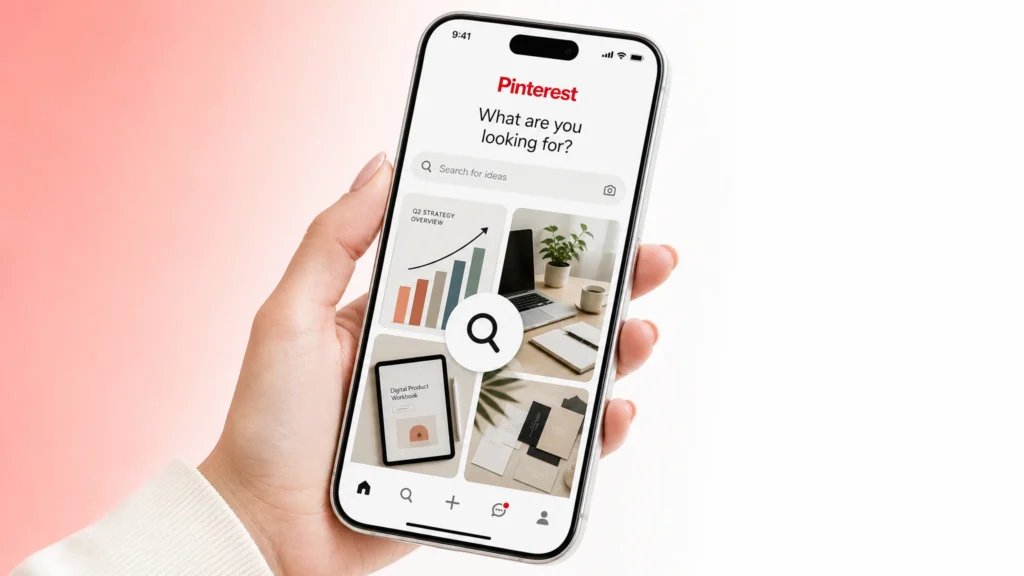
The search bar is your most powerful tool.
Auto-Suggest: Start typing a broad term like “Business from home” or “Passive income.” Pinterest will suggest the most searched terms. These are your “Niche Goldmines.”
Guided Search Bubbles: After you hit enter, look at the bubbles at the top. These are additional keywords that people use to narrow their search. If you see “for Introverts” or “using AI” frequently, you’ve found your specific angle.
Trends Tool: Use the official Pinterest Trends tool (available on mobile) to see what is growing year-over-year. You want to build a business in a rising trend, not a dying one.
Step 2: Reverse-Engineering Successful Business Models
When you find a popular pin in your niche, don’t just look at it—follow the path.
Where does it lead? Click the pin. Does it go to a blog? A Shopify store? A lead magnet page?
How are they monetizing? Are they using ads? Affiliate links? Selling their own courses?
The Blueprint: If you see a simple blog post about “Top 10 Tools for Pinterest Managers” that is getting thousands of saves, that is a proven business model you can adapt and improve.
Step 3: Validating Demand with “Secret Boards”
Before you spend a cent on a new business idea, validate it on Pinterest.
Create a board specifically for your idea.
Pin 10–20 relevant images (your own or others).
Track the engagement. If people are repinning your content, there is a “hunger” for that topic.
This is much faster and cheaper than building a website first. You use Pinterest to find the audience, then you build the “Hub” (your WordPress site) to serve them.
Step 4: Finding Affiliate Opportunities
Pinterest is the ultimate tool for affiliate marketers. By searching for “Best [Product] for [Niche],” you can see which products are trending visually.
Once you find a product that people are obsessed with, you can create your own authority content around it. For example, if you see a surge in “Sustainable Office Decor,” you can build a cornerstone article on your site and link to Fiverr for custom design services or other affiliate partners that fit the aesthetic.
Step 5: The Smartphone Workflow for Research
You can do all of this during your “dead time”—on the bus, waiting for a meeting, or lying on the couch.
Screenshot everything: Build a “Business Inspo” folder on your phone.
Use the “Lens” tool: Use the Pinterest lens to take a photo of a real-world object and see what business ideas or products Pinterest suggests. It’s like having a business consultant in your camera.
Final Thoughts: From Consumer to Creator
The moment you stop using Pinterest to “look” and start using it to “analyze,” you have made a major step as an entrepreneur. Pinterest tells you what the world wants. Your job is to build the professional systems (using Bluehost and WordPress) to give it to them.
Use the search engine to find the spark, and use your website to build the fire.
Internal Linking: