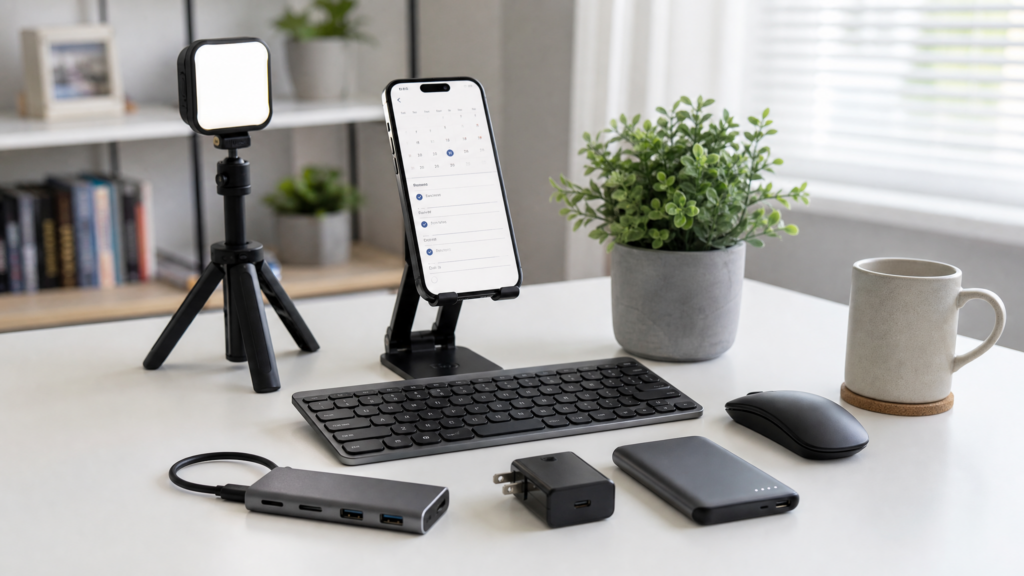
Introduction: Transforming Your Phone into a Power Station
In 2026, “working from your phone” no longer means hunching over a tiny screen and typing with your thumbs until your joints ache. If you are serious about building a 6-figure business from your pocket, you need to transition from a “phone user” to a “mobile power user.”
The difference lies in your environment. With the right set of accessories, your smartphone becomes the brain of a professional workstation that can rival any laptop setup. In this guide, we dive deep into the essential hardware you need to maximize productivity, protect your health, and work efficiently from anywhere in the world.
Affiliate disclosure: This post contains affiliate links. If you make a purchase through one of these links, ProBusinessStrategy may earn a small commission at no extra cost to you. We only recommend tools we genuinely believe in.
1. The Foundation: Why Ergonomics Matter for Mobile Business
Before we talk about gadgets, we must talk about longevity. Many mobile entrepreneurs quit not because their business failed, but because they developed “tech neck” or repetitive strain injuries.
The 90-Degree Rule
When working from a smartphone for more than 30 minutes, your screen should be at eye level. Looking down puts up to 60 pounds of pressure on your cervical spine.
- The Solution: Adjustable smartphone stands or “Gooseneck” mounts.
- Internal Link: Proper posture is the first step in Mastering Mobile Productivity.
2. Input Devices: Typing at Laptop Speeds
You cannot write 2,000-word pillar articles or complex business proposals using an on-screen keyboard.
A. Foldable Bluetooth Keyboards
For the entrepreneur on the move. Look for models with a built-in trackpad. In 2026, Android and iOS have excellent mouse support, making a trackpad essential for navigating spreadsheets.
- Top Pick: The “Tri-Fold” mechanical series for tactile feedback without the bulk.
B. Portable Ergonomic Mice
A mouse allows for precision that a finger simply cannot match. Whether you are editing a Canva Template or managing your Shopify backend, a mouse reduces friction in your workflow.
3. Visual Clarity: External Displays & Hubs
Sometimes, 6.7 inches isn’t enough.
- USB-C to HDMI Adapters: Most modern smartphones support “Desktop Mode” (like Samsung DeX or Motorola Ready For). Connecting your phone to a hotel TV or a cheap monitor instantly gives you a desktop experience.
- Portable Monitors: 15-inch ultra-slim monitors that power directly from your phone’s battery are the ultimate 2026 flex for mobile workers.
4. Audio and Communication: The Professional Standard
If you are running High Paying Businesses like consulting or agency work, you cannot rely on the built-in speakerphone.
- Noise-Cancelling Earbuds: Essential for focusing in coffee shops or coworking spaces.
- External Clip-on Mics: If you are creating content for TikTok or YouTube, a $30 wireless lavalier mic will make your $400 budget phone sound like a professional studio.
5. Power Management: Stay Live 24/7
Your business dies when your battery does.
- MagSafe / Magnetic Power Banks: For “charge and go” convenience without cables.
- GaN Chargers: These use Gallium Nitride technology to provide 65W+ of power in a plug smaller than a standard phone brick. One charger for your phone, your earbuds, and even your portable monitor.
6. The “Mobile Desk” Bag: Organizing Your Office
A messy bag leads to a messy mind. We recommend a dedicated “Tech Organizer” pouch.
- The Checklist: Short cables (to avoid tangles), spare SD cards, cleaning cloth, and a universal travel adapter.
- Internal Link: Organization is key when you Manage Your Entire Business from a Smartphone.
7. Lighting and Content Setup
For those in the “Selfie-Marketing” era:
- Clip-on LED Ring Lights: Instantly improves the quality of your Zoom calls and Reels.
- Carbon Fiber Tripods: Lightweight enough for a backpack, sturdy enough for outdoor shoots.
8. Conclusion: Your Office is Wherever You Are
Investing in your mobile setup is not “spending money on gadgets”—it is building your infrastructure. By spending a few hundred dollars on a high-quality keyboard, stand, and power bank, you remove the physical barriers to your success.
Action Step: Now that your physical setup is ready, it’s time to optimize the software. Check our guide on 10 Business Automation Apps to start putting your new workstation to work.



