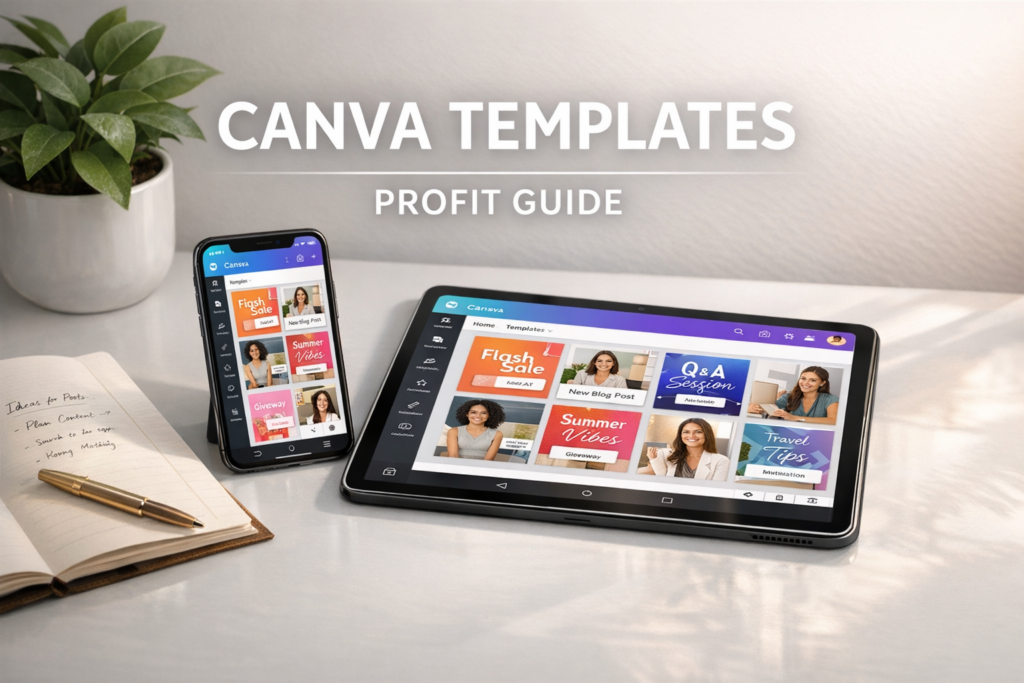
How to Sell Canva Templates in 2026: The Ultimate Mobile-First Business Guide
If you can use a smartphone, you can build a Canva template business.
In 2026, business owners, influencers, and educators are busier than ever. They don’t have hours to spend on graphic design, but they need to look professional every single day. That is where you come in. Selling Canva templates is one of the cleanest e-commerce models: you design once, and sell an infinite number of times.
No shipping, no inventory, and no expensive software. Below is your complete roadmap to launching a profitable Canva template business from your phone.
Affiliate disclosure: This guide may contain affiliate links. If you purchase through them, ProBusinessStrategy may earn a commission at no extra cost to you. We only recommend tools we believe are genuinely useful for beginners and serious builders.
1) Why Canva Templates in 2026?
Canva has moved from a simple “design tool” to a global business ecosystem. In 2026, it is the industry standard for small business marketing.
Selling templates works because you are selling time and expertise. A real estate agent doesn’t want to learn layout theory; they want a “Just Listed” post that looks premium in 30 seconds.
The benefits:
- Zero Marginal Cost: Every sale after the first one is 100% profit.
- Global Market: You can sell to a coach in London or a cafe in Tokyo from your couch.
- Low Barrier to Entry: You only need the Canva app and a bit of taste.
To see how this fits into the broader e-commerce landscape, check our E-commerce Hub.
2) High-Demand Canva Template Niches
Don’t make “social media posts.” Make “Instagram Reels for Holistic Coaches.” The more specific you are, the higher your price can be.
Top Niches for 2026:
- Real Estate: Listing flyers, open house invites, “sold” social posts.
- Online Coaches: Webinar slides, lead magnets, carousel posts, client welcome kits.
- E-commerce Owners: Product mockups, email newsletters, “Thank You” cards.
- Service Providers: Resumes, invoices, pitch decks, proposals.
- Digital Product Sellers: Planner layouts (link to Digital Planners), ebook templates.
3) The “Secret Sauce”: What Makes a Template Sell?
The mistake beginners make is focusing only on “pretty.” In 2026, conversion-focused design wins.
A high-selling Canva template should include:
- Strategic Layouts: Use proven marketing structures (AIDA, Hook/Body/CTA).
- Placeholders: Clearly labeled “Drop Photo Here” frames.
- Instructional Copy: Don’t use “Lorem Ipsum.” Write dummy text that actually tells the buyer what to write (e.g., “Insert your catchy headline here”).
- Brand Versatility: Make it easy to change colors and fonts in one click.
4) Tools of the Trade
You can run this 100% from your phone.
- Canva Pro: A must-have. You need the “Share as Template” link feature, and the premium font/image library makes your work look 10x better.
- Mockup Tools: Use Canva’s built-in mockups or professional smartphone shots. (See our guide on Professional Product Photos with Your Phone).
- Delivery Platform: Etsy, Shopify, or Gumroad.
For a full list of free resources to start with, see our Best Free Tools for Entrepreneurs in 2026.
5) How to Create and Deliver Your Templates
Step 1: Design in Canva
Create your set (e.g., 50 Instagram Post templates). Use consistent branding.
Step 2: Generate the “Template Link”
Go to ‘Share’ → ‘More’ → ‘Template Link’. This is the magic URL your customer gets. It opens a copy of your design in their account so they don’t edit your original.
Step 3: Create the “Access PDF”
You don’t send the raw link in an email. You create a beautiful “Thank You” PDF in Canva with a button that says “Access Your Templates.”
Why? It feels more professional, provides instructions, and allows you to add links to your other products or your newsletter.
6) Pricing Strategy
How much should you charge for a “pack” of templates?
- Mini-Packs (10–20 templates): $7 – $15. Good for entry-level sales.
- Master Bundles (50–100+ templates): $27 – $67. Best value for the customer.
- Subscription/Vault: $19/month. Recurring revenue for constant updates.
Pro Tip: Your templates are worth more if they are part of a system. “The Real Estate Success Kit” is worth way more than “10 Blue Home Flyers.”
7) Where to Sell for Maximum Profit
Etsy
Good for: Built-in traffic. People search for “canva templates for therapists” and find you.
Bad for: Brand loyalty and high fees.
Your Own Site (Shopify/Elementor)
Good for: No middleman, building an email list, higher margins.
Bad for: You have to drive all the traffic yourself.
A hybrid approach is often best. Start on Etsy, and link back to your E-commerce Hub in your delivery PDF.
8) Marketing Your Templates Like a Pro
In 2026, static images aren’t enough to sell templates. You need to show them in action.
- TikTok/Reels: “Watch me turn this ugly post into a professional one in 10 seconds using my templates.”
- Pinterest: Create “Vertical Infographics” that show 5–6 templates at once.
- Lead Magnets: Give away 5 templates for free in exchange for an email address. (See How to Build an Email List from Zero).
9) Legal & Safety (Protecting Your Business)
When selling Canva templates, there are rules.
- Don’t resell Canva’s assets: You are selling your layout, not Canva’s stock photos or elements as standalone items.
- License agreement: Include a simple page in your Access PDF stating the templates are for personal/business use and cannot be resold as templates by the buyer.
- LLC/Registration: Once you start making consistent sales, protect yourself. (See How to Start an LLC in 2026).
10) Scaling to $5,000+ per month
To move from a “side hustle” to a full mobile empire, you must systemize.
- Iterate: Look at your data. What niche sells best? Make more of that.
- Upsell: Selling templates? Offer a custom brand-consultation as a high-ticket service.
- Automation: Use tools to auto-post your designs to social media. (See 10 Business Automation Apps for 2026).
11) FAQs
Do I need Canva Pro to sell templates?
Technically no, but practically yes. It allows you to use better fonts and images, and create the essential “Template Link.”
Can I do this entirely on my phone?
Yes. The Canva app is incredibly powerful. You can design, list on Etsy, and manage customers from any smartphone.
How do I handle customer support?
Most “support” is people not knowing how to use Canva. Providing a 1-page “How to Use” guide in your download PDF will solve 90% of your tickets.
Conclusion
Canva templates represent the ultimate “low floor, high ceiling” business. You can start today with zero dollars and build a brand that generates passive income for years.
The key is starting. Pick a niche, create your first 10 templates, and get them live.
Ready for more? Explore our Complete List of 50 Businesses You Can Run from Your Phone or join our community for the latest mobile business strategies.