A business can start with a simple idea.
But at some point, that idea needs a face.
It needs a name, a logo, colors, fonts, social media graphics, profile images, banners, product mockups and a consistent style people can recognize.
That is where branding begins.
In the past, creating a logo or brand identity often meant hiring a designer, learning complicated software or spending hours trying to make something look professional. That is still a good path for serious businesses with a budget, especially when the brand needs to be unique, trademark-ready and professionally polished.
But for beginners, solo entrepreneurs, content creators and phone-based businesses, AI has changed the starting point.
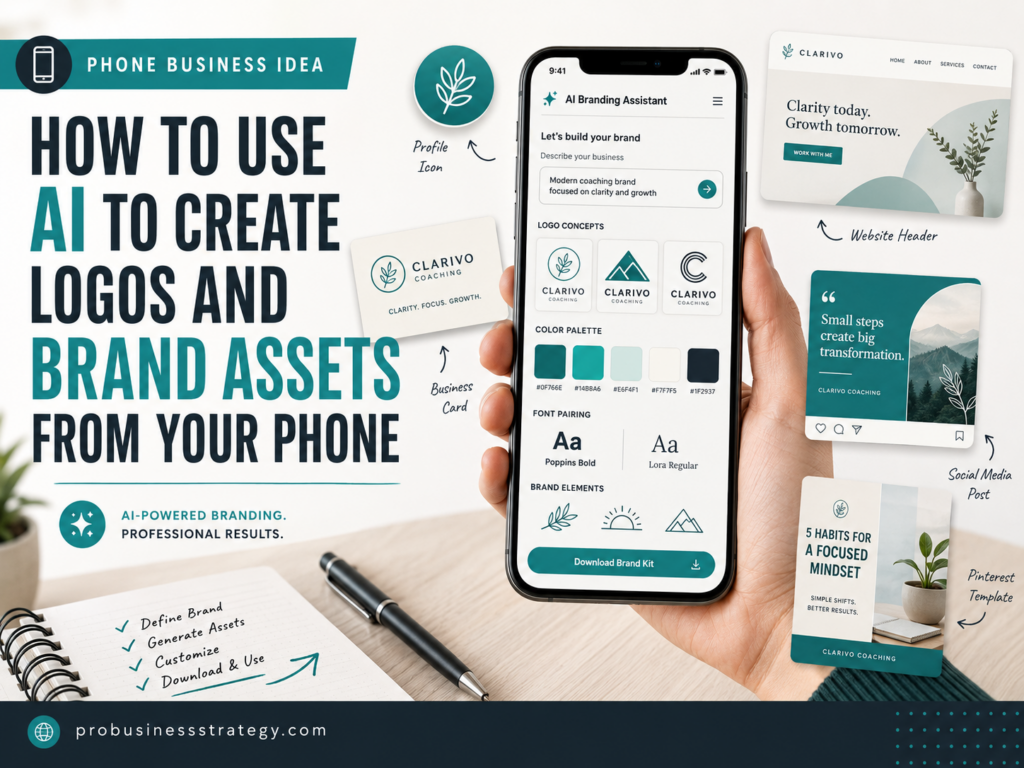
Today, you can use your smartphone to brainstorm brand names, create logo concepts, test color palettes, design social graphics, make Pinterest Pins, build a simple brand kit and create basic marketing assets without opening a laptop.
That does not mean AI should replace professional design in every situation.
It means AI can help you move from “I have an idea” to “I have a usable first brand identity” much faster.
For a phone-based entrepreneur, that matters.
You might not need the perfect logo on day one. You might need a clean, simple, recognizable brand that allows you to publish, test, promote and look serious enough to start.
This guide shows you how to use AI to create logos and brand assets from your phone, step by step.
Affiliate disclosure: This post contains affiliate links. If you make a purchase through one of these links, ProBusinessStrategy may earn a small commission at no extra cost to you. We only recommend tools we genuinely believe in.
What Are Brand Assets?
Before you create anything, it helps to understand what brand assets actually are.
A logo is only one part of a brand.
Your brand assets are the visual and written pieces that make your business look consistent everywhere.
Common brand assets include:
Logo.
Logo icon or short mark.
Color palette.
Font choices.
Social media profile image.
Social media cover images.
Pinterest Pin templates.
Instagram post templates.
YouTube thumbnail templates.
Website header graphics.
Email header.
Business card.
Product mockup.
Digital product cover.
Brand pattern or background.
Simple slogan or tagline.
Brand voice notes.
For a phone business, you do not need all of these immediately.
But you do need enough consistency so that your audience recognizes your content.
If your website, Pinterest Pins, YouTube thumbnails and social posts all look completely different, people may not remember you.
Branding creates recognition.
Recognition builds trust.
Trust makes it easier to grow.
Why AI Logo Creation Works Well From a Phone
Your phone is actually a good device for beginner branding because most of your brand will be seen on phones.
People will discover your business through mobile search, Pinterest, TikTok, Instagram, YouTube Shorts, Facebook, email or a mobile website.
That means your logo needs to work in small spaces.
It needs to be readable as a profile picture.
It needs to be clear on a social media post.
It needs to still make sense when someone scrolls quickly.
AI tools can help because they allow you to generate many versions quickly.
Instead of spending two days trying to design one logo from scratch, you can generate 20 concepts, compare styles, choose the best direction and refine from there.
AI can help with:
Logo concepts.
Icon ideas.
Color palettes.
Font pairing ideas.
Brand moodboards.
Social media templates.
Product mockups.
Background graphics.
Simple slogans.
Brand guidelines.
Tools like Canva, Adobe Express, Looka and Microsoft Designer all offer beginner-friendly ways to create visual assets, with AI-supported design workflows available through web and mobile experiences. Canva offers Logo Maker and AI Logo Maker app options, Adobe Express offers logo and AI logo generation tools, Looka focuses on AI logo design and brand identity, and Microsoft Designer is positioned as an AI-powered design tool for creating graphics and editing images.
The important part is not the tool itself.
The important part is the process.
Step 1: Start With the Brand Strategy, Not the Logo
Many beginners open a logo maker immediately and start clicking.
That is why many beginner logos look random.
Before you generate a logo, you need to know what the brand should feel like.
Ask yourself:
What is the business about?
Who is it for?
Should the brand feel modern, elegant, playful, premium, practical, friendly, bold or calm?
What kind of customer should trust this brand?
What words should people associate with it?
What should the logo not look like?
For example, a brand about luxury wedding dresses should not look like a gaming channel.
A brand about phone business ideas should not look like a children’s toy company.
A brand about finance should not look chaotic or childish.
A brand about creative digital products can be more colorful and playful.
Use AI first to create a brand brief.
Prompt:
“I want to create a brand identity for a business about [business topic]. The target audience is [audience]. The brand should feel [3 to 5 adjectives]. Give me a simple brand brief with logo style, color direction, font style, visual mood and words to avoid.”
Example:
“I want to create a brand identity for a website about phone-based business ideas for beginners. The target audience is new entrepreneurs who want to start with low cost. The brand should feel practical, modern, trustworthy, simple and motivating. Give me a simple brand brief with logo style, color direction, font style, visual mood and words to avoid.”
This gives you direction before you generate visuals.
That direction saves time.
Step 2: Create a Simple Logo Concept From Your Phone
Once you have a brand brief, you can start generating logo concepts.
For a beginner phone business, do not aim for a complicated logo.
Aim for something clean.
A good beginner logo should be:
Readable.
Simple.
High contrast.
Easy to recognize.
Usable as a small profile picture.
Usable on a website.
Usable on social media.
Not too detailed.
Not dependent on tiny text.
A common mistake is trying to include too much in the logo.
A logo does not need to explain the entire business.
It only needs to identify the brand.
For example, ProBusinessStrategy could use a clean text-based logo, a short mark like “ProBS” or a simple geometric mark. It does not need to show a person, a laptop, a graph, a rocket, a phone and a money symbol all at once.
Simple usually works better.
Use this prompt in an AI assistant before opening your design app:
Prompt:
“Give me 10 simple logo concepts for a brand called [brand name]. The business is about [business topic]. The logo should feel [brand adjectives]. Avoid clichés, complicated icons and anything that looks too generic.”
Then choose the strongest 2 or 3 directions.
After that, use a logo maker or design tool to create visual versions.
Step 3: Use Canva From Your Phone
Canva is one of the most beginner-friendly options for creating logos and brand assets.
It works well for phone-based entrepreneurs because it is not only a logo tool. You can use it for social media graphics, Pinterest Pins, thumbnails, digital product covers, lead magnets, checklists and brand templates.
Canva has logo maker options and a Brand Kit feature for managing logos, colors and fonts across designs. Its Brand Kit page describes the ability to manage multiple brand kits and replace logos or images across existing designs, which is useful when your branding evolves.
A simple Canva phone workflow:
Open Canva.
Search for logo templates or use an AI logo tool.
Enter your brand name.
Choose a simple design direction.
Adjust colors.
Adjust fonts.
Remove unnecessary elements.
Create a square version.
Create a horizontal version.
Create a profile icon version.
Save the logo.
Then create matching templates.
Your first Canva brand asset set could include:
Logo.
Square profile image.
Pinterest Pin template.
Instagram post template.
Facebook post template.
YouTube thumbnail template.
Simple blog featured image template.
Digital product cover template.
This is where Canva becomes powerful.
You are not just making a logo.
You are creating a repeatable visual system.
Step 4: Use Adobe Express for AI Logo and Brand Graphics
Adobe Express is another useful option for entrepreneurs who want to create logos and visual content from a phone.
Adobe Express offers logo templates, logo maker tools and an AI logo generator where users can describe the logo they want, choose a style and explore generated logo options. Adobe Express also describes itself as an all-in-one design, photo and video tool for social posts, videos, logos and more.
Adobe Express can be useful if you want:
AI-generated logo options.
Editable logo templates.
Social media posts.
Simple video assets.
Brand graphics.
Photo editing.
Background removal.
Quick promotional designs.
For a phone business, Adobe Express can work well when you want a slightly more polished creative look or when you already like Adobe-style tools.
A simple Adobe Express workflow:
Start with the AI logo generator or a logo template.
Describe the brand style.
Generate logo options.
Choose the cleanest version.
Customize colors and fonts.
Create social graphics from the same style.
Export your logo and assets.
The key is to edit the AI result.
Do not accept the first logo just because it looks impressive.
Check if it is readable, unique enough, simple enough and suitable for your audience.
Step 5: Use Looka for Logo and Brand Kit Ideas
Looka is more focused on logo design and brand identity. Looka describes its platform as logo design and brand identity for entrepreneurs, and its Brand Kit uses your logo, colors and fonts to create branded marketing materials.
This can be helpful if you want a more guided logo creation process.
Instead of starting from a blank page, you answer questions about your brand, style and preferences. Then the tool creates logo directions and brand materials.
Looka can be useful for:
Logo concepts.
Color combinations.
Font combinations.
Brand kit inspiration.
Social media assets.
Business card ideas.
Marketing material mockups.
For a beginner, this is useful because you can see what a complete brand system might look like.
Even if you do not use every asset, it helps you understand how your logo, colors and fonts work together.
Step 6: Use Microsoft Designer for Social Graphics and Visual Ideas
Microsoft Designer is useful for AI-powered design and visual content creation. Microsoft’s app listing describes it as an AI-powered design tool that helps users create designs and edit photos, while Microsoft’s Designer page describes it as a graphic design app for professional quality social media posts, invitations, graphics and more.
For logo creation, you may still prefer Canva, Adobe Express or a dedicated logo maker.
But for brand assets, Microsoft Designer can be useful.
You can use it to create:
Social graphics.
Promotional images.
Post concepts.
Simple brand visuals.
AI-generated image ideas.
Marketing graphics.
Content backgrounds.
This matters because a brand is not just the logo. Your brand also needs ongoing content.
A strong phone business needs repeatable visuals.
Microsoft Designer can help you create those visuals quickly.
Step 7: Create a Color Palette
Your logo is not finished until you choose your colors.
Colors are one of the fastest ways to make your brand recognizable.
For example, if your business uses the same teal, off-white and charcoal colors everywhere, people start recognizing that style.
A simple beginner brand palette should include:
Primary color.
Secondary color.
Background color.
Text color.
Accent color.
Do not use too many colors.
Three to five colors are usually enough.
Use AI to help you choose.
Prompt:
“Create 5 color palette options for a brand about [topic]. The brand should feel [adjectives]. Give me hex codes and explain when to use each color.”
Example:
“Create 5 color palette options for a phone business ideas website. The brand should feel modern, practical, trustworthy and entrepreneurial. Give me hex codes and explain when to use each color.”
After you get the palette, test it on:
Logo.
Website header.
Pinterest Pin.
Social media post.
Mobile screen.
White background.
Dark background.
The best color palette is not only beautiful.
It must be readable.
Step 8: Choose Fonts That Match the Brand
Fonts change the feeling of your brand.
A bold sans-serif font feels modern and direct.
A serif font can feel elegant, editorial or premium.
A handwritten font can feel personal, creative or informal.
A thin futuristic font can feel tech-focused but may be hard to read.
For most beginner phone businesses, use simple fonts.
You need:
One headline font.
One body font.
Optional accent font.
Do not use five fonts in one brand.
That makes the brand look messy.
Use this prompt:
Prompt:
“Suggest font styles for a brand about [topic]. The brand should feel [adjectives]. Recommend one headline style, one body text style and one optional accent style. Keep it readable on mobile.”
Then choose similar fonts inside Canva, Adobe Express or your design app.
The main rule:
Readability beats decoration.
Your Pinterest Pin, website header and social posts must be easy to read quickly.
Step 9: Create Logo Variations
A beginner mistake is creating only one logo file.
You need different logo variations for different situations.
At minimum, create:
Main logo.
Horizontal logo.
Square logo.
Icon-only version.
Light background version.
Dark background version.
Transparent background version.
Black version.
White version.
Social media profile version.
The square or icon version is especially important for social media.
A full logo with long text may not be readable inside a tiny circle.
That is why short marks work well.
Examples:
Initials.
Simple icon.
One-letter mark.
Symbol plus short text.
For your phone business, the profile image must be readable on:
Pinterest.
TikTok.
Instagram.
YouTube.
Facebook.
Website favicon.
If the logo cannot survive being small, simplify it.
Step 10: Build Your First Brand Asset Pack
Once you have your logo, colors and fonts, create your first brand asset pack.
Do not overbuild it.
Start with the assets you will actually use.
For a phone-based business, a useful starter brand asset pack includes:
Logo.
Profile image.
Website favicon.
Blog featured image template.
Pinterest Pin template.
Instagram post template.
YouTube Shorts cover template.
Facebook post template.
Simple lead magnet cover.
Digital product mockup.
Email header.
Brand colors document.
Font list.
Logo usage notes.
This gives you enough to publish consistently.
For example, one article can become:
A blog post.
A featured image.
A Pinterest Pin.
A YouTube Short.
A TikTok video.
An Instagram Reel.
A Facebook post.
If all of these assets use the same colors, fonts and style, your business starts to look more professional.
Step 11: Use AI to Create Brand Voice Notes
Branding is not only visual.
Your brand also has a voice.
A business can sound:
Friendly.
Premium.
Direct.
Motivational.
Practical.
Expert.
Playful.
Calm.
Bold.
For ProBusinessStrategy-style content, a strong brand voice might be:
Practical.
Clear.
Entrepreneurial.
Educational.
Direct.
Encouraging.
Not overly hype-driven.
You can use AI to create a short brand voice guide.
Prompt:
“Create a simple brand voice guide for a business called [brand name]. The business helps [audience] with [topic]. The voice should be [adjectives]. Include words to use, words to avoid, example headlines and example social captions.”
This helps you keep your writing consistent across:
Blog posts.
Pinterest descriptions.
Social captions.
Emails.
Digital products.
Video scripts.
Your brand becomes stronger when visuals and words work together.
Step 12: Test the Logo Before You Publish It Everywhere
Before you upload the logo everywhere, test it.
Ask these questions:
Can I read it on a phone?
Does it work as a small circle?
Does it work in black and white?
Does it look too much like another brand?
Does it match my audience?
Does it look professional enough?
Does it feel too generic?
Does it still look good after one week?
Many logos look exciting for one hour and boring the next day.
Wait before committing.
Create a few mockups:
Logo on website header.
Logo on Pinterest Pin.
Logo as profile picture.
Logo on digital product cover.
Logo on business card.
Logo on email header.
Logo on social post.
If it works across all of these, it is stronger.
Step 13: Check Originality, Trademark Risk and Usage Rights
This part matters.
AI can create logos fast, but speed does not automatically mean safety.
Before using a logo seriously, check:
Does it look too similar to an existing brand?
Does the business name conflict with another brand?
Do the icons look generic or overused?
Does the tool allow commercial use?
Do you have the right files?
Can you edit the logo later?
Can you trademark it if needed?
The USPTO explains that a name or logo used to advertise a business may be a trademark and provides trademark basics and a searchable trademark database. That does not mean every logo is automatically protected; it means you should do proper checks before relying on a mark commercially.
This is not legal advice.
For a serious brand, especially one you plan to trademark, you may want help from a qualified trademark professional or designer.
AI is excellent for brainstorming and early visual development.
For a long-term business, human review still matters.
Step 14: Decide When to Hire a Designer
AI tools are useful, but sometimes a human designer is still the better choice.
Consider hiring a designer if:
The brand will be used for a serious company.
You want a highly original logo.
You need professional vector files.
You want a full brand identity system.
You plan to trademark the logo.
The logo must be used on packaging, signs or products.
You feel the AI results look generic.
You want a polished premium look.
AI can help you prepare before hiring.
You can bring the designer:
Brand brief.
Logo concepts you like.
Color ideas.
Font preferences.
Competitor examples.
Moodboard.
Social asset examples.
This saves time and gives the designer a clearer direction.
If you want help polishing a logo, creating brand guidelines or turning AI concepts into professional files, Fiverr can be a relevant place to find freelance designers.
The best workflow is often:
Use AI to explore.
Use your judgment to choose direction.
Use a designer to polish when needed.
Step 15: Connect the Brand to a Website
After creating your logo and brand assets, the next step is usually a website or landing page.
Even if you start on social media, your brand becomes stronger when you have a place you control.
A website can hold:
Your homepage.
Blog posts.
Affiliate articles.
Digital products.
Email signup.
Service page.
About page.
Contact page.
Resource hub.
If you are building a phone-based business, you can start small.
You do not need a massive website.
You need a clean online home.
For domain and website setup, tools like Namecheap, Bluehost, WordPress AI Sitebuilder or WordPress Website Builder can be relevant, depending on your setup and business model.
A simple brand plus a simple website is often enough to begin.
Do not wait for perfection.
AI Prompt Pack for Logo and Brand Assets
Here are prompts you can copy into ChatGPT, Claude, Gemini or another AI assistant from your phone.
Prompt 1: Brand brief
“Create a simple brand brief for a business called [brand name]. The business helps [audience] with [problem]. The brand should feel [adjectives]. Include logo style, color direction, font style, visual mood and words to avoid.”
Prompt 2: Logo ideas
“Give me 15 simple logo concepts for [brand name]. Avoid generic icons and complicated designs. The logo should be readable on a phone and work as a small profile picture.”
Prompt 3: Color palette
“Create 5 color palette options for this brand. Give hex codes and explain what each color should be used for.”
Prompt 4: Font direction
“Suggest font styles for this brand. Recommend one headline font style, one body font style and one optional accent style. Keep it readable on mobile.”
Prompt 5: Logo refinement
“Review this logo concept: [describe the logo]. What are its strengths, weaknesses and risks? How can I make it simpler, more professional and more memorable?”
Prompt 6: Social asset list
“Create a list of brand assets I need for a phone-based business that publishes blog posts, Pinterest Pins, YouTube Shorts, TikTok videos, Instagram Reels and Facebook posts.”
Prompt 7: Brand voice
“Create a brand voice guide for this business. Include tone, words to use, words to avoid, example headlines, example captions and a short tagline.”
Prompt 8: Design checklist
“Create a checklist I can use before publishing my logo and brand assets. Include readability, color contrast, small-size testing, originality checks and social media use.”
A Simple 7-Day Branding Plan From Your Phone
You can create a simple first brand identity in one week.
Day 1: Define the Brand
Write the business name, audience, problem, promise and brand personality.
Use AI to create a brand brief.
Day 2: Generate Logo Concepts
Use AI to brainstorm logo concepts.
Then test Canva, Adobe Express, Looka or another logo tool to create visual versions.
Day 3: Choose Colors and Fonts
Create 3 to 5 color palette options.
Choose one palette and two main fonts.
Test them on a phone screen.
Day 4: Create Logo Variations
Create a main logo, square logo, icon-only version, dark version, light version and transparent version.
Day 5: Create Social Templates
Create a Pinterest Pin template, Instagram post template, YouTube Shorts cover and Facebook post template.
Day 6: Create Website or Product Assets
Create a website header, favicon, digital product cover or lead magnet cover.
Keep the style consistent.
Day 7: Review and Publish
Check readability.
Check small-size use.
Check if the logo feels too generic.
Save all files in one organized folder.
Then upload the logo and assets where needed.
Common Mistakes to Avoid
Mistake 1: Making the Logo Too Complicated
A logo should be simple.
If it has too many icons, gradients, effects and tiny details, it will not work well on a phone.
Mistake 2: Choosing Colors Only Because They Look Nice
Colors should fit the business.
A finance brand, wedding brand, AI brand and children’s brand should not all feel the same.
Mistake 3: Using Too Many Fonts
Two fonts are enough for most beginner brands.
Too many fonts make the brand look amateur.
Mistake 4: Copying a Famous Brand Style
Do not create a logo that looks like Apple, Nike, YouTube, TikTok, Amazon, Google or another known brand.
Your goal is not to look like a smaller copy.
Your goal is to look clear and original enough for your audience.
Mistake 5: Ignoring File Formats
You need the right versions.
Save:
PNG.
Transparent PNG.
Square version.
Horizontal version.
Dark version.
Light version.
Original editable file.
If you later hire a designer, ask for vector files.
Mistake 6: Forgetting the Brand Assets
A logo alone is not enough.
You also need templates, colors, fonts and visual consistency.
A simple brand system is more useful than one beautiful logo with no matching assets.
Best AI Branding Tools for Phone-Based Entrepreneurs
There are many tools, but beginners should not overcomplicate this.
A practical mobile branding stack could be:
ChatGPT for brand strategy, prompts and brand voice.
Canva for logos, templates and social graphics.
Adobe Express for AI logo generation and creative assets.
Looka for logo and brand kit concepts.
Microsoft Designer for social graphics and AI visuals.
Fiverr for human design help when needed.
Namecheap for checking a matching domain name.
WordPress AI Sitebuilder or WordPress Website Builder for turning the brand into a website.
That is more than enough to start.
Use fewer tools, but use them well.
Final Thoughts
You do not need a full design studio to create your first brand identity.
You can start from your phone.
AI can help you brainstorm the brand, create logo concepts, choose colors, test fonts, design social graphics and organize your first brand assets.
But the best results still come from human judgment.
Do not blindly accept the first AI logo.
Simplify it.
Test it.
Check if it fits your audience.
Make sure it works in small sizes.
Use consistent colors and fonts.
Create templates you can reuse.
Your first logo does not need to be perfect.
It needs to be clear enough to help you start.
As your business grows, you can refine the brand, hire a designer, improve your assets and make the identity stronger.
That is the smart way to use AI.
Use your phone to move faster.
Use AI to explore ideas.
Use your judgment to choose the right direction.
Then publish, test and improve.
That is how a simple logo becomes the beginning of a real brand.
Related Articles
50 Businesses You Can Run from Your Phone
How to Use ChatGPT from Your Phone for Business
How to Create a YouTube Affiliate Channel from Your Smartphone
How to Use AI to Generate Business Ideas from Your Smartphone



