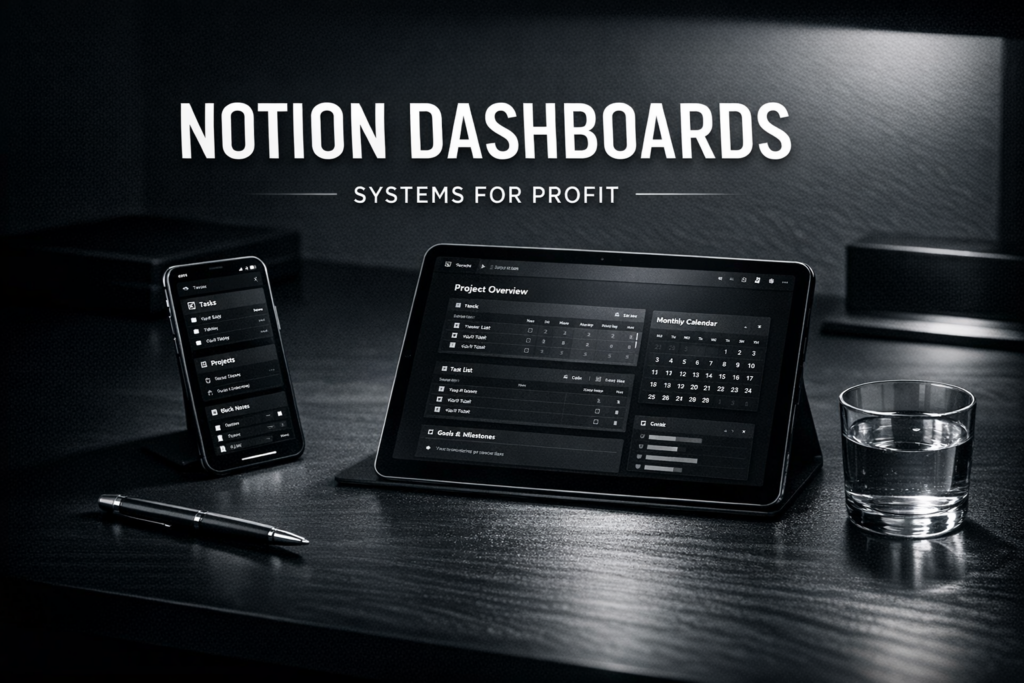
Notion Dashboards: Turn Your Organization Skills into a High-Revenue Mobile Business
Notion has evolved from a simple note-taking app into the “operating system” for millions of individuals and businesses. But there is a problem: most people open a blank Notion page and feel completely paralyzed.
They don’t want to spend 20 hours building a project management system; they want to buy a pre-built Notion Dashboard that is ready to use. This has created one of the most profitable digital product niches of the decade.
In 2026, selling Notion templates is about selling workflows. You aren’t just selling a “page”—you are selling a way to think, work, and grow. Here is your complete mobile-first guide to dominating this niche.
Affiliate disclosure: This guide may contain affiliate links. If you purchase through them, ProBusinessStrategy may earn a commission at no extra cost to you. We only recommend tools we believe are genuinely useful for beginners and serious builders.
1) Why Notion Dashboards are the “Gold Standard” of Digital Products
Unlike a Digital Planner which is usually a static PDF, a Notion Dashboard is dynamic. It has databases, automated filters, and interconnected pages.
The 2026 Advantage:
- High Perceived Value: People pay $50–$150 for a complex Notion system, whereas they might only pay $15 for a PDF.
- Zero Inventory: Like all digital goods, you build it once and sell it forever.
- The “Ecosystem” Effect: Once someone buys one template from you, they are likely to buy your whole suite to keep their Notion aesthetic consistent.
2) Strategic Notion Niches for 2026
Stop making “All-in-one” templates. They are too generic. Success comes from solving a specific workflow problem for a specific group.
Top-Selling Dashboards:
- For Creators: Content calendars, sponsorship trackers, and script-writing hubs.
- For Freelancers: Client CRM, invoice trackers, and project management portals.
- For Students: High-performance study systems (link to Online Mini-Courses).
- For Life Management: Second Brain systems, habit trackers, and health/workout logs.
- For E-commerce Owners: Inventory trackers and marketing planners (link to Dropshipping Guide).
3) How to Build Templates from Your Phone
Can you build complex Notion systems on a smartphone? Yes.
- Mobile App: The Notion app is highly optimized. You can build databases, link pages, and set up formulas directly on your phone.
- Aesthetics: Use a mobile browser to find custom icons (Flaticon) and covers (Unsplash) to make your dashboard look “premium” and unique.
- The “Blank Page” Rule: Always start with the database. Get the functionality perfect before you worry about the icons and colors.
4) What Makes a “Premium” Notion Dashboard?
The difference between a $5 template and a $95 dashboard is Onboarding and Experience.
- Instructional Videos: Include a 5-minute video (See Mini-Courses) showing them exactly how to use the dashboard.
- Dummy Data: Fill the dashboard with example tasks and projects so they can see how it looks when it’s “full.”
- Support & Updates: Let them know they get free updates as Notion launches new features (like Notion AI or Buttons).
5) Packaging and Delivery
How do you “send” a Notion page?
- Create a ‘Public’ link: In Notion, click ‘Share’ → ‘Publish’.
- Allow ‘Duplicate as Template’: Make sure this toggle is ON. This allows the buyer to click “Duplicate” and bring the system into their own account.
- The Access PDF: Just like with Canva Templates, deliver a “Thank You” PDF with the link. This prevents people from sharing the URL without paying.
6) Pricing Strategy in 2026
- Simple Trackers: $5 – $19 (Habit trackers, reading lists).
- Intermediate Dashboards: $29 – $59 (Content planners, student hubs).
- Advanced “OS” Systems: $97 – $247 (Business operating systems, Second Brains).
Pro Tip: Create a “Free” version (e.g., a simple daily planner) to get people into your funnel, then upsell the “Pro” version via email.
7) Where to Sell for Maximum Exposure
Gumroad
The undisputed leader for Notion templates. They have a built-in search “Discovery” engine that can drive sales for you.
Notion’s Official Template Gallery
High prestige, but harder to get accepted. Once you are in, it’s a massive traffic source.
Your Own Website (Shopify/Elementor)
Best for long-term brand building. You can bundle your templates with Digital Planners or AI Prompt Packs.
8) Marketing Your Notion Business
Notion users are very visual. Show them the system, not just a screenshot.
- Twitter/X: Notion has a massive community here. Post “Build with me” threads or productivity tips.
- YouTube/TikTok: “Watch me organize my whole life in 60 seconds with this dashboard.”
- SEO Content: Write posts like “Top 10 Notion Templates for Freelancers” and include your own as #1. (See Niche Buying Guides.
For more marketing tools, check our Best Free Tools for Entrepreneurs in 2026.
9) The “System Overload” Pitfall
Don’t make your dashboards too complex. If a user has to click 10 times just to add a task, they won’t use it.
The 2026 Trend: “Minimalist Systems.” People want powerful features but a clean, calm interface.
10) FAQs
Do I need Notion Pro to sell templates?
No, you can build and share templates on a free account. However, Notion Plus/Pro is helpful for larger file uploads if you include a lot of custom assets.
How do I protect my templates from being shared for free?
You can’t 100% prevent it, but by using an “Access PDF” and building a brand, people are much more likely to support the original creator.
Can I build these for companies?
Yes! High-ticket Notion consulting is a huge business. You can sell a template for $50 or build a custom one for a business for $5,000.
Conclusion
Notion Dashboards are more than just digital products—they are solutions to the modern world’s chaos. If you can build a system that saves people time and lowers their stress, you have a powerhouse business.
Start by organizing your own life in Notion. Once it works for you, it’s time to sell it to the world.
Ready for more? Explore E-books & Practical Guides or join our community for deeper insights into mobile-first systems.