Online Mini-Courses: The 2026 Strategy for High-Impact, Low-Overhead Digital Sales
The “Mega Course” is dying. In 2026, nobody has time for a 40-hour masterclass. People are overwhelmed, and they want one thing: a specific result, fast.
This shift has created the perfect opportunity for the Mini-Course. A mini-course is a short, outcome-based digital product that solves one specific problem in 60 to 90 minutes.
Because they are shorter, they are easier to build, easier to sell, and—most importantly—easier for your customers to finish. Here is how you can build and sell your own mini-course empire using nothing but your smartphone.
Affiliate disclosure: This guide may contain affiliate links. If you purchase through them, ProBusinessStrategy may earn a commission at no extra cost to you. We only recommend tools we believe are genuinely useful for beginners and serious builders.
1) What is a Mini-Course (and why it wins)?
A mini-course is a structured learning path that usually consists of 5 to 10 short videos (3–7 minutes each) and a few supporting templates or checklists.
Why it works in 2026:
- Low Barrier to Purchase: Usually priced between $27 and $97, making it an “easy yes” for buyers.
- Higher Completion Rates: Customers actually finish the course, get the result, and then come back to buy your more expensive products.
- Speed to Market: You can film, edit, and launch a mini-course in a single weekend.
To see how this fits into your overall e-commerce strategy, visit our E-commerce Hub.
2) Finding Your “One Result” Topic
The secret to a successful mini-course is extreme specificity.
- Bad Topic: “How to be a better photographer.” (Too broad)
- Great Topic: “How to edit professional product photos on an iPhone.” (Specific result)
Top Mini-Course Ideas for 2026:
- Marketing: “How to set up your first TikTok Ad campaign in 30 minutes.”
- Business: “How to register your LLC without a lawyer.” (Link to How to Start an LLC)
- Tech: “Setting up your Notion Dashboard for habit tracking.”
- Niche Skill: “The 5-day meal prep system for busy freelancers.”
- Creative: “Create 10 Canva Templates for your brand in one afternoon.”
3) The Phone-First Production Suite
You do not need a studio or a professional camera. Your smartphone is more than enough for a high-quality production in 2026.
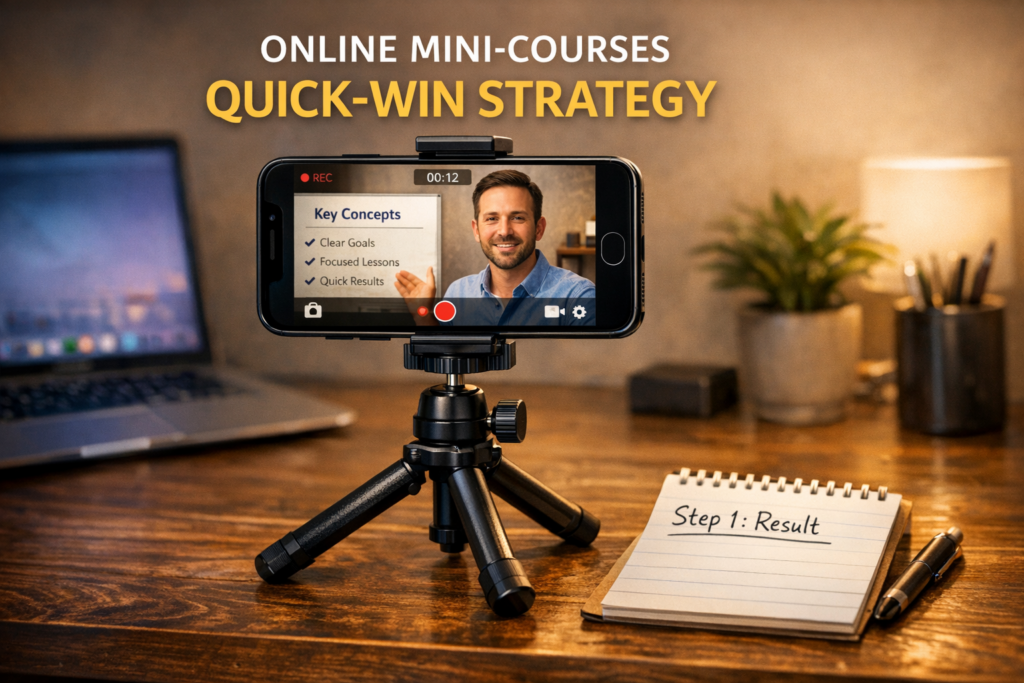
- Video: Use your phone’s 4K camera. Use a simple tripod and natural window light.
- Audio: This is more important than video. Use a cheap lapel mic or even your wired earbuds.
- Editing: Use CapCut or VN Editor on your phone. Keep edits simple—just cut out the “umms” and add captions.
- Screen Recording: Use the built-in screen recorder on your phone/tablet to show “how-to” steps.
For more free tools to help you produce your course, check out Best Free Tools for Entrepreneurs in 2026.
4) Designing Your Curriculum (The “Quick-Win” Path)
Don’t overcomplicate it. Use this structure:
- Welcome & The Big Promise: Tell them exactly what they will achieve.
- The “Why” (Keep it short): Why this method works.
- Step-by-Step Execution: 3–5 core lessons showing the “how.”
- Common Pitfalls: How to avoid the mistakes most people make.
- Next Steps: What to do now that they have the result.
5) Where to Host and Sell Your Course
The “Beginner” Route: Gumroad / Payhip
Easy to upload, handles the payments, and delivers the files. Great if you don’t want a monthly fee.
The “Pro” Route: Teachable / Kajabi / Skool
Dedicated course platforms. Better student experience, video hosting included, and great for building a community.
The “Integrated” Route: Shopify
If you already have a store, use a digital download app or a Shopify course app. (Check our Dropshipping Guide for more on Shopify).
6) Pricing Your Mini-Course
- The “Impulse Buy” ($27–$47): Great for driving volume and building an email list.
- The “Specialist” ($67–$99): For high-value technical or business skills.
- The “Freebie” ($0): Used as a lead magnet to sell higher-ticket services.
7) Scaling Your Course with Internal Content
Your mini-course should be the “center” of your content web.
- Link from your blog: In every relevant post, add a CTA: “Want to see me do this live? Join my 60-minute mini-course.”
- Affiliate Synergy: In your course, recommend the tools you use (like Canva or Shopify). This adds a second layer of income.
- Email Marketing: Use your course as the “first step” for your new subscribers. (See How to Build an Email List from Zero).
8) Marketing in 2026: The “Show, Don’t Tell” Method
- Educational Shorts: Post a “1-minute tip” on TikTok/Reels that is a direct snippet from Lesson 1.
- The “Results” Thread: Share screenshots of the outcome your course provides (e.g., a finished website or a organized budget).
- Webinars/Lives: Do a 15-minute live Q&A about your topic and then pitch the mini-course as the solution.
For automation ideas to handle your social media, check 10 Business Automation Apps.
9) Customer Success: Support & Reviews
Because the course is “mini”, support is usually low.
- Pro Tip: Add a simple Google Form at the end of the course to collect feedback and testimonials. Social proof is what will sell the course to the next 1,000 buyers.
10) FAQs
What if I’m not an “expert”?
You don’t need to be the world’s leading expert. You only need to be 2 steps ahead of your target customer. If you have solved a problem, you can teach the solution.
Do I need a website?
Not necessarily. You can start with a Gumroad page and a link in your social media bio.
How do I price it for international markets?
Use platforms that offer “purchasing power parity” or simply price in USD as it’s the global standard for digital goods.
Conclusion
The mini-course is the most efficient way to turn your knowledge into an asset. It respects your customer’s time and maximizes your profit margins.
Pick one problem you know how to solve, record the solution this week, and get your first sale.
Ready for more? Move on to Idea #05: Notion Dashboards or go back to the Main E-commerce Guide.