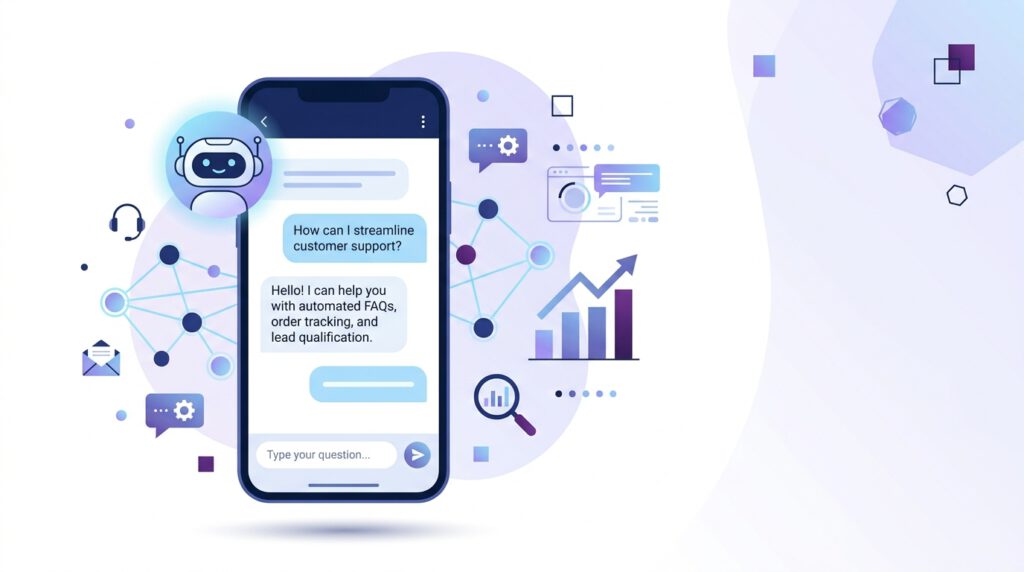
Customer service used to require hiring support staff, managing schedules, and hoping someone was available when customers needed help. For small businesses and solo entrepreneurs, that meant choosing between 24/7 availability and actually running the business.
Chatbots changed that equation. In 2026, AI-powered chatbots handle customer inquiries, qualify leads, schedule appointments, and answer common questions—all automatically. What used to require expensive developers and technical knowledge now happens through no-code tools you can build entirely from your smartphone.
This isn’t about replacing human interaction. It’s about handling repetitive questions efficiently so you can focus on conversations that actually need your expertise. A well-built chatbot becomes your first line of support, working around the clock without increasing your workload.
This guide shows you exactly how to build a professional chatbot for your business using only your phone—which tools work best, how to set them up, and what strategies actually drive results.
Affiliate disclosure: This post contains affiliate links. If you make a purchase through one of these links, ProBusinessStrategy may earn a small commission at no extra cost to you. We only recommend tools we genuinely believe in.
Why Chatbots Matter for Small Businesses
The average customer expects instant responses. When someone visits your website, lands on your social media, or contacts you about a product, they want answers immediately—not in a few hours when you check messages.
Without automation, that expectation creates pressure. You either monitor messages constantly or accept that you’re losing potential customers to slower response times.
Chatbots solve this by providing instant, accurate responses to common questions. When someone asks about pricing, availability, or basic product information, the chatbot handles it immediately. When a conversation requires human judgment or complex decision-making, the chatbot routes it to you with full context.
The business impact is measurable. Chatbots increase conversion rates by keeping prospects engaged, reduce support workload by handling repetitive queries, and improve customer satisfaction through instant availability. For businesses running lean operations, these benefits compound quickly.
In 2026, the barrier to entry has collapsed. You don’t need coding skills, expensive developers, or complicated software. No-code chatbot builders designed for mobile use put this capability in your hands—literally.
How No-Code Chatbot Tools Work
Traditional chatbot development required programming knowledge, API integrations, and technical infrastructure. No-code tools eliminate those barriers by providing visual builders where you design conversations through simple interfaces.
Here’s how it works: you define conversation flows using drag-and-drop elements. If a user asks about pricing, the chatbot follows a specific path you’ve designed. If they want to schedule a call, it triggers a different flow. You’re building decision trees, but through an intuitive interface instead of code.
Modern AI adds intelligence to these flows. Instead of requiring exact keyword matches, AI chatbots understand intent. When someone asks “How much does this cost?” or “What’s the pricing?” or “Is this expensive?”, the AI recognizes they’re all asking the same question and routes to your pricing response.
The smartphone advantage comes from how these tools are designed. Most no-code chatbot platforms now offer full-featured mobile apps. You can build, test, and deploy chatbots entirely from your phone, making adjustments in real-time based on how customers actually use them.
Best No-Code Chatbot Tools for Mobile
Several platforms dominate the no-code chatbot space, each with different strengths. The best choice depends on where your customers interact with your business and what level of complexity you need.
ManyChat
ManyChat specializes in social media chatbots, particularly for Facebook Messenger and Instagram. If your business runs primarily on social platforms, this is your strongest option.
The mobile app lets you build conversation flows, set up automated responses, and manage subscriber lists entirely from your phone. ManyChat excels at marketing automation—capturing leads, sending promotional sequences, and segmenting audiences based on their interactions.
Use ManyChat when your customer acquisition happens through social media and you want to automate follow-up conversations without leaving those platforms.
Chatfuel
Chatfuel offers similar capabilities to ManyChat but with a stronger focus on customer service workflows. It integrates well with WhatsApp Business, making it ideal for businesses in markets where WhatsApp dominates communication.
The platform uses AI to understand user questions and route them appropriately. You can set up knowledge bases where the chatbot pulls answers automatically, reducing the need to manually program every possible question.
Chatfuel works best when you need robust customer support automation across messaging platforms.
Tidio
Tidio combines live chat with chatbot automation. When the chatbot can’t answer a question, it seamlessly hands off to human support (you) with full conversation history.
The mobile app is particularly strong, letting you monitor conversations, jump in when needed, and manage both automated and manual responses from your phone. Tidio also integrates with e-commerce platforms like Shopify, making it a solid choice for online stores.
If you’re running a product business on Shopify, Tidio’s e-commerce integration handles product inquiries, order tracking, and cart abandonment automatically.
Landbot
Landbot focuses on website chatbots with highly customizable conversation designs. If you want your chatbot to feel like a natural part of your site experience rather than a generic popup, Landbot delivers.
The visual builder is intuitive enough to use on mobile, though designing complex flows works better on tablet or desktop initially. Once built, you can manage and optimize from your phone.
Landbot excels at lead qualification—guiding prospects through questions that help you understand their needs before they ever talk to you. For businesses running on WordPress, Landbot integrates smoothly.
Building Your First Chatbot
Let’s walk through the actual process of building a chatbot from your phone. This example uses ManyChat, but the principles apply across platforms.
Step 1: Define Your Chatbot’s Purpose
Before touching any tools, clarify what you want the chatbot to do. Common purposes include:
Answering FAQs about products or services
Qualifying leads by asking key questions
Scheduling appointments or calls
Providing order status updates
Collecting contact information
Most effective chatbots start narrow. Pick one primary function rather than trying to handle everything at once. You can expand capabilities later.
Step 2: Map Out Conversation Flows
Think through how conversations should progress. Start with the most common customer questions or actions.
For example, if you’re building a lead qualification bot:
Welcome message introducing the chatbot
Ask what the customer is looking for
Provide relevant information based on their answer
Offer to schedule a consultation or provide more details
Capture contact information if they’re interested
Write out these flows before building. It’s easier to refine logic on paper than by constantly editing the live chatbot.
Step 3: Build in the Platform
Open your chosen chatbot tool and create a new bot. Most platforms start with templates for common use cases—customer service, lead generation, appointment scheduling. Pick the closest template to save time.
Use the visual builder to create conversation blocks. Each block represents a message or question the chatbot sends. Connect blocks based on user responses, creating paths through the conversation.
For instance:
Welcome block → Ask if they need product info or support
If product info → Show product details → Ask if they want to buy
If support → Collect issue details → Route to human support
Test each flow as you build. Send yourself through the conversation to catch awkward phrasing or logical gaps.
Step 4: Add AI Understanding
Enable natural language processing (NLP) in your platform’s settings. This lets the chatbot understand variations of the same question without programming every possible phrasing.
Set up keywords and intents for common questions. For example, tag “pricing,” “cost,” “how much,” and “price” to all trigger the same pricing response.
Most platforms train AI automatically based on actual conversations, improving accuracy over time.
Step 5: Integrate with Your Business Tools
Connect the chatbot to your other systems. Common integrations include:
Email marketing platforms to add leads automatically
Calendar tools for appointment scheduling
CRM systems to track customer interactions
Payment processors for direct sales
These integrations eliminate manual data entry. When the chatbot collects a lead, that information flows directly into your email list or CRM without you touching it.
Step 6: Test and Refine
Before launching publicly, run thorough tests. Have friends or colleagues interact with the chatbot and report issues. Check for:
Unclear instructions or confusing language
Broken conversation paths
Missing responses to common questions
Awkward transitions between topics
Refine based on feedback, then launch.
Strategies for Effective Chatbot Conversations
Building the tool is straightforward. Making it actually useful requires strategy.
Keep It Conversational
People respond better to chatbots that feel human. Avoid corporate jargon or overly formal language. Write like you’re texting a customer, not drafting a press release.
Use casual phrases: “Great question!” or “Let me help you with that” instead of “Your inquiry has been received.”
Offer Quick Replies
Give users button options instead of making them type responses. When you ask “Are you interested in our products or services?”, provide buttons for “Products,” “Services,” or “Both” rather than waiting for a typed answer.
Quick replies speed up conversations and reduce user error. They also keep conversations on track since users can only choose predefined options.
Know When to Hand Off to Humans
The best chatbots recognize their limits. When a question is too complex or a customer seems frustrated, route the conversation to human support immediately.
Set up trigger phrases like “speak to a person” or “this isn’t helping” to automatically escalate. Also track conversation length—if someone has gone through five chatbot responses without resolution, offer human support proactively.
Personalize Based on Context
Use information you already have. If someone visited your pricing page before opening the chat, don’t start with “What brings you here today?” Jump straight to “I see you were checking out pricing. What questions can I answer?”
Platforms like Tidio and Landbot integrate with website behavior, letting you tailor conversations based on what pages users visited.
Follow Up Strategically
After the initial conversation, use the chatbot for follow-up. If someone asked about a product but didn’t buy, send a follow-up message a day later with additional information or a special offer.
Automated follow-up increases conversion rates significantly. People rarely buy on first contact—strategic follow-up keeps you top of mind.
Advanced Chatbot Features
Once your basic chatbot runs smoothly, consider adding advanced capabilities that increase business impact.
Lead Scoring
Configure your chatbot to assign scores based on prospect responses. Someone asking about enterprise pricing gets a higher score than someone asking general questions.
These scores integrate with your CRM, helping you prioritize which leads to contact personally. High-score leads get immediate attention; lower scores go into nurture sequences.
Multi-Language Support
If you serve international customers, add multi-language capabilities. Many chatbot platforms support automatic translation or let you create separate flows for different languages.
This dramatically expands your market without requiring multilingual staff.
Voice Integration
Some platforms now support voice interactions where customers can speak to the chatbot instead of typing. This works particularly well for hands-free situations or accessibility.
Voice features are still emerging on mobile chatbot builders, but early adoption can differentiate your customer experience.
Analytics and Optimization
Use chatbot analytics to identify improvement opportunities. Track:
Most common questions (suggests FAQ content to add)
Conversation drop-off points (indicates confusing flows)
Human handoff frequency (shows where AI needs improvement)
Conversion rates by conversation path
Optimize based on data. If 40% of users drop off at a specific question, that question needs rewording or restructuring.
Common Chatbot Mistakes to Avoid
Even well-intentioned chatbots can frustrate customers if poorly designed. Avoid these common mistakes:
Making It Too Complex: Start simple. A chatbot that handles three things well beats one that attempts ten things poorly.
Hiding the Human Option: Always make it easy to reach a real person. Customers hate feeling trapped in automated systems.
Ignoring Mobile Experience: Since most customers interact from smartphones, test your chatbot extensively on mobile. Desktop testing isn’t enough.
Over-Automating: Some conversations genuinely need human judgment. Don’t automate sales conversations where personal relationships matter.
Neglecting Maintenance: Chatbots require ongoing optimization. Review conversations monthly and update responses based on how customers actually use the system.
Integrating Chatbots into Your Business Model
Chatbots work best as part of a larger automation strategy. They shouldn’t exist in isolation—they should connect to your marketing, sales, and support workflows.
For content businesses built on platforms like WordPress, chatbots can qualify blog readers and convert them to email subscribers. When someone reads an article about a specific topic, the chatbot can offer a related lead magnet or consultation.
If you’re running affiliate marketing, chatbots help pre-qualify prospects before sending them to affiliate offers. This increases conversion rates because you’re only directing genuinely interested people to products.
For service-based businesses, chatbots handle appointment scheduling, collect project details upfront, and set expectations before the first call. This makes actual conversations more productive since basic information gathering happens automatically.
When you need design work, technical setup, or other specialized tasks, platforms like Fiverr connect you with freelancers who can build custom chatbot integrations beyond standard platform capabilities.
The Mobile Advantage
Building chatbots from your smartphone provides flexibility traditional development can’t match. You can update responses immediately based on customer feedback, test new conversation flows in real-time, and monitor performance from anywhere.
This mobility matters particularly for entrepreneurs running multiple revenue streams. You might be building a chatbot for your main business while also exploring affiliate opportunities through platforms like YouTube. Our guide on creating a YouTube affiliate channel from your smartphone shows how these mobile-first strategies compound.
The broader trend is clear: business tools are shifting to mobile-first design. Chatbots are just one piece. When combined with AI content creation, mobile marketing automation, and smartphone-based analytics, you have a complete business operating system that runs from your pocket.
For entrepreneurs exploring different business models, understanding how to use ChatGPT from your phone for business shows how AI tools integrate across your entire operation—not just chatbots.
Getting Started Today
The best way to learn chatbot building is to build one. Pick the simplest use case in your business—maybe answering your three most common customer questions—and create a basic bot this week.
Use a free plan to start. Most platforms offer generous free tiers that handle significant conversation volume. You can upgrade later if you outgrow the limits.
Start small, test with real customers, and expand based on what works. The goal isn’t perfection—it’s getting a functional system running that saves you time and improves customer experience.
As your chatbot handles more conversations, you’ll identify new opportunities for automation. Let the data guide your expansion rather than trying to anticipate everything upfront.
Internal Linking
Related Articles:



