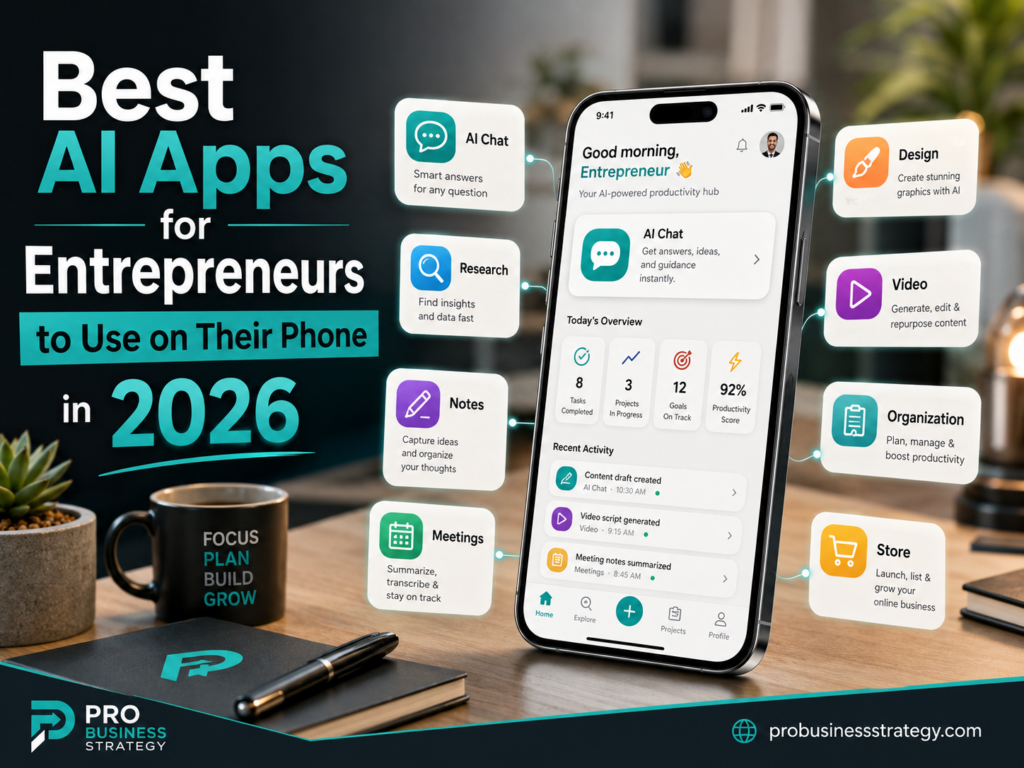
Running a business from your phone is no longer a strange idea.
For many entrepreneurs, the smartphone has become the first office. It is where ideas are written down, messages are answered, content is created, products are researched, videos are edited, customer questions are handled and business decisions are made.
But in 2026, the phone is even more powerful because of AI.
The right AI apps can turn your smartphone into a business assistant, research partner, writing tool, design studio, video editor, meeting assistant, content planner and idea generator.
That does not mean every entrepreneur needs twenty AI apps.
In fact, using too many tools can make your business more confusing.
The smarter approach is to build a small AI app stack around the work you actually do.
If you are a content creator, you need AI apps for ideas, writing, design and video.
If you are a freelancer, you need AI apps for communication, proposals, research and client work.
If you are building an e-commerce business, you need AI apps for product descriptions, product photos, customer support, content and store management.
If you are still choosing your first business idea, you need AI apps for brainstorming, research and planning.
This guide gives you the best AI apps for entrepreneurs to use on their phone in 2026, organized by practical business use.
The goal is not to collect apps.
The goal is to choose tools that help you create, sell, manage and grow from your smartphone.
For the broader phone-based business strategy, you can also visit Phone Business.
Affiliate disclosure: This post contains affiliate links. If you make a purchase through one of these links, ProBusinessStrategy may earn a small commission at no extra cost to you. We only recommend tools we genuinely believe in.
How to Choose the Right AI Apps for Your Phone Business
Before choosing apps, ask a better question:
What business task do I need help with?
Most entrepreneurs do not need more tools. They need a simple system.
A good AI app should help you with at least one of these tasks:
Brainstorming business ideas.
Researching markets and competitors.
Writing content, emails or product descriptions.
Designing social posts, Pins, graphics or digital products.
Creating short videos.
Recording and summarizing meetings.
Organizing projects and notes.
Improving communication.
Managing e-commerce tasks.
Planning social media content.
If an app does not help you move closer to publishing, selling, serving customers or making better decisions, it may not be worth your time.
A simple phone business app stack could look like this:
One AI assistant for thinking and writing.
One AI research app.
One design app.
One video app.
One notes or project app.
One writing improvement app.
One business-specific app, such as e-commerce, meetings or social media.
That is enough for most beginners.
Now let’s look at the best AI apps entrepreneurs can use on their phone in 2026.
1. ChatGPT
Best for: brainstorming, writing, planning, strategy, prompts, content ideas and business thinking.
ChatGPT is one of the most useful AI apps for entrepreneurs because it can support many parts of a phone-based business. You can use it to brainstorm business ideas, create article outlines, draft social media captions, improve emails, generate product ideas, create checklists, plan offers, write scripts and think through business models.
The official ChatGPT mobile app is available for iOS and Android, and the app listings describe features such as synced conversation history across devices, image generation and voice-based use on mobile.
For an entrepreneur, ChatGPT is especially useful because it works well as a general business assistant.
You can ask:
“Give me 25 phone business ideas for beginners.”
“Turn this business idea into a simple offer.”
“Write 10 TikTok hooks for this article.”
“Create a content plan for a new affiliate website.”
“Improve this email so it sounds professional but friendly.”
“Give me a 7-day action plan to test this business idea.”
ChatGPT is not perfect. You still need to check facts, improve the writing and add your own judgment. But as a mobile thinking partner, it is one of the strongest apps for entrepreneurs.
Best phone business use cases:
Business idea generation.
Blog outlines.
Social media captions.
Email drafts.
Product description drafts.
AI prompt creation.
Service package planning.
Customer response templates.
Content repurposing.
If you want to go deeper into using it specifically from your phone, read How to Use ChatGPT from Your Phone for Business.
2. Perplexity
Best for: research, source-based answers, competitor checking and market exploration.
Perplexity is useful when you need AI-assisted research rather than only brainstorming. Its own website describes it as an AI-powered answer engine for accurate, trusted and real-time answers, and its app listings emphasize answers backed by sources and citations.
That makes Perplexity especially useful for entrepreneurs who need to research:
Market trends.
Competitors.
Product categories.
Affiliate programs.
Software options.
Niche questions.
Customer problems.
Industry news.
For example, if you are thinking about starting a phone-based digital product business, you can use Perplexity to research what people are already buying, what competitors are publishing and what problems appear again and again.
ChatGPT is strong for brainstorming and structuring ideas.
Perplexity is strong for research and discovery.
Together, they can become a powerful mobile business research system.
Best phone business use cases:
Researching business ideas.
Finding market examples.
Checking software options.
Comparing tools.
Finding statistics and sources.
Exploring trending topics.
Preparing article research.
Validating niche demand.
A simple workflow is:
Use ChatGPT to generate 20 ideas.
Use Perplexity to research the top 5.
Use ChatGPT again to turn the strongest idea into a business plan.
This is a practical way to turn your phone into a small research department.
3. Claude
Best for: longer writing, deeper thinking, strategy, editing and complex explanations.
Claude is another strong AI assistant for entrepreneurs. Anthropic describes Claude as an AI problem solver and thinking partner that can help with writing, research, coding and complex problems.
For phone-based entrepreneurs, Claude can be useful when you want to work through longer documents, improve complex writing or develop a more thoughtful business plan.
You can use it for:
Long article drafting.
Brand positioning.
Offer development.
Customer persona work.
Sales page structure.
Business model thinking.
Editing and rewriting.
Explaining complicated topics more clearly.
Claude is especially useful when you do not just want a quick answer. It can help you reason through an idea and improve the structure of your thinking.
Best phone business use cases:
Long-form writing.
Content strategy.
Business model development.
Service offer refinement.
Editing and improving drafts.
Simplifying difficult explanations.
Client proposal development.
Course lesson outlines.
If you are using your phone to build a content-heavy business, Claude can be a useful second AI assistant beside ChatGPT.
4. Google Gemini
Best for: Google ecosystem users, mobile AI assistance, voice interaction and productivity.
Gemini is Google’s AI assistant, and the mobile app is positioned as a personal, proactive AI assistant for iPhone and iPad users, while Google has continued developing the Gemini app experience and Gemini Live features.
For entrepreneurs already using Gmail, Google Docs, Google Calendar, YouTube or Google Drive, Gemini can be useful because it fits naturally into the Google ecosystem.
A phone-based entrepreneur might use Gemini for:
Drafting ideas.
Summarizing information.
Planning content.
Asking quick business questions.
Voice-based brainstorming.
Working with Google tools.
Researching topics while on the move.
Gemini is especially practical for entrepreneurs who already live inside Google products. If your business uses Google Docs, Gmail and YouTube, it makes sense to test Gemini as part of your mobile workflow.
Best phone business use cases:
Google-based productivity.
Voice brainstorming.
Quick summaries.
YouTube content research.
Email and document support.
Mobile idea capture.
Daily planning.
For a beginner, Gemini can work as a general AI assistant, similar to ChatGPT or Claude, but with a stronger fit for people who already rely heavily on Google.
5. Microsoft Copilot
Best for: Microsoft 365 users, productivity, business documents and work communication.
Microsoft Copilot is useful for entrepreneurs who work with Microsoft tools. Microsoft describes the Microsoft 365 Copilot mobile app as an AI-first productivity app available on iOS and Android, with Copilot Chat access depending on account type and licensing.
If you use Word, Excel, PowerPoint, Outlook or Microsoft 365 for your business, Copilot can be a practical AI app on your phone.
It can help with:
Business document drafts.
Email ideas.
Presentation outlines.
Summaries.
Productivity questions.
Work planning.
Content ideas.
The main advantage of Copilot is not that it replaces every other AI assistant. Its advantage is that it fits Microsoft-based workflows.
If your business documents, emails and files already live in Microsoft 365, Copilot may become more useful than a separate AI app.
Best phone business use cases:
Business emails.
Document creation.
Productivity planning.
Presentation ideas.
Microsoft 365 workflows.
Work summaries.
Client communication.
For entrepreneurs who use Google products, Gemini may feel more natural.
For entrepreneurs who use Microsoft products, Copilot may be the better fit.
6. Canva
Best for: social media graphics, Pinterest Pins, simple brand visuals, lead magnets and digital product design.
Canva is one of the most useful design apps for phone-based entrepreneurs. Its AI tools include Magic Design, which can generate designs from text and media, and Canva AI features that help with design, writing and creative workflows inside the editor.
For a phone business, Canva is valuable because many online businesses need visual content.
You can use it to create:
Pinterest Pins.
Instagram posts.
Facebook graphics.
YouTube thumbnails.
Digital product covers.
Checklists.
Lead magnets.
Mini workbooks.
Simple brand kits.
Course slides.
Short-form video slides.
Canva is especially useful for content businesses, affiliate websites, digital product sellers and small service providers.
Best phone business use cases:
Pinterest marketing.
Social media graphics.
Digital products.
Lead magnets.
Business checklists.
Templates.
Short video slides.
Brand visuals.
For example, if you create an article about phone business ideas, you can use Canva to turn that article into a Pinterest Pin, a Facebook post, a carousel and a short video slide set.
That makes Canva one of the most practical AI-supported apps for mobile entrepreneurs.
7. Adobe Express and Adobe Firefly
Best for: AI-generated visuals, creative content, photo editing, social graphics and brand assets.
Adobe has become more mobile-friendly for AI creative work. Adobe Firefly’s mobile app is available for iOS and Android and is positioned around image and video generation, sound effects and AI-powered editing tools in one mobile experience. Adobe Express also includes AI features for creating and editing content.
For entrepreneurs, Adobe Express and Firefly can be useful when you need more creative control or want AI-generated images and visuals that connect with a broader creative workflow.
You can use them for:
Social media graphics.
AI image generation.
Product mockups.
Ad visuals.
Simple video assets.
Background removal.
Quick branded content.
Creative experiments.
If Canva is the simple design workspace, Adobe Express and Firefly are strong options for entrepreneurs who want more visual experimentation or already use Adobe tools.
Best phone business use cases:
AI visuals.
Social posts.
Ad creatives.
Product concepts.
Creative branding.
Image editing.
Content repurposing.
For most beginners, Canva may be easier.
For more design-focused entrepreneurs, Adobe’s mobile AI tools are worth testing.
8. Notion AI
Best for: planning, organizing ideas, building a business dashboard and managing projects.
Notion is useful because entrepreneurs need a place to organize all their ideas, notes, tasks and content plans. Notion describes itself as an AI-powered workspace for notes, tasks, projects and collaboration, and its mobile app is available for iOS and Android.
A phone-based entrepreneur can use Notion to build a simple business operating system.
This could include:
Business idea database.
Content calendar.
Article tracker.
Affiliate program tracker.
Digital product planner.
Client notes.
Daily task list.
Research notes.
Prompt library.
Notion AI can help summarize notes, rewrite text, organize information and turn scattered ideas into clearer plans.
Best phone business use cases:
Business planning.
Project management.
Content calendars.
Idea databases.
Client notes.
Digital product planning.
Research organization.
Daily task tracking.
For example, if you are building a Phone Business content hub, Notion can hold your article ideas, keywords, publishing status, image tasks, Pinterest Pin tasks and internal links.
That makes it very useful for entrepreneurs who publish a lot of content.
9. Google NotebookLM
Best for: research notes, source-based learning, document analysis and audio summaries.
NotebookLM is useful for entrepreneurs who collect research from documents, websites, notes, videos or PDFs. Google describes NotebookLM as an AI research tool and thinking partner that can analyze sources and transform content. Google also launched an official NotebookLM mobile app for iOS and Android, and the app listings mention creating notebooks, asking questions and listening to Audio Overviews on the go.
For entrepreneurs, NotebookLM can become a mobile research library.
You can use it to:
Analyze competitor pages.
Summarize research documents.
Turn long notes into clear summaries.
Ask questions about uploaded sources.
Create learning material from your own files.
Review business research while commuting.
Listen to AI-generated audio summaries.
This is especially useful if your business depends on research, articles, guides, educational content or niche expertise.
Best phone business use cases:
Research organization.
Source analysis.
Learning a niche.
Summarizing documents.
Content preparation.
Studying competitors.
Turning notes into article ideas.
NotebookLM is not just a general chatbot. Its strength is working with sources you give it.
That makes it useful when accuracy and source control matter.
10. Grammarly
Best for: improving emails, posts, captions, articles and client communication.
Grammarly is useful for entrepreneurs because business communication needs to be clear. Grammarly’s mobile page says its AI writing assistance works across iOS and Android apps, and its app listings describe real-time writing feedback and AI assistance for writing directly inside mobile apps.
For a phone-based entrepreneur, that matters because much of your communication happens inside apps:
Gmail.
Instagram.
Facebook.
LinkedIn.
WhatsApp.
Google Docs.
Notes.
Customer messages.
Proposal drafts.
Grammarly can help polish your writing before you send it.
This is especially useful if you write in English as a second language, handle client messages, publish content or sell services internationally.
Best phone business use cases:
Email improvement.
Caption polishing.
Client messages.
Proposal editing.
Article editing.
Product description improvement.
Tone adjustment.
Grammar and clarity checking.
AI can help you write faster.
Grammarly can help make the final message cleaner and more professional.
11. Otter
Best for: meeting transcription, voice notes, interviews and turning conversations into action items.
Otter is useful for entrepreneurs who have calls, interviews, coaching sessions, client meetings or voice notes. Otter describes its AI Meeting Agent as supporting real-time transcription, automated summaries, insights and action items, and its mobile app pages mention recording conversations, staying synced across devices and transcribing meetings in real time.
For phone-based entrepreneurs, this can save time.
You can use Otter to:
Record business ideas.
Transcribe client calls.
Summarize interviews.
Capture coaching sessions.
Create notes from voice conversations.
Turn meetings into action items.
Review calls later.
If you are doing consulting, freelancing, coaching or research interviews, Otter can become a practical business assistant.
Best phone business use cases:
Client meetings.
Coaching calls.
Interview notes.
Voice idea capture.
Meeting summaries.
Action item tracking.
Content repurposing from conversations.
For example, a 30-minute client call could become a summary, a task list and a proposal outline.
That is valuable when you are running your business from your phone.
12. Fireflies.ai
Best for: meeting notes, team calls, searchable conversation history and task follow-up.
Fireflies.ai is another strong AI meeting assistant. Fireflies describes its platform as helping teams transcribe, summarize, search and analyze voice conversations, and its mobile app guide says the app can record in-person meetings, add Fireflies to live calls, upload files, view notes, search, share highlights and manage tasks.
For entrepreneurs, Fireflies can be useful if meetings are a major part of the business.
You can use it for:
Sales calls.
Team calls.
Client meetings.
Partnership conversations.
Coaching calls.
Podcast interviews.
Internal business reviews.
Fireflies is especially useful when you need to search past conversations and keep track of what was discussed.
Best phone business use cases:
Sales call notes.
Meeting summaries.
Client follow-up.
Task extraction.
Conversation search.
Team knowledge base.
If you work alone and only occasionally record notes, Otter may be enough.
If you have more calls, clients or team communication, Fireflies may be worth testing.
13. CapCut
Best for: short-form video editing, AI video generation, captions, templates and social content.
CapCut is one of the most practical apps for entrepreneurs who create short videos. CapCut’s AI video generator page describes features such as text-to-video, templates, AI voiceovers, automated storyboarding and AI-powered automation for video creation.
For phone-based businesses, video is important because short-form content can help you grow on TikTok, Instagram Reels, YouTube Shorts and Facebook Reels.
You can use CapCut for:
Short video editing.
Captions.
AI-generated video ideas.
Social media clips.
Product videos.
Promotional videos.
Educational videos.
Faceless videos.
If you run a content business, affiliate channel or digital product business, CapCut can help you turn ideas into videos quickly.
Best phone business use cases:
TikTok videos.
Instagram Reels.
YouTube Shorts.
Product promos.
Faceless content.
Video captions.
AI-assisted editing.
Short educational clips.
A simple workflow:
Generate hooks in ChatGPT.
Create slides in Canva.
Edit video in CapCut.
Publish to YouTube Shorts, TikTok, Instagram and Facebook.
This is a very practical phone business content system.
14. ElevenLabs
Best for: AI voiceovers, narration, short videos and multilingual audio content.
ElevenLabs is useful for entrepreneurs who want AI voiceovers without recording every line themselves. ElevenLabs says its mobile app is available on iOS and Android, and its mobile page describes turning text into lifelike speech with thousands of voices in 70+ languages.
For content creators, this can be useful for:
Faceless videos.
Product explainers.
Short-form narration.
Course lessons.
Audio versions of content.
Multilingual content tests.
YouTube Shorts.
TikTok videos.
If you do not want to show your face or record your own voice, AI voice tools can help you create content faster.
Best phone business use cases:
Voiceovers.
Video narration.
Course audio.
Social media clips.
Faceless channel content.
Multilingual experiments.
Product explanation videos.
Important note: always check the platform rules and the commercial usage rights of any AI voice you use. Voice and likeness rights matter, especially for commercial content.
15. Suno
Best for: AI music, background tracks, jingles, creative experiments and audio branding.
Suno is an AI music generator. Its website says users can create complete original songs by describing what they want, and its app listings describe turning ideas into full songs, beats and lyrics with AI.
For entrepreneurs, Suno is not essential for every business. But it can be useful if your business involves video, branding, creative content or social media.
You can use it for:
Short video background music.
Creative intros.
Audio branding experiments.
Content themes.
Jingle ideas.
Music-based social content.
Best phone business use cases:
Video content.
Creative branding.
Social media audio.
Faceless channels.
Music-based content ideas.
Podcast intro experiments.
Be careful with commercial usage terms, licensing and platform rules. AI music is still an area where legal and platform policies can change.
Use Suno as a creative tool, not as something you blindly publish everywhere without checking rights.
16. Buffer
Best for: social media scheduling, AI post ideas, repurposing content and managing multiple channels.
Buffer is useful for entrepreneurs who publish on multiple social platforms. Buffer’s website describes mobile apps for managing social accounts from anywhere, and its AI Assistant is designed to brainstorm ideas, rewrite content and create platform-specific posts.
For phone-based entrepreneurs, this can make content distribution easier.
You can use Buffer to:
Plan posts.
Schedule content.
Repurpose posts.
Organize ideas.
Manage multiple channels.
Track what works.
Create platform-specific variations.
Best phone business use cases:
Social media scheduling.
Content repurposing.
Platform-specific captions.
Marketing consistency.
Content calendar management.
Multi-channel posting.
For example, one article can become:
A Pinterest description.
A Facebook post.
An Instagram caption.
A LinkedIn post.
A YouTube Shorts description.
A TikTok caption.
Buffer can help organize that workflow.
17. Shopify Sidekick and Shopify Magic
Best for: e-commerce entrepreneurs, store setup, product descriptions, store design and product photo improvement.
For e-commerce entrepreneurs, Shopify’s AI tools are relevant. Shopify describes Sidekick as an AI-powered commerce assistant trained on Shopify features and able to use store context for tasks, while Shopify’s Sidekick page highlights help with store ideas, design, product photos and writing.
If you are building a phone-based e-commerce business, Shopify’s AI tools can help with:
Product descriptions.
Store setup questions.
Product photo improvements.
Design suggestions.
Marketing copy.
Business decisions.
Store management ideas.
This is especially useful if you want to run a simple online store, print-on-demand business or niche product business.
Best phone business use cases:
E-commerce planning.
Product descriptions.
Product photo improvement.
Store design.
Online store management.
Product launch copy.
For a simple e-commerce setup, Shopify can be a relevant platform. If you want to connect it with print-on-demand, Printful can be relevant for creating and fulfilling products without holding inventory.
This makes Shopify plus AI especially interesting for phone-based entrepreneurs who want to sell physical products without managing everything manually.
18. Fiverr
Best for: offering AI-assisted services, testing freelance ideas and outsourcing small business tasks.
Fiverr is not mainly an AI app in the same way ChatGPT or Canva AI is. But it is still useful for AI-powered entrepreneurs because it can help you turn AI-supported skills into services or outsource tasks you do not want to do yourself.
For example, you could use AI tools to help create:
Social media captions.
Blog outlines.
Product descriptions.
AI prompt packs.
Research summaries.
Business idea reports.
Voiceover scripts.
Pinterest descriptions.
Then you could package those skills as small freelance services.
You could also use Fiverr to outsource tasks such as logo design, video editing, website fixes or product mockups when your phone business grows.
Best phone business use cases:
Freelance service testing.
Outsourcing.
Business support.
Creative services.
AI-assisted service packages.
If you want to test selling services quickly, Fiverr can be a relevant marketplace to explore.
The important point is not to sell lazy AI output.
Use AI to work faster, then add human judgment, editing and quality.
19. WordPress AI Sitebuilder and Website Tools
Best for: entrepreneurs who want a website, blog, affiliate site or business hub.
Not every phone business needs a website on day one.
But if you want to build long-term traffic, publish articles, create a business hub or make affiliate content, a website becomes important.
AI website builders can help beginners move faster by generating layouts, draft pages and starting structures.
For a phone-based entrepreneur, this matters because your phone can help you plan the website, draft pages, write content, upload images and publish updates.
Useful website-related tasks include:
Choosing a domain.
Planning site structure.
Writing homepage text.
Creating blog posts.
Building landing pages.
Publishing affiliate content.
Collecting emails.
Creating a digital product hub.
If you are ready to build a website around your phone business idea, tools like Namecheap, Bluehost and WordPress AI Sitebuilder can be relevant depending on your setup.
Best phone business use cases:
Blogging.
Affiliate marketing.
Business websites.
Landing pages.
Digital product hubs.
Content publishing.
Long-term SEO.
For many entrepreneurs, social media is the starting point.
But a website is the asset you control.
The Best AI App Stack for Different Types of Phone Entrepreneurs
You do not need every app in this article.
Choose your stack based on the business you are building.
Best AI App Stack for Content Creators
If you want to create content from your phone, use:
ChatGPT for ideas, scripts and outlines.
Perplexity for research.
Canva for graphics and Pins.
CapCut for short videos.
Buffer for scheduling.
Grammarly for polishing captions and emails.
This stack helps you move from idea to published content without needing a big setup.
Best AI App Stack for Bloggers and Affiliate Marketers
If your business is based on articles, SEO, affiliate content or niche websites, use:
ChatGPT for outlines and drafts.
Perplexity for research.
NotebookLM for source-based notes.
Grammarly for editing.
Canva for featured images and Pins.
WordPress tools for publishing.
This is especially useful if you are building an affiliate website or content hub.
For a phone-based affiliate approach, read How to Create a YouTube Affiliate Channel from Your Smartphone.
Best AI App Stack for Freelancers
If you want to sell services, use:
ChatGPT for proposals, service packages and client messages.
Grammarly for professional communication.
Notion for project tracking.
Otter or Fireflies for client calls.
Canva for samples and service visuals.
Fiverr for testing service offers.
This stack helps you look more professional even when you are running the business from your phone.
Best AI App Stack for E-Commerce Entrepreneurs
If you want to sell products online, use:
ChatGPT for product ideas and descriptions.
Perplexity for product and niche research.
Canva for product visuals and social content.
Shopify Sidekick or Shopify Magic for store-related tasks.
Printful if you use print-on-demand.
Buffer for social promotion.
This stack is useful for simple online stores, product testing and print-on-demand businesses.
Best AI App Stack for Coaches and Consultants
If you offer advice, coaching or consulting, use:
ChatGPT for session plans and frameworks.
Claude for deeper strategy documents.
Otter or Fireflies for meeting summaries.
Notion for client notes.
Canva for worksheets and guides.
Grammarly for client communication.
This helps you turn conversations into deliverables, which is important for service businesses.
Best AI App Stack for Beginners
If you are completely new, do not start with 20 apps.
Start with five:
ChatGPT.
Perplexity.
Canva.
Google Docs or Notion.
Grammarly.
That is enough to brainstorm, research, write, design and organize your first business idea.
Once you know what you are building, add more specific apps.
For example:
Add CapCut if you make videos.
Add Shopify if you sell products.
Add Otter if you take calls.
Add Buffer if you publish on multiple social platforms.
Add NotebookLM if you do heavy research.
Simple first.
Advanced later.
How to Use AI Apps Without Getting Overwhelmed
AI tools can save time, but they can also become a distraction.
Many beginners spend weeks testing tools instead of building the business.
Do not do that.
Use this rule:
Every AI app should help you complete a business action.
A business action is something like:
Publish an article.
Create a Pin.
Send a proposal.
Write a product description.
Record a video.
Improve a sales page.
Research a niche.
Create a digital product.
Reply to a customer.
Plan a content calendar.
If the app only makes you feel busy, remove it.
A phone business grows through output.
Ideas are useful.
Published work is better.
Sales are better than perfect notes.
Customer conversations are better than endless app testing.
Use AI to move faster, not to avoid action.
A Simple Daily AI Workflow From Your Phone
Here is a practical daily workflow for a phone-based entrepreneur.
Morning: Plan
Open ChatGPT or Notion and ask:
“What are the three most important business tasks I should complete today based on this project?”
Choose only three.
Research: Validate
Use Perplexity or NotebookLM to research one topic, competitor or customer problem.
Save the best notes.
Create: Produce
Use ChatGPT or Claude to draft one useful piece of content.
This could be a blog section, caption, product description, email or script.
Design: Package
Use Canva, Adobe Express or Firefly to create the visual part.
This could be a Pin, featured image, carousel, thumbnail or product mockup.
Publish: Distribute
Use your social apps or Buffer to publish or schedule the content.
Improve: Edit
Use Grammarly to polish your text before posting.
Capture: Organize
Save the result in Notion, Google Docs or your business tracker.
This workflow is simple, but it turns your phone into a real business system.
What AI Apps Cannot Do for You
AI apps are powerful, but they do not remove the need for judgment.
They cannot fully understand your audience without your input.
They cannot guarantee sales.
They cannot replace trust.
They cannot build your brand personality for you.
They cannot know every current fact unless connected to reliable sources.
They cannot make bad offers good.
They cannot fix inconsistency.
They cannot turn a vague business into a profitable business without testing.
AI is an amplifier.
If you have a clear idea, AI helps you move faster.
If you have no direction, AI can help you explore options.
But you still need to choose, test, publish and improve.
That is the entrepreneur’s job.
The Best Overall AI Apps for Phone-Based Entrepreneurs
If you want the shortest possible answer, these are the strongest categories to start with:
ChatGPT for general business thinking.
Perplexity for research.
Canva for design.
Notion for organization.
Grammarly for writing quality.
CapCut for short videos.
Otter or Fireflies for meetings.
Shopify Sidekick for e-commerce.
NotebookLM for source-based research.
Adobe Firefly or Express for creative AI visuals.
That is a strong mobile AI toolkit for 2026.
But remember: the best app is not the newest app.
The best app is the one you actually use to create something useful.
Final Thoughts
The best AI apps for entrepreneurs in 2026 are not just apps that look impressive.
They are apps that help you take action from your phone.
A good AI app helps you think faster, write better, design quicker, research smarter, communicate more clearly, create content more consistently or manage your business with less friction.
For a phone-based entrepreneur, this matters because your phone is no longer just a communication device.
It can become your business command center.
You can brainstorm ideas with ChatGPT.
Research markets with Perplexity.
Organize your business in Notion.
Design visuals in Canva.
Edit videos in CapCut.
Polish writing with Grammarly.
Record meetings with Otter or Fireflies.
Build e-commerce workflows with Shopify.
Create voiceovers with ElevenLabs.
Manage your content with Buffer.
The opportunity is not to download every AI app.
The opportunity is to build a simple stack that helps you publish, sell and grow.
Start with one business idea.
Choose the apps that support that idea.
Create something useful.
Publish it.
Improve it.
Repeat.
That is how AI becomes more than a trend.
It becomes part of your mobile business system.
Related Articles
The Complete List of 50 Businesses You Can Run from Your Phone
How to Use ChatGPT from Your Phone for Business
How to Create a YouTube Affiliate Channel from Your Smartphone
How to Use AI to Generate Business Ideas from Your Smartphone



