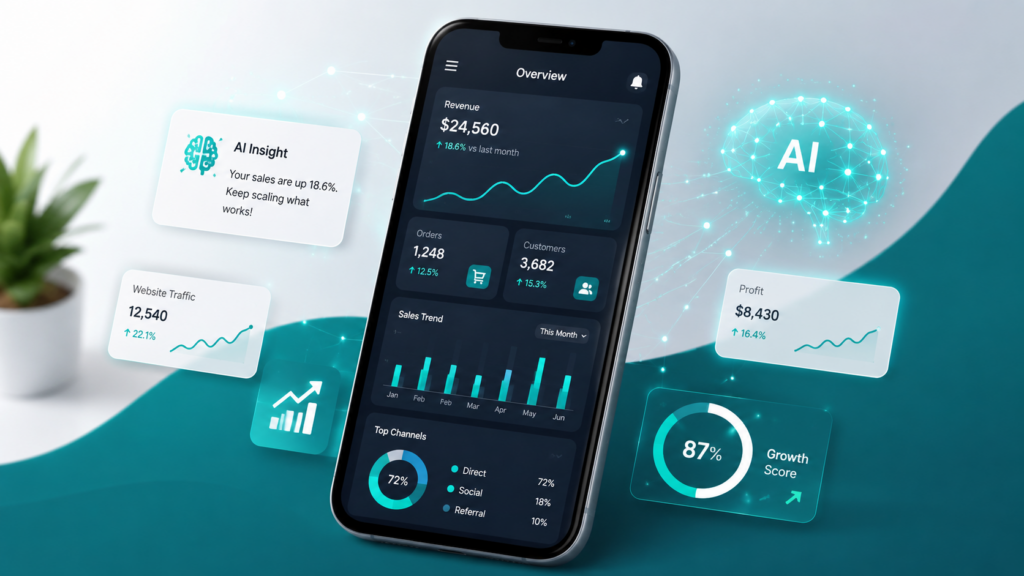
Running a business from your phone is no longer only about answering emails, posting on social media, or checking your website traffic.
Your smartphone can also become a small business intelligence center.
With the right AI tools, you can look at your numbers, understand what is working, find weak spots, spot patterns, and make better decisions without sitting behind a desktop computer all day.
This is especially useful for solopreneurs, small business owners, bloggers, affiliate marketers, e-commerce sellers, freelancers, and creators who want to understand their business without becoming a data analyst.
The goal is not to turn your phone into a complicated analytics machine.
The goal is simple:
Use AI to turn business data into clear business decisions.
Affiliate disclosure: This post contains affiliate links. If you make a purchase through one of these links, ProBusinessStrategy may earn a small commission at no extra cost to you. We only recommend tools we genuinely believe in.
Why Business Data Matters
Many beginners start a business with energy, ideas, and motivation.
But after a while, every business needs numbers.
You need to know things like:
Which products are people buying?
Which pages are getting visitors?
Which posts are bringing traffic?
Which emails are getting clicks?
Which offers are converting?
Which expenses are growing too fast?
Which days or weeks perform best?
Which business activity is actually making money?
Without data, you are guessing.
With data, you are learning.
And with AI, you can understand that data much faster.
In the past, business data analysis felt complicated. You needed spreadsheets, reports, dashboards, formulas, and sometimes even expensive software.
Today, you can do a lot of this from your phone.
You can collect data from your website, social media, online store, email platform, payment system, accounting app, or spreadsheet. Then you can use AI to help explain what the numbers mean.
That is the real power of AI-powered mobile business analytics.
What Does It Mean to Analyze Business Data with AI?
Analyzing business data with AI means using artificial intelligence to help you understand your numbers.
Instead of only looking at a spreadsheet full of rows and columns, you can ask questions like:
“What were my best-performing products this month?”
“Which traffic source brought the most visitors?”
“Why did my sales drop last week?”
“Which blog posts should I improve first?”
“What does this data suggest I should do next?”
AI can help summarize data, find patterns, compare results, explain trends, and turn raw numbers into practical insights.
This is very useful because most small business owners do not need complicated analytics.
They need answers.
They need to know what to improve, what to stop doing, what to continue, and where the opportunity is.
Why Your Phone Is Enough to Start
You do not need a full office setup to begin analyzing your business data.
A smartphone can already help you:
Check website analytics
Review sales reports
Read social media performance
Monitor ad results
Track affiliate clicks
Review customer behavior
Open spreadsheets
Use AI chat tools
Create summaries
Compare weekly or monthly results
Make quick decisions
Of course, a laptop or desktop can still be better for deep work.
But for daily business checking, basic analysis, and quick decision-making, your phone is often enough.
This is powerful for people who are building a business while working a job, traveling, commuting, or managing everything alone.
You can check your numbers during a lunch break, while sitting in a café, or at the end of the day from your couch.
The Simple AI Data Workflow
The easiest way to use AI for business data from your phone is to follow a simple workflow.
You do not need to analyze everything at once.
Start with this:
Collect the data.
Ask AI to summarize it.
Look for patterns.
Find the problem or opportunity.
Choose one action.
That is it.
For example, imagine you run a small blog.
You check your website traffic and see that five articles get most of the visitors. You copy the data into an AI tool and ask:
“Summarize this traffic data. Which articles are performing best, which are weak, and what should I improve first?”
The AI may help you see that one topic is getting attention, another article has traffic but poor engagement, and a third article could be expanded with affiliate links or a stronger call-to-action.
That gives you a decision.
Not just numbers.
Business Data You Can Analyze from Your Phone
There are many types of business data you can analyze with AI from your smartphone.
You do not need all of them in the beginning.
Start with the data that matters most to your business model.
Website Traffic Data
If you have a website or blog, traffic data is one of the first things to watch.
You can analyze:
Page views
Visitors
Top pages
Traffic sources
Search keywords
Bounce rate
Time on page
Clicks
Conversions
AI can help you understand which pages deserve more attention.
For example, if one page gets a lot of traffic but visitors leave quickly, AI can help you brainstorm improvements.
Maybe the intro is weak.
Maybe the page does not guide visitors to related articles.
Maybe the call-to-action is missing.
Maybe the article needs a clearer structure.
Maybe the visitor intent does not match the content.
This is where AI becomes useful. It can help you turn website statistics into content decisions.
Sales Data
If you sell products, services, digital downloads, templates, courses, or affiliate offers, sales data is essential.
You can analyze:
Best-selling products
Low-performing products
Refunds
Average order value
Repeat customers
Sales by day
Sales by channel
Sales by promotion
Seasonal patterns
AI can help answer questions like:
“What product should I promote more?”
“Which offer is underperforming?”
“Which product category has the best potential?”
“Where should I focus next month?”
This can help small business owners avoid wasting time on products or offers that do not produce results.
Social Media Data
Your social media accounts can also produce useful business data.
You can analyze:
Reach
Views
Likes
Saves
Shares
Comments
Profile visits
Link clicks
Follower growth
Best posting times
Best content formats
AI can help compare your posts and find patterns.
For example, it may notice that your short business idea posts get more saves, while your longer motivational posts get more comments but fewer clicks.
That is useful information.
It helps you decide what type of content to create next.
Email Marketing Data
If you use email marketing, your email data can tell you a lot about your audience.
You can analyze:
Open rates
Click rates
Unsubscribes
Best subject lines
Best topics
Best offers
Inactive subscribers
Email sequence performance
AI can help you compare subject lines, improve email structure, and identify which topics your audience responds to.
For a small business, this can be very valuable because email traffic is often warmer than random social media traffic.
Affiliate Marketing Data
If your business uses affiliate marketing, data analysis becomes even more important.
You can analyze:
Which links get clicks
Which articles generate clicks
Which products convert
Which categories perform best
Which traffic sources lead to affiliate clicks
Which pages need better calls-to-action
AI can help you identify where to place more attention.
For example, if a blog post gets traffic but no affiliate clicks, AI can help you evaluate whether the affiliate offer is relevant, whether the call-to-action is visible, and whether the article matches buyer intent.
This can make a big difference.
More traffic is not always the answer.
Sometimes the answer is better placement, better wording, or a more relevant offer.
Financial Data
Even a small business should watch basic financial data.
You can analyze:
Monthly income
Monthly expenses
Profit
Subscriptions
Software costs
Advertising costs
Revenue by product
Revenue by client
Cash flow
AI can help explain your numbers in plain language.
For example:
“Based on this income and expense data, what are the biggest cost problems?”
Or:
“Summarize this monthly business finance overview and suggest three ways to improve profit.”
This does not replace an accountant, but it can help you understand your business better before making decisions.
Customer Data
Customer behavior can also reveal strong business opportunities.
You can analyze:
Common questions
Customer complaints
Reviews
Testimonials
Support messages
Purchase behavior
Repeat customer patterns
Product requests
AI can summarize customer feedback and show you what people are really asking for.
This is useful because your next product, article, service, or offer may already be hidden inside your customer questions.
How to Start Analyzing Business Data from Your Phone
The best way to start is not to connect everything at once.
Start small.
Choose one business question.
For example:
“Which blog posts should I improve first?”
“Which product should I promote more?”
“Which social media posts performed best this month?”
“Which affiliate offer gets the most clicks?”
“Where am I losing money?”
Then collect only the data needed to answer that question.
This keeps the process simple.
Step 1: Choose One Data Source
Do not try to analyze your whole business in one day.
Pick one source.
For example:
Website analytics
Online store reports
Social media insights
Email marketing reports
Affiliate dashboard
Spreadsheet
Accounting app
Payment processor report
Start with the place where you already have numbers.
Step 2: Export or Copy the Important Numbers
From your phone, you can often copy a small report, download a CSV file, take notes, or manually create a small table.
You do not need perfect data.
You need usable data.
A simple table can be enough:
Article title
Views
Clicks
Affiliate clicks
Conversions
Or:
Product name
Sales
Revenue
Refunds
Profit margin
Or:
Social post
Views
Saves
Shares
Clicks
Once you have the data, AI can help you understand it.
Step 3: Ask AI Better Questions
The quality of your AI analysis depends heavily on the quality of your question.
A weak question is:
“Analyze this.”
A better question is:
“Analyze this data for a small business owner. Find the strongest opportunities, the weakest areas, and three practical actions I should take this week.”
That is much better.
Here are useful AI prompts:
“Summarize this data in simple business language.”
“Find the top three opportunities in this data.”
“Which items are performing better than average?”
“Which items are underperforming?”
“What should I improve first?”
“What patterns do you see?”
“What business decision would you make based on this data?”
“What questions should I ask next?”
“Turn this data into a simple action plan.”
These prompts help AI act more like a business assistant instead of just a calculator.
Step 4: Look for Patterns, Not Perfection
Small business data is often messy.
That is normal.
Your numbers may not be complete. Your tracking may not be perfect. Some platforms may show different results.
Do not wait until everything is perfect.
Look for patterns.
For example:
One topic gets more traffic than others.
One product gets clicks but not sales.
One social media format gets more saves.
One article gets visitors but has a high bounce rate.
One affiliate offer fits your audience better than another.
One expense keeps growing every month.
These patterns can guide your next action.
Step 5: Turn Insights into Action
Data is only useful when it changes what you do.
If AI tells you that one article performs well, update that article.
If AI shows that one product gets attention, promote it more.
If AI finds that a social media format performs better, create more of that format.
If AI shows that a page has traffic but no clicks, improve the call-to-action.
If AI finds that expenses are rising, review your subscriptions.
The real goal is not analysis.
The real goal is action.
Example: Using AI to Analyze Blog Data from Your Phone
Imagine you run a business ideas blog.
You check your website analytics and see this:
Article A: 1,500 views, low clicks
Article B: 700 views, high clicks
Article C: 300 views, strong time on page
Article D: 1,000 views, high bounce rate
You paste this into an AI tool and ask:
“Analyze this blog data. Which article should I improve first and why?”
AI might suggest:
Article A has traffic but weak monetization. Improve the call-to-action and add more relevant internal links.
Article B converts well. Create more articles around the same topic.
Article C has engaged readers. Expand it into a bigger guide.
Article D may not match visitor intent. Rewrite the intro and improve structure.
Now you have a plan.
That is business intelligence from your phone.
Example: Using AI to Analyze Affiliate Data
Imagine you promote several affiliate products.
You collect data from your dashboard:
Product A gets many clicks but few conversions.
Product B gets fewer clicks but converts well.
Product C gets almost no clicks.
Product D converts only from one article.
You ask AI:
“What does this affiliate data suggest? Which offer should I promote more, and which pages should I improve?”
AI may suggest:
Product B deserves more visibility because it converts well.
Product A may need better pre-selling or a more relevant audience.
Product C may not fit your site or needs better placement.
Product D works because the article probably matches buyer intent.
This can help you stop guessing and start improving.
Example: Using AI to Analyze Social Media Data
Imagine you post business ideas on Pinterest, TikTok, Instagram, and YouTube Shorts.
You collect this data:
Post type A: business idea list
Post type B: motivational quote
Post type C: tool recommendation
Post type D: step-by-step mini guide
AI can help compare performance and suggest what to create next.
It might show that business idea lists get more saves, tool recommendations get more clicks, and motivational quotes get engagement but less traffic.
That insight matters.
It tells you what each content type is good for.
Best Types of AI Analytics Tools for Mobile Business Owners
You do not need to start with advanced data software.
For most beginners, the best tools fall into simple categories.
AI Chat Assistants
AI chat assistants are useful because you can paste small data sets, ask questions, and get plain-language explanations.
They are good for:
Summarizing data
Finding patterns
Creating action plans
Explaining numbers
Turning reports into decisions
Creating business questions
Comparing performance
This is often the easiest starting point.
Spreadsheet Apps with AI Features
Spreadsheets are still useful for small business data.
You can use them to organize:
Traffic data
Sales data
Affiliate clicks
Expenses
Content performance
Customer feedback
Product lists
AI can help you understand spreadsheet data, create summaries, or suggest formulas.
A simple spreadsheet plus AI can be enough for many small businesses.
Dashboard and Analytics Apps
Some tools give you dashboards for your website, store, advertising, or social media accounts.
These dashboards are useful because they show your numbers visually.
AI becomes even more useful when you use it to interpret the dashboard.
Instead of only seeing a graph, you can ask:
“What does this trend mean?”
“What should I do next?”
“Which number matters most here?”
Accounting and Finance Apps
Finance apps can help you track income, expenses, invoices, taxes, and profit.
AI can help you interpret the numbers, but you should still be careful with financial decisions.
For taxes, legal structures, and serious accounting questions, always use qualified professional advice.
AI is useful for understanding and organizing.
It is not a replacement for a professional accountant.
E-Commerce and Sales Analytics Apps
If you sell products online, your store platform may already show useful data.
You can use AI to understand:
Best products
Weak products
Customer behavior
Seasonal trends
Cart problems
Promotion results
Revenue patterns
This can help you decide what to promote, improve, remove, or test next.
What AI Can Do Well
AI is very good at helping you understand data in plain language.
It can:
Summarize messy information
Find obvious patterns
Compare performance
Suggest next steps
Create reports
Generate questions
Explain confusing metrics
Turn numbers into action plans
Help with content decisions
Help with marketing decisions
For a small business owner, this is extremely useful.
You may not need a perfect report.
You may need a clear direction.
What AI Cannot Do Perfectly
AI is powerful, but it is not magic.
You should not blindly trust every answer.
AI can misunderstand data.
AI can make incorrect assumptions.
AI may miss context.
AI may overstate weak patterns.
AI may give generic advice if your data is poor.
AI cannot know your full business unless you explain it clearly.
That is why you should use AI as an assistant, not as the final decision-maker.
The best approach is:
Use AI to help you think better.
Do not let AI think for you completely.
Important Privacy Warning
Be careful with sensitive business data.
Do not paste private customer information, passwords, personal addresses, payment details, tax numbers, or confidential contracts into AI tools unless you fully understand the privacy settings and risks.
For many small business tasks, you can remove sensitive details first.
For example, instead of using real customer names, use:
Customer A
Customer B
Customer C
Instead of sharing full financial documents, share only the numbers needed for analysis.
Good data habits matter.
A Simple Weekly AI Data Routine from Your Phone
You can create a simple weekly routine.
Every week, open your phone and check:
Website traffic
Top-performing content
Affiliate clicks
Sales or leads
Social media performance
Email clicks
Expenses
Then ask AI:
“Summarize my business performance this week. What improved, what declined, and what should I focus on next week?”
This can become a powerful habit.
You do not need to spend hours.
Even 20 minutes per week can help you run your business more intelligently.
A Simple Monthly AI Data Routine
Once per month, go deeper.
Ask:
“What were my best-performing business activities this month?”
“What should I stop doing?”
“What should I do more of?”
“Which content should I update?”
“Which products or offers deserve more attention?”
“Which expenses should I review?”
“What is one experiment I should run next month?”
This turns AI into a planning assistant.
You are not only looking backward at the numbers.
You are using the numbers to decide what to do next.
How This Can Become a Mobile Business Service
There is also a business opportunity here.
Many small business owners have data, but they do not understand it.
They have website analytics, sales reports, social media insights, email reports, and customer feedback.
But they do not know what to do with it.
That creates an opportunity for a simple service business.
You could offer:
Weekly business data summaries
Website traffic analysis
Social media performance reports
Affiliate content performance reviews
E-commerce product analysis
Monthly business insight reports
AI-assisted dashboard summaries
This could be done mostly from a phone if the data is simple and the reports are lightweight.
For example, you could create a service called:
“Monthly AI Business Insight Report for Small Business Owners”
The customer sends basic numbers.
You use AI to organize and summarize the data.
Then you deliver a clear report with:
What happened
What improved
What declined
What the numbers suggest
What action to take next
This is not advanced consulting.
It is practical insight.
And many small business owners need exactly that.
Who This Business Idea Is Best For
This idea is best for people who enjoy:
Business
Numbers
Marketing
Content
Simple analytics
Problem-solving
AI tools
Helping others make better decisions
You do not need to be a professional data scientist.
But you do need to be careful, honest, and practical.
You should know the difference between a real pattern and a guess.
You should also avoid making promises you cannot prove.
This is not about saying:
“I will double your sales.”
It is about saying:
“I will help you understand your business numbers and find practical next steps.”
That is a much more believable offer.
How to Monetize This Skill
There are several ways to make money with AI-powered mobile data analysis.
You could use it for your own business, or you could turn it into a service.
Possible monetization methods include:
Selling monthly analytics reports
Offering website performance reviews
Creating affiliate content audits
Helping e-commerce sellers understand product performance
Creating social media insight reports
Offering small business dashboard summaries
Selling templates for business tracking
Creating digital products about simple business analytics
Offering AI-powered business review sessions
This can also support other business models.
For example, if you are a blogger, better data analysis helps you choose better topics.
If you are an affiliate marketer, it helps you promote better offers.
If you are a freelancer, it helps you show clients where they can improve.
If you are an e-commerce seller, it helps you decide what to sell more of.
The Beginner Version
If you are just starting, keep this very simple.
Once per week, track only five numbers:
Website visitors
Best-performing page or post
Affiliate clicks or sales
Social media post with the best performance
Total income or leads
Then ask AI:
“What do these five numbers suggest I should do next?”
That is enough to begin.
You can always make it more advanced later.
The Advanced Version
Once you are comfortable, you can build a more advanced system.
You can track:
Traffic by source
Conversion rates
Revenue per page
Email performance
Social media growth
Customer acquisition cost
Average order value
Profit margin
Content performance
Product performance
Then you can ask AI to compare monthly trends and suggest priorities.
But do not start here.
Start simple first.
A simple system you use every week is better than an advanced system you never open.
Common Mistakes to Avoid
The first mistake is collecting too much data.
More data does not automatically mean better decisions.
The second mistake is asking AI vague questions.
If you ask vague questions, you get vague answers.
The third mistake is ignoring context.
AI can read numbers, but you understand your business story.
The fourth mistake is chasing vanity metrics.
Likes, views, and impressions can be useful, but they do not always mean profit.
The fifth mistake is not taking action.
Data without action is only decoration.
Final Thoughts
AI business data analysis from your phone may sound advanced, but it does not have to be complicated.
At its core, it is simple.
You collect business numbers.
You ask AI to explain them.
You look for patterns.
You choose your next action.
That is the real value.
Your phone can help you check the numbers.
AI can help you understand them.
But you still make the business decision.
For solopreneurs and small business owners, this is a powerful combination.
You do not need a large team, a complicated office, or expensive analytics department to start making smarter decisions.
You can begin with your smartphone, a few important numbers, and the right questions.
That is how AI can help you turn business data into business direction.



