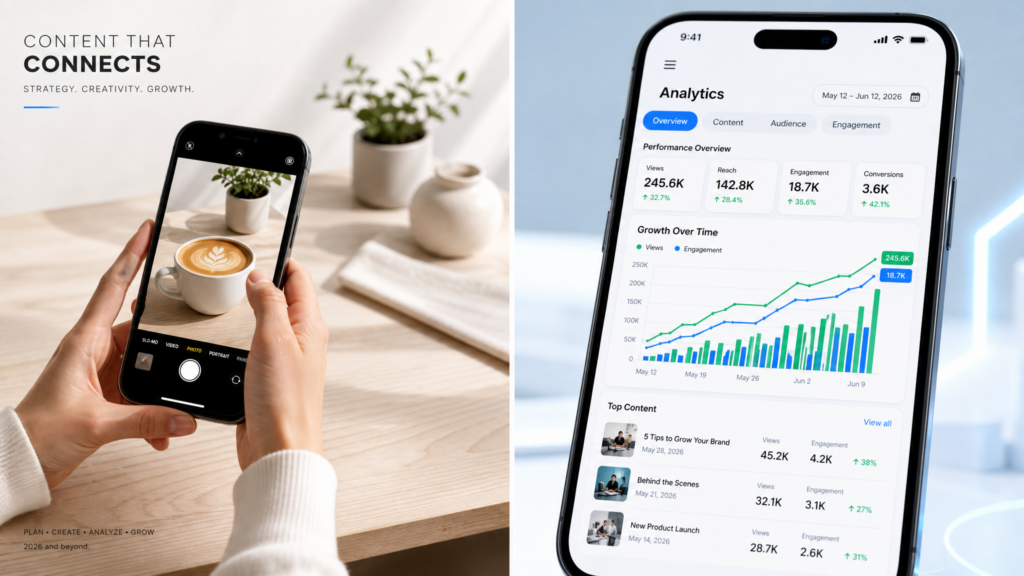
Build a High-Ticket Service Business Without a Laptop in 2026
The demand for social media management has exploded. In 2026, every small business, creator, and corporation needs a consistent presence on Instagram, TikTok, Pinterest, and X.
The biggest secret in the industry? The most successful social media managers aren’t chained to a desk.
Because social media is inherently a “mobile-first” landscape, managing it from a smartphone isn’t just an option—it’s an advantage. In this guide, we will break down exactly how you can start and scale a social media management business using nothing but your phone.
Affiliate disclosure: This post contains affiliate links. If you make a purchase through one of these links, ProBusinessStrategy may earn a small commission at no extra cost to you. We only recommend tools we genuinely believe in.
Why Being a “Mobile-Only” Manager is an Advantage
Clients don’t care if you work from a MacBook or an iPhone; they care about results, engagement, and consistency.
Real-Time Responsiveness: You can engage with followers and handle “community management” instantly.
Native Content Creation: Creating Reels, TikToks, and Stories feels more natural and looks “native” when done directly on a phone.
On-the-Go Analytics: You can check performance and adjust strategies during your commute or while traveling.
Lower Overhead: No $2,000 laptop required. Your primary business tool is already in your hand.
The Essential Mobile Toolkit for Social Media Managers
To run multiple client accounts professionally, you need a streamlined app ecosystem.
1. Management & Scheduling: Metricool or Buffer
You cannot manually post everything. Use the mobile apps of Metricool or Buffer to plan an entire month of content for your clients and see consolidated analytics in one dashboard.
Best for: Auto-posting and cross-platform reporting.
2. Content Creation: Canva & CapCut
As we covered in our Mobile Graphic Design guide, Canva is king for static posts. For video content (which is 80% of social media now), CapCut is the industry standard for professional mobile editing.
Best for: High-quality visual assets and viral video edits.
3. Communication: Slack & WhatsApp Business
Keep your client communication professional. Use Slack for team updates and WhatsApp Business for direct client queries.
Best for: Separating work life from personal life.
4. Organization: Notion Mobile
Use Notion to store your “Content Calendars,” client branding kits, and hashtag strategies.
Best for: Keeping your business organized and professional.
How to Get Your First 3 Clients from Your Phone
Starting from scratch? Here is the “Mobile Hustle” strategy for 2026:
Step 1: Optimize Your Own Profile
Your own social media is your portfolio. If your Instagram and LinkedIn don’t look professional, no one will hire you. Use your mobile design skills to create a killer aesthetic.
Step 2: The “Free Audit” Strategy
Find a local business or a creator with potential but a “messy” feed. Send them a DM (or a recorded video message from your phone) pointing out 3 specific things they could improve. Don’t sell yet—just provide value.
Step 3: Offer a 1-Week Trial
Offer to handle their engagement or story strategy for 7 days for free. Once they see the increase in activity, it’s much easier to close them on a $500–$1,500/month retainer.
(Check our guide on Freelance Platforms to find global clients).
Your Daily Workflow as a Mobile Social Media Manager
A professional day looks like this:
Morning: Check analytics for the past 24 hours. Respond to top comments on all client accounts (Community Management).
Midday: Create 2–3 pieces of content (Reels/Graphics) using mobile-first tools.
Afternoon: Schedule a week’s worth of content for a specific client into your scheduling app.
Evening: Brief client check-in via Slack or email.



