E-Commerce Web Design Templates: How to Sell Ready-Made Store Designs in 2026
Every online store needs a website.
But most new store owners do not want to design one from scratch.
They want something that looks professional, loads quickly, works on mobile, builds trust, and helps customers buy. They want a store design that feels polished without hiring a custom designer for thousands of dollars.
That creates a strong digital product opportunity:
selling e-commerce web design templates.
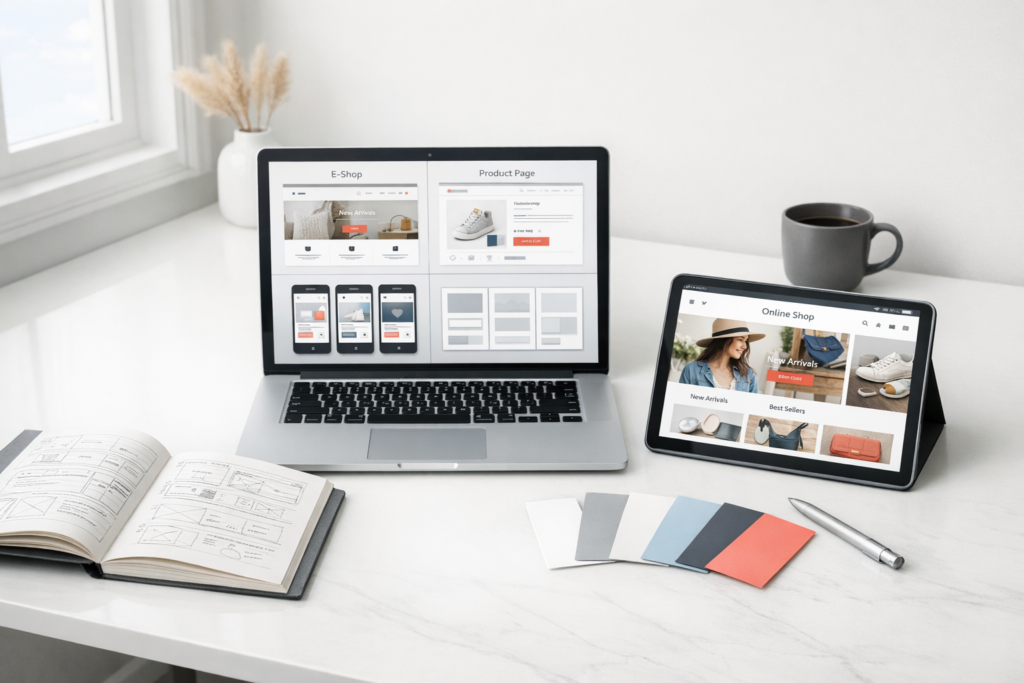
An e-commerce web design template business creates ready-made online store layouts for platforms like Shopify, WooCommerce, Webflow, Squarespace, Wix, or landing page builders. Instead of designing one custom store for one client, you create reusable designs that many business owners can buy, customize, and launch.
This is a scalable business because the product is digital. Once a template is created, you can sell it repeatedly.
You are not selling inventory.
You are selling speed, design quality, and confidence.
Affiliate disclosure: This guide may contain affiliate links. If you purchase through them, ProBusinessStrategy may earn a commission at no extra cost to you. We only recommend tools we believe are genuinely useful for beginners and serious builders.
What Is an E-Commerce Web Design Template Business?
An e-commerce web design template business creates and sells pre-built website designs for online stores.
These templates may include:
- homepage layouts
- product page designs
- collection page layouts
- checkout page styling
- landing pages
- email signup pages
- product launch pages
- cart page designs
- FAQ sections
- about pages
- trust badge sections
- announcement bars
- mobile layouts
The buyer downloads, installs, imports, or copies the template into their own store.
Depending on the platform, templates may be sold as:
- Shopify themes
- Shopify sections
- WooCommerce templates
- Elementor kits
- Webflow templates
- Squarespace templates
- Wix templates
- Figma design files
- Canva website mockups
- landing page templates
- Notion storefront planning kits
The core promise is simple:
“Launch a better-looking online store faster.”
Why This Business Works in 2026
E-commerce is more competitive than ever. A basic store is no longer enough.
Customers judge a website quickly.
They ask:
- Does this brand look trustworthy?
- Is the product easy to understand?
- Is the checkout process clear?
- Does this store work well on mobile?
- Are the product images presented professionally?
- Does the design match the product category?
New entrepreneurs know design matters, but many cannot afford a full custom build.
That gap creates demand for templates.
Templates save time
A store owner may spend weeks trying to design a website from scratch.
A strong template gives them a starting structure immediately.
Templates reduce decision fatigue
Entrepreneurs often get stuck choosing fonts, layouts, sections, colors, and page structures.
A template makes those decisions easier.
Templates are more affordable than custom design
Custom e-commerce design can cost hundreds or thousands of dollars.
Templates offer a lower-cost path.
Templates can be niche-specific
A generic template is useful.
A niche-specific template is more powerful.
Examples:
- skincare brand template
- handmade jewelry store template
- coffee subscription store template
- pet product shop template
- digital product store template
- fitness supplement store template
- eco-friendly product store template
- luxury fashion boutique template
Niche-specific design feels more relevant to the buyer.
Who Is This Business Best For?
This business is ideal for people who enjoy:
- design
- layout building
- e-commerce
- branding
- user experience
- digital products
- conversion optimization
- website platforms
- helping entrepreneurs launch faster
You do not need to be a senior developer to start.
Depending on the platform, you can create templates using:
- no-code tools
- theme builders
- page builders
- Figma
- Canva
- Shopify sections
- WordPress builders
- Webflow
- Squarespace
However, the better your design quality and usability, the stronger your business becomes.
Choosing Your Template Platform
Your platform choice affects the skills required, price point, marketplace access, and customer support workload.
Shopify templates
Best for:
- e-commerce entrepreneurs
- dropshipping stores
- product brands
- subscription stores
- niche online shops
Why it works:
Shopify is popular with new store owners. Many buyers want fast, polished store designs.
This connects naturally with the dropshipping course business because students and beginners often need store designs.
WooCommerce templates
Best for:
- WordPress users
- content-heavy stores
- service businesses selling products
- bloggers adding e-commerce
- small businesses with existing WordPress websites
WooCommerce templates can be sold as Elementor kits, block patterns, or full theme layouts.
Webflow e-commerce templates
Best for:
- design-focused brands
- premium digital products
- agencies
- startups
- portfolio-style stores
Webflow buyers often value high-end visual design.
Squarespace and Wix templates
Best for:
- solopreneurs
- small boutiques
- creatives
- local product businesses
- handmade sellers
These platforms attract users who want easy setup.
Figma template kits
Best for:
- designers
- agencies
- developers
- founders planning a store before building it
Figma files can be sold as design assets even before platform implementation.
Types of E-Commerce Templates You Can Sell
Full store templates
A complete online store design package.
Includes:
- homepage
- product page
- category page
- cart page
- about page
- contact page
- FAQ page
- mobile layouts
Product page templates
Focused only on improving product pages.
Useful because product pages drive conversions.
Include:
- image gallery layout
- product description section
- benefit blocks
- review section
- FAQ section
- comparison table
- trust badges
Landing page templates
For product launches, paid ads, or email campaigns.
Great for:
- one-product stores
- digital products
- preorder launches
- seasonal promotions
Email signup page templates
Useful for brands building a prelaunch list.
Bundle packs
Example:
- Skincare E-Commerce Template Bundle
- Pet Product Store Template Bundle
- Coffee Subscription Store Template Bundle
- Digital Product Launch Bundle
Bundles can increase average order value.
Choosing a Profitable Template Niche
Generic templates can sell, but niche templates are easier to market.
Strong niche examples
Skincare and beauty
Needs:
- clean design
- trust signals
- ingredient sections
- before/after areas
- routine bundles
Coffee and tea subscription stores
Needs:
- subscription layout
- product education
- flavor notes
- origin story
- gift options
This links well with specialty coffee/tea subscriptions.
Pet product stores
Needs:
- warm visuals
- product benefits
- size guides
- reviews
- subscription options
This connects with niche pet subscription business.
Eco-friendly product stores
Needs:
- sustainability sections
- materials explanation
- certifications
- refill options
- brand story
This connects with eco-friendly household kits.
Digital product stores
Needs:
- clean checkout
- product previews
- testimonials
- instant download explanation
- creator bio
Fashion boutiques
Needs:
- lookbook sections
- size guide
- collection pages
- image-heavy design
- mobile-first browsing
What Makes a Good E-Commerce Template?
A good template is not just pretty.
It must help the store owner sell.
Clear homepage structure
A strong homepage should include:
- hero section
- featured products
- value proposition
- customer reviews
- category blocks
- trust badges
- brand story
- email signup
- FAQ section
Strong product page
A high-converting product page includes:
- clear product title
- product images
- benefits
- features
- price
- shipping information
- reviews
- FAQ
- return policy summary
- related products
- call-to-action button
Mobile-first design
Many e-commerce buyers browse on phones.
If your template looks good only on desktop, it will fail.
Fast loading
Avoid bloated design.
Clean layouts, compressed images, and efficient structure matter.
Easy customization
Buyers want to change:
- colors
- fonts
- images
- logo
- product sections
- text blocks
- buttons
Make customization simple.
Clear documentation
A great template includes instructions.
Documentation can include:
- installation guide
- video walkthrough
- customization tips
- image size recommendations
- troubleshooting FAQ
How to Create Your First Template
Step 1: Pick one platform
Do not start with five platforms.
Choose one:
- Shopify
- WooCommerce
- Webflow
- Squarespace
- Wix
- Figma
Step 2: Pick one niche
Example:
- eco-friendly skincare Shopify template
- coffee subscription Webflow template
- pet product WooCommerce template
- digital product landing page kit
Step 3: Research real stores
Study:
- top brands in the niche
- common page structures
- product presentation styles
- customer objections
- trust signals
- mobile layouts
Do not copy designs. Learn patterns.
Step 4: Build the core pages
Start with:
- homepage
- product page
- collection page
- about page
- FAQ page
Step 5: Add conversion sections
Include:
- reviews
- guarantee section
- shipping info block
- comparison section
- benefits grid
- featured collection
- email signup
- trust badges
Step 6: Test on mobile
Check:
- spacing
- button size
- loading
- navigation
- readability
- product images
- checkout flow if applicable
Step 7: Create documentation
Include:
- how to install
- how to change images
- how to edit colors
- how to update sections
- how to add products
- how to contact support
Pricing Your Templates
Pricing depends on platform, quality, support, and license terms.
Low-ticket templates
Price range:
- $19–$49
Good for:
- simple landing pages
- Canva templates
- Figma mockups
- mini template kits
Mid-ticket templates
Price range:
- $79–$199
Good for:
- full store templates
- platform-specific layouts
- niche-focused designs
- basic documentation
Premium templates
Price range:
- $249–$499+
Good for:
- advanced Shopify themes
- Webflow templates
- high-end niche templates
- multiple page layouts
- video documentation
- limited support
Upsells
You can offer:
- installation service
- customization service
- brand kit
- product page copywriting
- SEO setup
- email template pack
- additional landing pages
Where to Sell E-Commerce Templates
Your own website
Best for building your brand and keeping more profit.
You control:
- pricing
- email list
- customer relationship
- upsells
- content marketing
Template marketplaces
Options may include platform-specific marketplaces or design asset sites.
Benefits:
- built-in traffic
- buyer trust
- easier discovery
Downside:
- fees
- competition
- marketplace rules
- less control over customer data
Etsy
Good for:
- Squarespace templates
- Wix templates
- Canva kits
- small business templates
- boutique store designs
Gumroad or Lemon Squeezy
Good for:
- digital downloads
- Figma files
- Webflow cloneables
- landing page kits
- documentation bundles
Creative Market
Good for:
- design templates
- branding kits
- website assets
- e-commerce design packs
Marketing Your Template Business
SEO content
Write articles such as:
- Best Shopify Templates for Skincare Brands
- How to Design a Product Page That Converts
- Shopify Store Design Checklist
- Best E-Commerce Layouts for Pet Products
- How to Launch an Online Store Faster
- Product Page Template Examples
This strategy connects well with niche buying guides, because both rely on helpful comparison and recommendation content.
YouTube tutorials
Create videos:
- how to customize your template
- product page design mistakes
- Shopify homepage walkthrough
- store redesign before and after
- e-commerce layout tips
Pinterest can work well for visual templates.
Create pins showing:
- homepage previews
- mobile layouts
- product page sections
- niche store mockups
- before/after redesigns
TikTok and Instagram Reels
Short videos can show:
- “Build this product page in 30 seconds”
- “3 homepage mistakes killing trust”
- “Before and after Shopify redesign”
- “Template walkthrough for skincare brands”
Affiliate partnerships
Partner with:
- Shopify educators
- dropshipping course creators
- e-commerce coaches
- business bloggers
- web designers
- YouTube creators
This pairs naturally with a business tool comparison site.
Building a Template Ecosystem
The best template businesses often grow beyond one product.
Start with one template
Example:
- Minimalist Skincare Shopify Template
Add related products
Then create:
- product page add-on pack
- email popup templates
- Instagram launch graphics
- product description templates
- abandoned cart email templates
- brand style guide
- FAQ section pack
Create bundles
Example:
- Complete Skincare Store Launch Kit
- Coffee Subscription E-Commerce Bundle
- Pet Product Store Launch Bundle
Build a membership
Eventually, offer a template library.
Monthly or annual membership could include:
- new templates
- section blocks
- landing pages
- seasonal campaign layouts
- design updates
- support community
Customer Support Considerations
Digital products are scalable, but support still matters.
Customers may ask:
- How do I install this?
- Why does it look different?
- How do I change the colors?
- Can I use this on multiple sites?
- Does it work with my platform version?
- Can you customize it for me?
Reduce support load with:
- clear documentation
- video walkthroughs
- FAQ page
- support boundaries
- license terms
- update policy
Legal and Licensing Basics
Your template business should define how buyers can use your product.
Include:
- personal license
- commercial license
- multi-site license
- resale restrictions
- refund policy
- support policy
- update policy
Make it clear that buyers cannot resell your templates as their own.
Also include terms of use and privacy policies for your website.
30-Day Launch Plan
Days 1–5: Choose platform and niche
Pick:
- one platform
- one niche
- one customer type
Example:
“Shopify template for eco-friendly skincare brands.”
Days 6–10: Research and wireframe
Study niche stores and map:
- homepage
- product page
- collection page
- about page
- FAQ page
Days 11–18: Build the template
Create:
- desktop version
- mobile version
- product sections
- trust sections
- reusable blocks
- placeholder copy
Days 19–22: Test and document
Test:
- mobile layout
- customization process
- installation
- page speed
- user flow
Create:
- PDF guide
- video walkthrough
- FAQ
Days 23–26: Create sales assets
Prepare:
- product mockups
- screenshots
- demo page
- sales page
- feature list
- pricing
- license terms
Days 27–30: Launch
Launch through:
- your website
- marketplace
- email list
- social content
- tutorial video
- affiliate partners
Example Starter Business Concept
Brand:
StoreLaunch Templates
Target customer:
New Shopify store owners in specific product niches.
First product:
Minimalist Coffee Subscription Shopify Template
Includes:
- homepage
- product page
- subscription section
- about page
- FAQ page
- mobile layouts
- setup guide
- image size guide
Price:
$149
Upsells:
- installation service: $99
- brand color customization: $149
- product page copywriting: $199
- email popup template pack: $29
Common Mistakes to Avoid
Mistake 1: Making templates that only look good in screenshots
The template must function well for real store owners.
Mistake 2: Ignoring mobile design
Most e-commerce browsing happens on mobile.
Mistake 3: Choosing too broad a niche
“E-commerce template” is broad.
“Shopify template for pet subscription brands” is clearer.
Mistake 4: No documentation
Poor documentation creates support headaches.
Mistake 5: Overcomplicating the design
Simple, clean, conversion-focused templates often sell better than overly artistic designs.
Mistake 6: Forgetting conversion strategy
Design should support buying behavior.
Pretty is not enough.
Final Thoughts
An E-Commerce Web Design Template Business is a strong digital product opportunity for 2026.
It combines creativity, online business, e-commerce, and scalability.
Instead of building custom websites one client at a time, you create reusable digital assets that help many entrepreneurs launch faster.
The best templates are not just attractive.
They are practical, mobile-friendly, conversion-focused, and easy to customize.
Start with one platform.
Choose one niche.
Build one excellent template.
Document it clearly.
Sell it through your website, marketplaces, and content.
Over time, your template library can become a valuable digital asset business with recurring sales, upsells, affiliate revenue, and long-term brand authority.
Suggested next reads