If you believe that LinkedIn is merely a digital repository for outdated resumes, you are ignoring the most effective B2B sales and branding tool available in the modern digital economy. In 2026, LinkedIn has evolved from a job board into a massive Authority Engine. For the smartphone entrepreneur, this is a goldmine. While others are scrolling mindlessly on TikTok, the high-performance professional is using their phone to build a “Personal Brand” that attracts five-figure and six-figure opportunities.
The beauty of LinkedIn is that the decision-makers—CEOs, founders, and investors—are using the same mobile app you are. By mastering a specific mobile workflow, you can position yourself as a global expert, network with elite stakeholders, and close high-ticket service deals without ever owning a corporate office.
Affiliate disclosure: This post contains affiliate links. If you make a purchase through one of these links, ProBusinessStrategy may earn a small commission at no extra cost to you. We only recommend tools we genuinely believe in.
Why LinkedIn is the “High-Ticket” King of Mobile Apps
On platforms like Instagram or Pinterest, the “average order value” is often under $100. On LinkedIn, a single successful connection can result in a consulting contract worth $10,000 or a monthly retainer of $2,500.
Elite Demographic: LinkedIn users have a significantly higher average household income than any other social platform user base.
Authority Over Entertainment: Content on LinkedIn values expertise, data, and insights over trends and “vibes.” This allows you to leverage your real skills.
The Reach of the App: The LinkedIn mobile app is exceptionally well-built for creators. From recording Native Video to sending high-quality Voice Notes in DMs, the mobile interface is often faster and more personal than the desktop version.
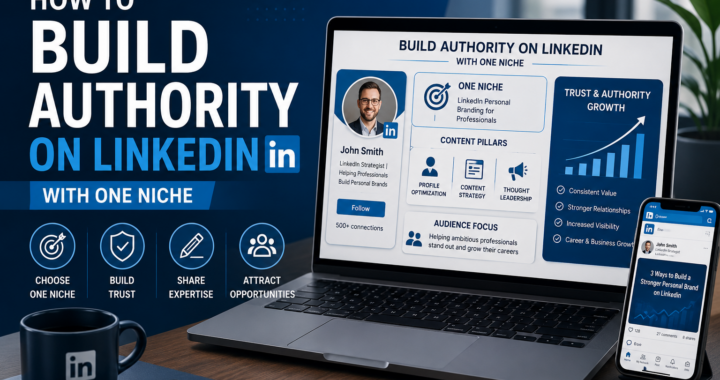
Step 1: The “Identity” Audit — Turning Your Profile into a Landing Page
Your LinkedIn profile is not a CV; it is a conversion funnel. When a high-ticket client clicks your name, they decide within 3 seconds if you are worth their time.
The Mobile-First Header Hook
The Headline: Stop using your job title (e.g., “Freelance Writer”). Use a Value Proposition. Formula:
Helping [Audience] achieve [Result] by using [Process].Example:
"Helping Solopreneurs automate their business using AI and Smartphone Workflows."
The Profile Photo: Use a high-quality, professional headshot. In 2026, a clean portrait taken in natural light with a modern smartphone is more than enough. Use “Portrait Mode” to get that professional blurred background.
The About Section: Write the first two lines to be the most compelling. On mobile, the rest is hidden behind a “See more” button. Start with a pain-point you solve, not your history.
Step 2: The “Authority” Content Strategy on Mobile
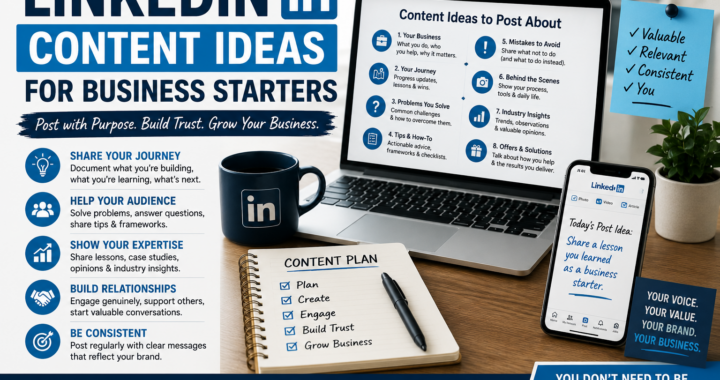
To get noticed, you must contribute to the “Professional Feed.” You don’t need to write 5,000-word white papers. You need to provide Micro-Insights that prove you know your stuff.
1. The “Native Mobile Video” Advantage
LinkedIn’s algorithm currently favors native mobile video. Use your phone to record a 60-second tip while walking or sitting in a clean workspace.
Tip: Keep it professional but authentic. No fancy editing is required—just good lighting and clear audio.
2. The Text-Based “Insights” Post
Write short, punchy paragraphs with clear spacing (easier to read on mobile screens).
Hook: A controversial or strong opinion about your industry.
Body: 3-5 bullet points of actionable advice.
CTA: A question to encourage comments.
3. Leveraging LinkedIn Newsletters
In 2026, you can manage your LinkedIn Newsletter directly from the app. This is like having an email list built directly into a social network. Start a weekly “Mobile Business Update” to cultivate deep loyalty among your followers.
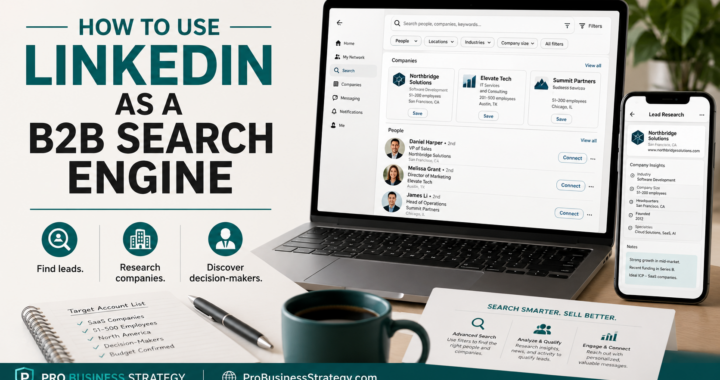
Step 3: High-Ticket Prospecting & The “Voice Note” Secret
Networking on LinkedIn is where the money is made. But avoid “cold pitching” (sending a sales link immediately). This will get you blocked.
The Strategic Interaction Workflow:
Comment Before You Connect: Follow your target clients. Comment on 3-4 of their posts with insightful, non-spammy feedback.
The Personalized Invite: When you connect, mention a specific post of theirs that resonated with you.
The Voice Note Close: Once they accept, send a professional 30-second Voice Note through the LinkedIn mobile DM.
Why? It builds instant trust. Hearing your voice makes you a real human, not a bot. It is the fastest way to stand out.
Step 4: Connecting the Dots — Internal Linking to Your Power Content
When you mention strategies on LinkedIn, always refer your connections back to the deep-dive resources on probusinessstrategy.com. This proves your depth and moves the relationship off-platform and onto your home turf.
Key Internal Links for your LinkedIn Content:
Are you pitching an Automation service? Link them to our guide on 10 Business Automation Apps to Scale Your Mobile Empire in 2026. It shows you have the tech stack ready.
Working with international clients? Send them this for peace of mind: How to Handle Legal and Tax Stuff for Your Phone-Based Business.
Discussing productivity? Reference our masterclass: Mastering Mobile Productivity: How to Get More Done on Your Phone Than a Laptop.
Summary: Your Daily 20-Minute LinkedIn Mobile Routine
5 Mins: Respond to all comments and DMs (Personalization is key).
10 Mins: Engage (comment) with 5-10 posts from “Dream 100” clients or peers in your niche.
5 Mins: Post your “daily insight” or a quick mobile video.
By doing this consistently, you aren’t just “on social media”—you are running a professional, mobile-first business network that delivers high-paying clients directly to your inbox.