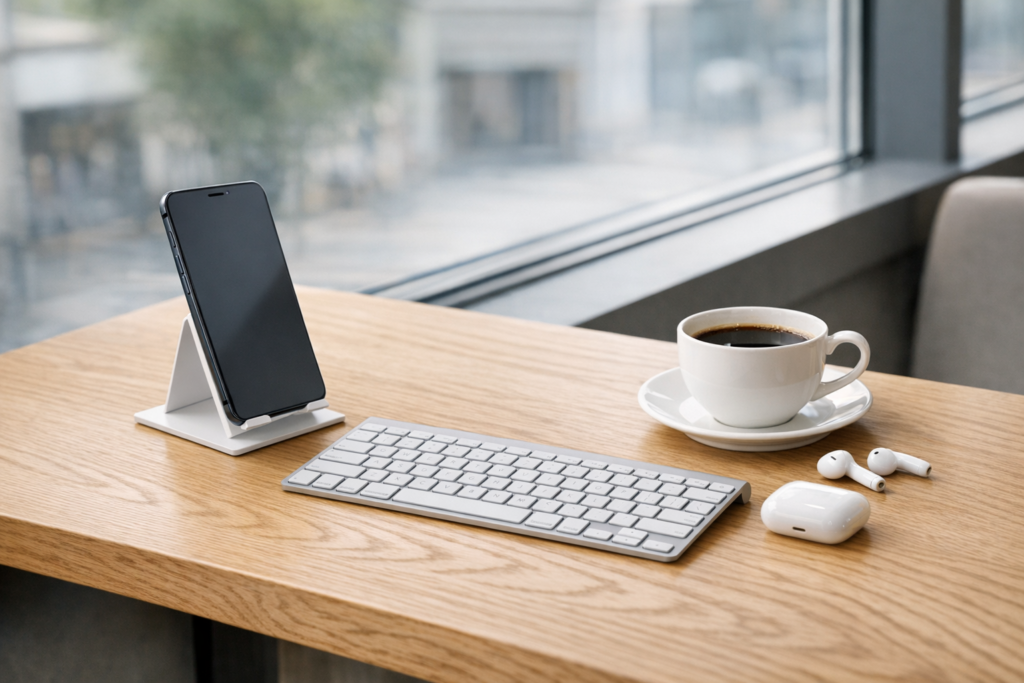
How to Set Up a Professional Mobile Office Anywhere in 2026
A professional office no longer has to be a fixed room with a desk, chair, desktop computer, filing cabinet, and printer.
In 2026, your office can fit inside a small backpack.
With the right smartphone, accessories, apps, and systems, you can manage clients, create content, send invoices, join meetings, handle customer support, and grow your business from almost anywhere.
A mobile office is not about working chaotically from random places. It is about building a lightweight, reliable setup that gives you the freedom to work wherever you are while still looking professional, staying organized, and protecting your business data.
Whether you are working from a coffee shop, hotel room, coworking space, train, airport lounge, or your kitchen table, a well-designed mobile office helps you stay productive without depending on a traditional workspace.
If you are building a business using only your phone, this guide will show you how to create a professional mobile office that actually works.
Affiliate disclosure: This guide may contain affiliate links. If you purchase through them, ProBusinessStrategy may earn a commission at no extra cost to you. We only recommend tools we believe are genuinely useful for beginners and serious builders.
What Is a Mobile Office?
A mobile office is a portable business setup that allows you to work professionally from different locations using lightweight tools.
A basic mobile office may include:
- a reliable smartphone
- portable charger
- wireless earbuds
- foldable keyboard
- phone stand
- cloud storage
- productivity apps
- secure password manager
- mobile internet connection
- simple workflow system
A more advanced mobile office may also include:
- tablet or lightweight laptop
- portable monitor
- compact microphone
- LED light
- travel router
- external SSD
- digital notebook
- project management tools
But the goal is not to carry as much gear as possible.
The goal is to carry only what helps you work better.
Why Mobile Offices Are Becoming Normal
Mobile work used to feel unusual.
Now it is normal.
Entrepreneurs, freelancers, consultants, creators, online sellers, coaches, and service providers are increasingly building businesses that do not depend on a fixed office.
Several trends are driving this shift:
- more business tools are mobile-friendly
- smartphones are powerful enough for serious work
- cloud storage has replaced local filing cabinets
- video meetings are normal
- digital payments are easy
- social media creates business opportunities from anywhere
- AI tools reduce the need for large teams
- customers are used to online communication
This means you can now run many types of businesses from a phone-based setup, especially if you have already chosen a mobile-friendly model.
If you are still exploring options, start with how to start a business using only your smartphone.
The Core Principle: Portability Without Losing Professionalism
The biggest mistake people make with mobile work is thinking that “mobile” means informal.
It does not.
A professional mobile office should help you:
- respond quickly
- appear organized
- protect client data
- produce quality work
- join meetings confidently
- manage files properly
- track tasks
- communicate clearly
- maintain consistent working habits
The goal is simple:
You should be able to open your bag, sit down, and start working within five minutes.
That is the standard.
Step 1: Choose the Right Smartphone
Your smartphone is the center of your mobile office.
It does not have to be the most expensive phone available, but it must be reliable.
Look for:
- strong battery life
- good screen brightness
- enough storage
- fast charging
- stable performance
- strong security updates
- good camera quality
- clear microphone quality
A slow or unreliable phone creates friction every day.
If you are working on a budget, review the best budget smartphones for running a business in 2026.
Step 2: Build Your Essential Gear Kit
You do not need a huge bag full of gadgets.
Start with a core kit.
Essential mobile office gear:
- Power bank
- Phone stand
- Wireless earbuds
- Foldable keyboard
- Fast charger
- Charging cables
- Protective case
- Privacy screen protector
- Small notebook
- Lightweight organizer pouch
These tools solve the most common mobile work problems:
- battery anxiety
- bad posture
- slow typing
- noisy environments
- messy cables
- poor video call angles
- lack of privacy
For a complete gear list, see best accessories for mobile entrepreneurs.
Step 3: Set Up Your Cloud Workspace
Your files should not live only on your phone.
A professional mobile office depends on cloud storage.
Use cloud tools for:
- documents
- invoices
- contracts
- spreadsheets
- photos
- marketing assets
- business plans
- client files
- product research
- content drafts
Popular options include:
- Google Drive
- Dropbox
- OneDrive
- iCloud
- Notion
- Evernote
Your system should be simple.
Example folder structure:
- Business Admin
- Clients
- Content
- Finance
- Marketing
- Products
- Templates
- Website
- Legal
The exact tool matters less than consistency.
Step 4: Create a Mobile Productivity System
A mobile office fails when everything lives in your head.
You need a system for:
- tasks
- deadlines
- projects
- notes
- content ideas
- follow-ups
- customer requests
- financial reminders
Simple tools that work well:
- Todoist
- Trello
- Notion
- Google Calendar
- Apple Reminders
- ClickUp
- Asana
A beginner-friendly workflow:
- use one calendar for deadlines
- use one task app for daily work
- use one notes app for ideas
- review your system every morning
- plan tomorrow before ending today
Do not use five project management apps at once.
A simple system you actually use is better than a complex system you ignore.
Step 5: Make Communication Professional
When working from anywhere, communication becomes your office.
Your messages, calls, emails, and video meetings shape how professional you appear.
Set up:
- a professional email address
- email signature
- voicemail message
- business chat apps
- video meeting links
- saved reply templates
- calendar booking link
Use templates for common replies such as:
- inquiry response
- pricing explanation
- delivery update
- meeting confirmation
- invoice reminder
- customer support reply
This saves time and creates consistency.
Step 6: Prepare for Video Calls
Video calls are part of modern business.
Your mobile setup should make you look and sound professional anywhere.
Minimum video call kit:
- phone stand
- earbuds or small microphone
- clean background
- natural light or small LED light
- stable internet
- charged battery
Before every call, check:
- camera angle
- audio
- lighting
- background
- notifications
- battery
- internet connection
A bad video call setup can make even a strong business look unprepared.
Step 7: Secure Your Mobile Office
Security matters more when your business travels with you.
Your phone may contain:
- customer emails
- invoices
- passwords
- banking apps
- supplier contacts
- business documents
- private messages
Protect it with:
- biometric lock
- strong passcode
- password manager
- two-factor authentication
- automatic backups
- device tracking
- VPN on public Wi-Fi
- encrypted cloud storage
- privacy screen protector
Never treat your business phone like a casual personal device.
For a full setup, read smartphone security for business data protection.
Step 8: Create a Mobile Finance Setup
A professional business needs financial control.
Set up mobile-friendly tools for:
- invoicing
- expense tracking
- receipts
- tax documents
- payment links
- bookkeeping
- profit tracking
Helpful categories to track:
- software subscriptions
- advertising
- domain and hosting
- accessories
- contractor payments
- product samples
- shipping supplies
- affiliate income
- client payments
Good finance habits early prevent stress later.
Step 9: Build Your “Work From Anywhere” Routine
A mobile office gives flexibility, but flexibility without structure becomes chaos.
Create a basic working rhythm.
Example daily routine:
Morning
- check calendar
- review top 3 tasks
- answer urgent messages
- publish or schedule content
Midday
- client work
- product research
- calls
- admin
Evening
- review progress
- update task list
- plan tomorrow
- backup files
The routine does not have to be strict.
It just has to keep you moving forward.
Step 10: Choose the Right Work Locations
Not every location is good for business work.
Look for places with:
- stable internet
- comfortable seating
- low noise
- power outlets
- clean background
- safe environment
- enough table space
- privacy
Good mobile office locations:
- quiet coffee shops
- coworking spaces
- libraries
- hotel lobbies
- home office corner
- train business lounges
- rented meeting rooms
Avoid working with sensitive data in crowded places unless you use a privacy screen and secure connection.
Common Mobile Office Mistakes
Mistake 1: Carrying too much gear
If your bag becomes too heavy, you will stop using your mobile setup.
Stay lean.
Mistake 2: Not backing up files
A lost phone should not mean a lost business.
Mistake 3: Working without a task system
Mobile work needs structure.
Mistake 4: Depending on public Wi-Fi
Use mobile data, a hotspot, or VPN when needed.
Mistake 5: Ignoring ergonomics
Bad posture hurts productivity.
Use a stand and keyboard for long sessions.
What a Beginner Mobile Office Might Look Like
Budget setup:
- mid-range smartphone
- protective case
- small power bank
- earbuds
- phone stand
- Google Drive
- Google Calendar
- Todoist
- Canva
- simple notebook
This is enough to start many small businesses.
What an Advanced Mobile Office Might Look Like
Professional setup:
- premium smartphone
- foldable keyboard
- fast power bank
- earbuds with noise cancellation
- compact LED light
- USB-C hub
- cloud storage
- password manager
- project management tool
- accounting app
- email marketing app
- portable monitor or tablet
This setup can support consulting, content creation, e-commerce management, client work, and online services.
Final Thoughts
A professional mobile office is not about having the most expensive technology.
It is about having a reliable system.
Your phone, accessories, apps, cloud storage, communication tools, and routines should all work together so you can run your business from almost anywhere.
Start simple.
Choose a reliable phone.
Add essential gear.
Organize your files.
Secure your data.
Build a daily routine.
Then improve your setup as your business grows.
The real advantage of a mobile office is freedom with structure.
You are not tied to one desk.
But you are also not working randomly.
You have a portable business system that helps you stay professional wherever you are.
Suggested next reads



