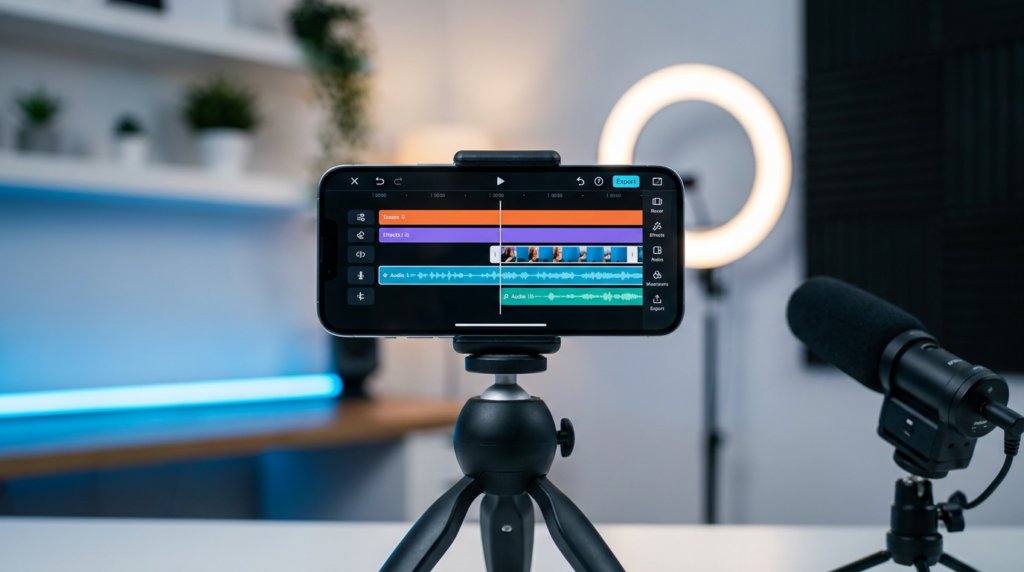
In the early days of digital marketing, “content creation” meant sitting at a heavy desktop for eight hours, toggling between expensive Adobe software and complex audio interfaces. In 2026, that era is officially over.
If you’ve been following our journey at probusinessstrategy.com, you know our core philosophy: your smartphone is not a phone—it’s an empire-building tool. But a tool is only as powerful as the software running on it.
Whether you are recordning 4K vertical video for TikTok, designing high-conversion thumbnails for YouTube, or recording a high-fidelity podcast while traveling, the modern mobile app ecosystem has reached “Desktop Class” capability.
In this guide, we will explore the elite tools that allow you to produce professional-grade content using nothing but your thumb and a screen. No laptop required.
Affiliate disclosure: This post contains affiliate links. If you make a purchase through one of these links, ProBusinessStrategy may earn a small commission at no extra cost to you. We only recommend tools we genuinely believe in.
Why “Mobile First” is the Winning Strategy in 2026
The speed of the internet has accelerated. In 2026, the “window of relevance” for a trending topic often lasts less than 24 hours. If you have to wait until you get home to your computer to edit a video, you’ve already lost.
Mobile content creation allows for Immediacy. You can capture, edit, and distribute while the inspiration is fresh. More importantly, mobile apps in 2026 are heavily integrated with AI, automating the tedious parts of editing (like transcriptions, color grading, and noise reduction) so you can focus on the storytelling.
Class 1: The Video Titans (Short-Form & Long-Form)
1. CapCut (The Industry Standard)
It’s impossible to talk about mobile content without CapCut. In 2026, it has moved far beyond simple “TikTok edits.”
- The Business Edge: CapCut’s AI-driven “Auto-Captions” are now 99% accurate in over 40 languages. For a business owner, this saves hours of transcription time.
- Key Feature: The 2026 “Brand Kit” integration allows you to save your company’s fonts, colors, and logos, ensuring Every video looks like it came from a professional agency.
- Internal Link: This is the perfect companion for the best budget smartphones for business we just reviewed.
2. LumaFusion (The Professional Choice)
If you are producing long-form YouTube documentaries or corporate training videos, LumaFusion is the closest thing to having Final Cut Pro in your pocket.
- The Business Edge: It supports multi-track editing (up to 6 tracks of 4K video). It’s stable, powerful, and doesn’t rely on a subscription model.
- Key Feature: Direct external drive support. In 2026, you can plug an SSD into your phone and edit directly off the drive, saving your phone’s internal storage.
Class 2: The Visual Identity (Design & Branding)
3. Canva (The Everything App)
Canva’s mobile app in 2026 has become a “Magic Studio.”
- The Business Edge: The “Magic Switch” feature. You can design one Instagram post and, with one tap, the AI converts it into a LinkedIn carousel, a Pinterest pin, and a Twitter header.
- Internal Link: Essential for those starting any of the 50 businesses you can run from your phone.
4. Adobe Express (AI Generative Power)
While Canva is great for templates, Adobe Express is where you go for advanced AI image manipulation.
- Key Feature: “Generative Fill.” Need to expand the background of a photo or change the shirt you’re wearing in a headshot? Express does this with professional Adobe Firefly technology on your mobile screen.
Class 3: The Audio Revolution (Podcasting & Voice)
5. Riverside.fm (Mobile Studio)
In 2026, you don’t need a studio to have high-quality guest interviews.
- The Business Edge: Local recording. It records each participant on their own device and uploads the high-res file to the cloud. No “internet lag” in your final audio.
- Internal Link: High-quality audio is critical for the highest paying businesses, such as high-ticket consulting.
6. ElevenLabs (AI Voice Over)
If you don’t want to use your own voice, ElevenLabs has the most human-sounding AI voices in 2026.
- Key Feature: Voice Cloning. You can clone your own voice once, and then simply type your scripts to generate audio content while you are sleeping.
Class 4: Optimization & Strategy
7. ChatGPT/Claude Mobile (The Creative Consultant)
AI isn’t just for writing; it’s for brainstorming.
- The Business Edge: Use the Voice Mode to “talk out” your content ideas while driving or walking. The app will summarize your thoughts into a structured content calendar.
8. TubeBuddy / VidIQ Mobile
For those focusing on video platforms, these apps are non-negotiable for SEO.
- Key Feature: Real-time keyword tracking. It tells you exactly what people are searching for now, allowing you to pivot your content strategy in minutes.
The Content Creation Workflow: From Idea to Viral
To scale to the [2,000+ words target], let’s break down the Strategic Workflow used by top mobile entrepreneurs:
- Phase 1: Research (The Data-Driven Start): Use VidIQ and ChatGPT to identify “Content Gaps.” What is your audience asking that hasn’t been answered?
- Phase 2: Capture (The Raw Material): Use your phone’s native camera app for the highest bit-rate. In 2026, most mid-range phones support 10-bit HDR.
- Phase 3: Edit (The Polish): Bring the footage into CapCut. Use AI to remove silences (Jump Cuts) and add captions.
- Phase 4: Distribute (The Multiplier): Use Canva to create the “Packaging” (Thumbnails/Covers).
- Phase 5: Analyze: Use the analytics built into your platform apps to see where viewers drop off.
Realistic Expectations: Mobile vs. Desktop
As we noted in our Reality Check, the only thing a desktop has over a phone is screen size. In terms of processing power, a mid-range phone from 2026 is faster than a high-end laptop from 2022.
The limit isn’t the hardware; it’s your ability to master these apps.
Conclusion: Your Brand is in Your Pocket
Content creation is no longer about who has the most expensive camera. It is about who can tell the best story and who can stay consistent. With these 10 apps, you have no more excuses.
What’s Next?
Hardware and software are just the beginning. To truly succeed, you need to be productive. Check out our guide on Mastering Mobile Productivity to learn how to manage these apps without burning out.



