Pinterest is often misunderstood.
Many people think it is just a place for recipes, home decor, fashion inspiration, and wedding ideas. But for solopreneurs, Pinterest can be much more than that.
Pinterest can become a traffic engine.
It can send visitors to blog posts, product pages, affiliate articles, digital products, email opt-in pages, service pages, and business guides. Unlike many social media platforms, Pinterest does not depend only on daily posting, personality, or constant conversation. It works more like a visual search engine.
That makes it powerful for one-person businesses.
A solopreneur does not always have time to record videos every day, reply to endless comments, or build a huge following. Pinterest gives you another path. You can create useful content, design strong Pins, connect them to helpful website pages, and build traffic over time.
The goal is not to become famous on Pinterest.
The goal is to use Pinterest as a business system.
This guide shows you how to build a complete Pinterest business plan as a solopreneur, from niche selection and content strategy to monetization, website traffic, affiliate marketing, and long-term growth.
Affiliate disclosure: This post contains affiliate links. If you make a purchase through one of these links, ProBusinessStrategy may earn a small commission at no extra cost to you. We only recommend tools we genuinely believe in.
Why Pinterest Works for Solopreneurs
Pinterest is different from most social media platforms.
On TikTok, Instagram, and Facebook, content often disappears quickly. A post may get attention for a few hours or days, then fade away.
Pinterest works differently.
People use Pinterest to search, plan, save, and discover ideas. A Pin can continue sending traffic long after it is published if it matches what people are searching for.
That is why Pinterest fits solopreneurs so well.
You can create one blog post, design multiple Pins for that post, and keep driving traffic back to the same article. This makes your content work harder.
Pinterest also rewards clear topics.
If your account is about business ideas, your Pins should support that theme. If your account is about home office products, your Pins should support that theme. If your account is about AI tools, Pinterest marketing, personal finance, or digital products, your Pins should point in that direction.
A focused Pinterest account is easier to understand.
And when people understand what your account is about, they are more likely to click, save, and follow.
The Core Pinterest Business Model
A Pinterest business plan should have one simple goal:
Turn visual attention into website traffic, leads, and income.
The basic model looks like this:
Pinterest Pin
Pinterest search or feed discovery
Click to website
Blog post, landing page, product page, or resource page
Email signup, affiliate click, product sale, or service inquiry
This is the Pinterest funnel.
The Pin gets attention.
The website gives depth.
The offer creates income.
This is why a website is important.
Pinterest alone does not give you full control. Your account can grow, but the real asset is the website you send traffic to. Your website can hold your articles, affiliate offers, digital products, email list, templates, guides, and service pages.
If you are starting from zero, you can register a domain with Namecheap and build a simple website with Bluehost. If you want a beginner-friendly website setup, WordPress Website Builder can also help you create a starting point without overcomplicating the process.
Pinterest gives you discovery.
Your website turns that discovery into a business.
Step 1: Choose a Clear Pinterest Niche
The first part of your Pinterest business plan is niche selection.
A niche gives your account direction. Without a niche, your Pins become random. One day you post business ideas. The next day you post recipes. Then travel tips. Then fitness quotes. That makes it hard for Pinterest and users to understand your account.
A strong Pinterest niche should be specific enough to attract the right people, but broad enough to create many pieces of content.
Good Pinterest business niches include:
Small business ideas
Work-from-home business
Affiliate marketing
Digital products
AI tools for business
Personal finance
Home office setup
Productivity
Blogging
Online business
Print-on-demand
E-commerce
Social media marketing
Solopreneur systems
The best niche sits at the intersection of three things:
What people search for
What you can create content about
What can be monetized
For example, “Pinterest business ideas for beginners” is stronger than “business” because it is more specific.
“AI tools for solopreneurs” is stronger than “AI” because it targets a clear audience.
“Home office affiliate products” is stronger than “home decor” if your goal is affiliate income.
A solopreneur does not need a massive niche.
You need a niche with problems, buyers, and enough content angles to publish consistently.
Step 2: Define Your Audience
Your audience is not “everyone who uses Pinterest.”
That is too broad.
You need to know who you are helping.
For example:
Beginner entrepreneurs
Moms starting a side business
Solopreneurs building from home
Bloggers looking for traffic
Affiliate marketers
Digital product sellers
Small business owners
Creators who do not want to show their face
People building a business from their phone
Once you know your audience, your content becomes easier to create.
A Pin for beginner entrepreneurs should use simple language.
A Pin for experienced marketers can be more strategic.
A Pin for people building from their phone should focus on mobile tools, simple workflows, and low-cost steps.
When your audience is clear, your titles become sharper:
“Pinterest Business Ideas for Beginners”
“How to Get Blog Traffic from Pinterest”
“Affiliate Marketing on Pinterest Without Showing Your Face”
“Pinterest Content Plan for Solopreneurs”
“Turn One Blog Post Into 5 Pinterest Pins”
Those topics speak to a specific person.
That is much stronger than vague content.
Step 3: Build a Website Around Your Pinterest Strategy
Pinterest works best when it sends people somewhere useful.
That somewhere should usually be your website.
A website gives you control. It allows you to create blog posts, landing pages, resource pages, affiliate articles, digital product pages, and email signup forms.
Your website does not need to be huge in the beginning.
Start with the essentials:
Homepage
Blog
About page
Contact page
Main category page
Resource page
Email opt-in page
A few strong articles
Your Pinterest content should connect directly to your website content.
If you publish an article about Pinterest business ideas, create several Pins for that article.
If you publish an article about affiliate marketing, create Pins that point to that article.
If you publish a resource page with useful tools, create Pins that introduce the problem and send people to the full list.
This is how you avoid random traffic.
The visitor clicks because the Pin promised something specific.
The page delivers that specific thing.
That is how Pinterest becomes part of a real business funnel.
Step 4: Create Pinterest Content Pillars
Content pillars are the main topics you post about again and again.
They keep your account focused.
For a Pinterest business account, your content pillars might be:
Business ideas
Pinterest traffic tips
Affiliate marketing
Digital products
Solopreneur tools
Blogging strategy
AI business tools
Website building
Email list growth
Monetization
You do not need ten pillars at the beginning. Three to five is enough.
For example, a solopreneur Pinterest account could start with:
Pinterest business ideas
Blog traffic
Affiliate marketing
Digital products
AI tools for content creation
Each pillar can produce many Pin ideas.
For “Pinterest business ideas,” you can create Pins like:
50 Pinterest Business Ideas for Beginners
Pinterest Business Ideas Without Showing Your Face
How to Use Pinterest for Affiliate Marketing
Pinterest Ideas for Digital Product Sellers
How Solopreneurs Can Use Pinterest for Traffic
This makes content planning easier.
Instead of starting from a blank page every day, you return to your pillars.
Step 5: Create Blog Posts That Pinterest Can Promote
Pinterest is strongest when it connects to evergreen content.
Evergreen content stays useful for a long time.
Examples include:
How-to guides
Beginner guides
Lists
Checklists
Templates
Business plans
Tool comparisons
Step-by-step tutorials
Mistakes to avoid
Resource pages
For a solopreneur, blog posts are especially useful because they can rank in Google and receive traffic from Pinterest.
One strong article can support multiple Pins.
For example, an article called “How to Start a Pinterest Business Without Showing Your Face” can become Pins such as:
Faceless Pinterest Business Ideas
How to Start a Pinterest Business Without Being on Camera
Pinterest Business for Introverts
Make Money With Pinterest Without Showing Your Face
Pinterest Traffic Strategy for Beginners
This is how one article becomes multiple traffic opportunities.
If you want to connect your Pinterest strategy with your existing content system, you can also link related articles like How to Start a Pinterest Business Without Showing Your Face or Pinterest Business Ideas for Beginners.
Internal links help readers continue through your site instead of leaving after one article.
Step 6: Design Pins That Get Clicks
Pinterest is visual, but design alone is not enough.
A beautiful Pin with a weak title may not get clicks.
A simple Pin with a strong promise can perform better.
Your Pin should make the user immediately understand three things:
What is this about?
Who is it for?
Why should I click?
Good Pin titles are clear and benefit-driven.
Examples:
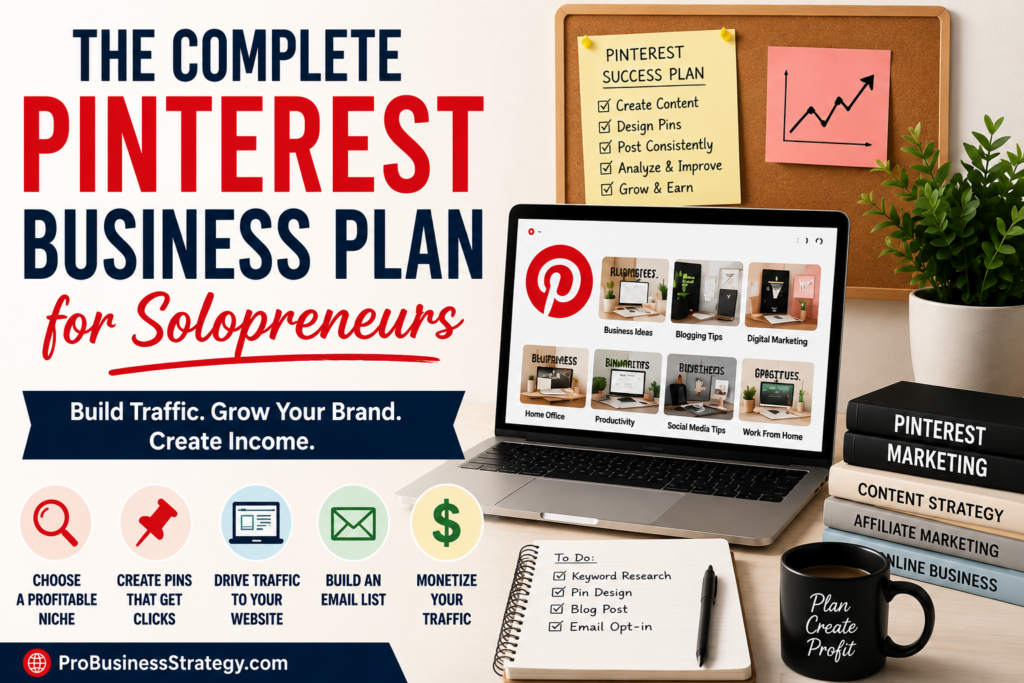
The Complete Pinterest Business Plan for Solopreneurs
How to Use Pinterest to Drive Blog Traffic
Pinterest Affiliate Marketing for Beginners
How to Start a Pinterest Business Without Followers
Turn Pinterest Pins Into Website Traffic
Avoid titles that are too clever or vague.
Pinterest users are usually looking for ideas, answers, and solutions. Give them clarity.
Your Pin design should also match your brand. Use consistent fonts, colors, and layout so your Pins become recognizable over time.
If you do not want to create every design yourself, you can use freelancers on Fiverr for Pinterest Pin templates, logo design, branding, or blog graphics.
This can save time, especially if you are publishing multiple articles every week.
Step 7: Build a Simple Content Calendar
A Pinterest business needs consistency.
That does not mean you need to publish all day.
It means you need a system you can repeat.
A simple weekly content calendar might look like this:
Monday: Publish or update one blog post
Tuesday: Create 2 Pinterest Pins for that post
Wednesday: Create 1 Pin for an older article
Thursday: Research Pinterest keywords
Friday: Create another Pin variation
Saturday: Review analytics
Sunday: Plan next week
The exact schedule does not matter as much as consistency.
A solopreneur should avoid building a system that is too heavy.
If your plan requires 20 Pins per day, five blog posts per week, daily emails, and multiple social platforms, you may burn out quickly.
Start with something realistic.
One article can create several Pins.
One strong Pin can bring traffic for months.
One content pillar can produce dozens of ideas.
Simple systems are easier to maintain.
Step 8: Monetize Your Pinterest Traffic
Pinterest traffic becomes valuable when you connect it to a monetization strategy.
There are several ways to do this.
Affiliate Marketing
Affiliate marketing works well with Pinterest when the content is helpful and relevant.
For example, if you write about starting a website, you can naturally mention Namecheap for domain names or Bluehost for hosting.
If you write about creating a website faster, WordPress AI Sitebuilder may fit naturally.
The key is relevance.
The affiliate offer should support the article, not distract from it.
Digital Products
Pinterest is also good for promoting digital products.
Examples include:
Templates
Planners
Checklists
E-books
Workbooks
Printables
Content calendars
Business idea guides
Pinterest users often like planning and saving ideas, so digital products can fit well.
Services
A Pinterest funnel can also lead to services.
Examples:
Pinterest management
Blog writing
Website setup
Affiliate content writing
SEO content planning
Brand design
Pin design
Content repurposing
Your Pins can attract people. Your website can explain the service.
Email List
An email list gives you a way to keep in contact with visitors.
Offer something useful, such as:
Pinterest business checklist
Content calendar template
Affiliate marketing starter guide
Blog traffic checklist
Solopreneur business planner
The offer should match the article.
A visitor reading about Pinterest traffic is more likely to sign up for a Pinterest traffic checklist than a generic newsletter.
Step 9: Track What Works
A Pinterest business plan needs measurement.
You do not need to check analytics every hour, but you should know what is working.
Track:
Which Pins get impressions
Which Pins get outbound clicks
Which articles receive Pinterest traffic
Which topics perform best
Which designs get more clicks
Which affiliate links get attention
Which email opt-ins convert
Do not judge too quickly.
Pinterest can take time.
A Pin may not perform immediately. An article may need several Pin variations before it starts getting traffic.
Look for patterns.
If Pins about blog traffic perform better than Pins about general business ideas, create more blog traffic content.
If list-style Pins get more clicks than question-style Pins, create more lists.
If one article receives steady traffic, create more related articles and internal links.
Pinterest growth is not only about creating more content.
It is about learning from the content you already have.
Common Mistakes to Avoid
Mistake 1: Using Pinterest Without a Website
Pinterest can send traffic, but you need somewhere valuable to send that traffic.
A website gives you control, structure, and monetization options.
Mistake 2: Posting Random Topics
Random content confuses Pinterest and your audience.
Stay focused on your niche and content pillars.
Mistake 3: Designing Pretty Pins With Weak Titles
The title matters.
A beautiful Pin must still communicate a clear reason to click.
Mistake 4: Linking Every Pin to the Homepage
Send people to the most relevant article or landing page.
A specific Pin should lead to a specific page.
Mistake 5: Giving Up Too Early
Pinterest is not always instant.
Give your content time to work. Keep publishing, testing, and improving.
Getting Started This Week
You can start your Pinterest business plan with a simple five-step action plan.
First, choose one clear niche.
Second, create one useful blog post for that niche.
Third, design three Pins for that article.
Fourth, link the Pins directly to the article.
Fifth, repeat the process with another related topic.
For example, if your niche is Pinterest business ideas, your first article could be about starting a Pinterest business without showing your face. Your second article could be about using Pinterest as a business idea search engine. Your third could be about Pinterest business ideas that work without a large following.
Together, those articles create a small content cluster.
That is how a solopreneur builds momentum.
Not with random posting.
Not with chasing every trend.
But with a simple system:
Useful article.
Strong Pin.
Relevant website page.
Clear monetization path.
Repeat.
Pinterest can be more than a traffic source.
For a solopreneur, it can become a quiet business engine that works behind the scenes while your content library grows.
Internal Linking
Related Articles:
50 Out Of The Box Pinterest Business Ideas for Beginners
How to Start a Pinterest Business Without Showing Your Face
How to Use Pinterest as a Business Idea Search Engine
Pinterest Business Ideas That Work Without a Large Following