Introduction: The Power of “Raw” Connection
In 2026, people are tired of perfectly edited videos. They crave real human connection.
Live streaming is the fastest way to turn a “follower” into a “fan” and a “fan” into a “customer.” When you go live from your smartphone, you aren’t just broadcasting; you are inviting your audience into your world.
The best part? You don’t need a professional broadcast studio. Your 2026 smartphone has a better camera and connection than most professional setups from five years ago. This guide shows you how to run professional-grade live streams for your business using nothing but your phone.
Affiliate disclosure: This post contains affiliate links. If you make a purchase through one of these links, ProBusinessStrategy may earn a small commission at no extra cost to you. We only recommend tools we genuinely believe in.
Phase 1: Choosing Your Mobile Live Platform
In 2026, “casting” is everywhere. Pick one primary platform to build your “live” authority:
1. TikTok & Instagram Live (The Reach)
- Best for: Fast growth and quick Q&A sessions.
- Vibe: Informal, energetic, and highly interactive.
2. YouTube Live (The Authority)
- Best for: Deep-dive trainings and long-form workshops.
- Vibe: Professional, educational, and searchable (your stream stays as a video).
3. LinkedIn Live (The B2B Connection)
- Best for: Consulting and corporate personal branding.
- Vibe: Professional, high-value, and focused on networking.
🔗 Internal Link
Before you go live, you need an audience to talk to.
Phase 2: The Pro-Grade Mobile Setup (Minimalist)
Even if you are streaming from a phone, you want it to look and sound professional.
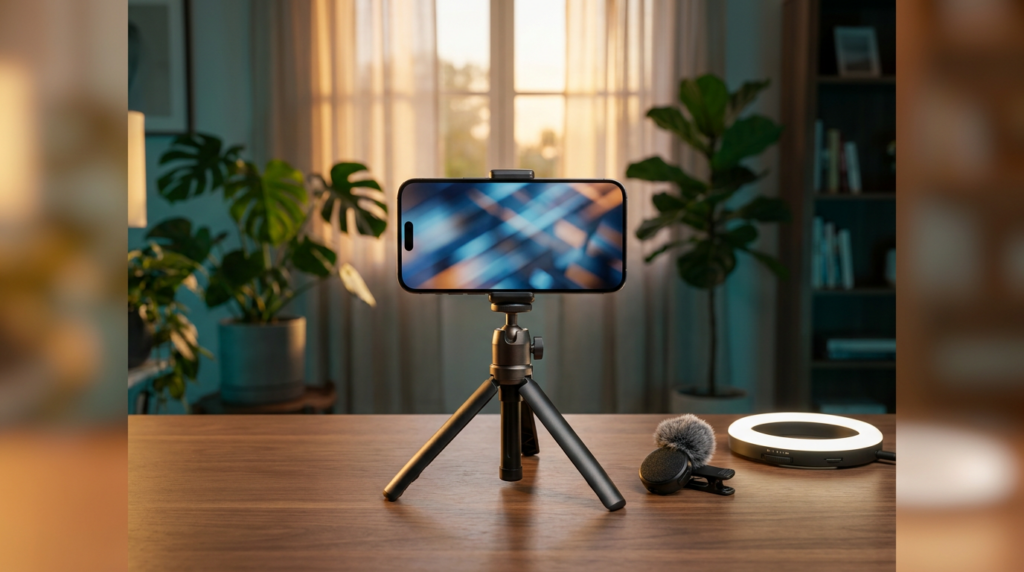
- The Tripod (Stability): Never hold your phone by hand for more than 5 minutes. Use a stable tabletop tripod or a “Gimbal” if you are moving around.
- The Audio (Essential): People will tolerate a grainy image, but they will leave immediately if they hear wind or echo. Use a clip-on lavalier mic that plugs directly into your phone.
- The Lighting: Professional streaming in 2026 is simple—sit facing a window during the day, or use a small portable LED “cube light” for night sessions.
🔗 Internal Link
Automation is the secret to scaling your branding.
Phase 3: Engagement Strategies that Sell
The biggest mistake in live streaming is treating it like a TV show where you just talk at the camera. In 2026, it’s a conversation.
1. The “Call-Out” Opening
Don’t wait for people to join. Start immediately. “Hey everyone, we’re talking about [Topic] today. If you’re here, drop a comment with where you’re from!”
2. The “Bridge” Method
Every 5 minutes, summarize what you just said for the people who just joined. “If you’re just jumping in, we just covered [Point A], now we’re moving to [Point B].”
3. Live Calls-to-Action (CTA)
Don’t wait until the end to mention your product. Mention it naturally. “By the way, if you want the full checklist I’m talking about, the link is in my bio—grab it while we’re live!”
🔗 Internal Link
Turn those live viewers into high-paying clients.
Phase 4: Overcoming “Live Staging” Fear
If you are nervous, remember: imperfection is your friend.
If your cat walks across the screen or your phone almost falls over, laugh it off. This makes you relatable. In 2026, authenticity is the new “perfect.”
Pro-Tip: Start with “Story Lives” on Instagram or TikTok that only last 5 minutes. Get used to the interface before committing to a 30-minute webinar.
Phase 5: Repurposing Your Live Streams
A 30-minute live stream is a goldmine for content:
- Chop it up: Take the “best 60 seconds” and post it as a Reel.
- Transcribe it: Use an AI tool to turn your talk into a blog post.
- Podcast: Extract the audio and upload it as a “Bonus Podcast Episode.”
Conclusion: Just Hit “Go Live”
The only way to get good at live streaming is to do it. The technology in your pocket is ready. Your audience is waiting.
In 2026, the entrepreneurs who are willing to be “live and raw” will win the trust of the market. Grab your phone, find a window, and hit that broadcast button today.
Related Articles



