Building a High-Growth Service Empire Without a Laptop in 2026
Video is the undisputed king of content in 2026. From short-form TikTok ads to complex YouTube tutorials, every brand on the planet is desperate for video editors who can move fast and deliver quality.
The biggest shift in the industry? Clients no longer care if you use a $5,000 desktop or a $500 smartphone. They care about retention, pacing, and storytelling.
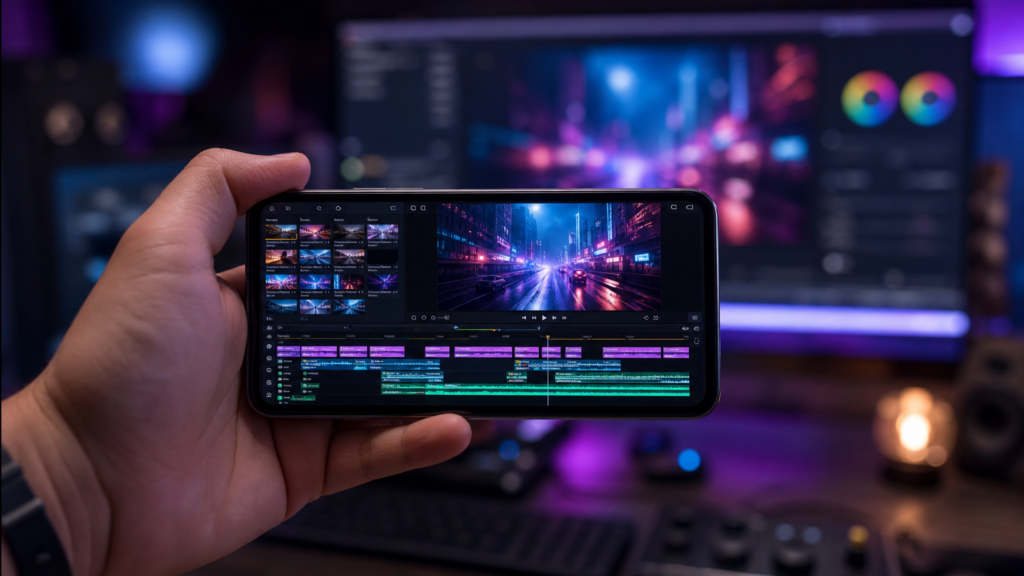
Because most video content is now shot vertically on smartphones, editing that same content on a mobile device is no longer a “workaround”—it’s a professional advantage. In this guide, we show you how to turn your phone into a professional editing suite and start a freelance business today.
Affiliate disclosure: This post contains affiliate links. If you make a purchase through one of these links, ProBusinessStrategy may earn a small commission at no extra cost to you. We only recommend tools we genuinely believe in.
Why Mobile Video Editing is a Competitive Advantage
1) Native Vertical Editing
You are editing on the same device where 90% of the audience will watch the content. You see exactly what they see.
2) Speed of Delivery
While others are still importing footage to their PC, you’ve already finished the first cut. In the world of social media, speed is everything.
3) Professional AI Tools
Modern mobile AI tools automate the most boring parts of editing (captions, background removal, noise reduction), leaving you more time to be creative.
The Professional Mobile Editing Toolkit (2026)
To charge professional rates, you need professional tools. Forget basic “filter” apps; these are your industry standards:
1. CapCut (The Industry Standard)
The most versatile editor for short-form content. It has incredible AI features, advanced keyframing, and a massive library of effects.
2. VN Video Editor
Best for “Clean” edits. It offers a very precise timeline and is favored by those who want a desktop-style experience on a small screen.
3. Blackmagic Camera & CapCut Desktop (Mobile Sync)
For those who want to level up, using a professional camera app (like Blackmagic) allows you to edit “LOG” footage directly on your phone for cinematic color grading.
Your Step-by-Step Freelance Strategy
Step 1: Master the “Hook, Meat, Reward” Framework
Clients don’t pay for “editing”; they pay for attention. Master how to stop the scroll in the first 3 seconds, keep them watching for the next 30, and deliver a call-to-action at the end.
Step 2: Build a Specialized Portfolio
Don’t be a “general editor.” Pick a niche:
E-commerce: Edit high-energy product ads.
UGC (User Generated Content): Edit raw footage from creators into polished ads.
Education: Edit talking-head videos with dynamic captions.
Step 3: Find Clients on Specialized Platforms
Start where the demand is high. Check our guide on The Best Freelance Platforms for Smartphone Users to see where to list your editing service.
How to Price Your Editing Services
The better your storytelling, the more you can charge.
Beginner: $25–$50 per short-form video (TikTok/Reel).
Intermediate: $75–$150 per video (including trend research and music selection).
Expert: $500–$1,500 monthly retainers per client for consistent content.
Final Thoughts: Start Where the Attention Is
The world is moving to “mobile-first” video. By mastering the art of editing on your phone, you are positioning yourself at the forefront of the creator economy.
Pair this skill with Social Media Management or Voice-Over services to become a full-service content agency from your pocket.