Introduction: The Knowledge Economy in Your Pocket
In 2026, the global e-learning market is exploding. But here is the secret that “pro” course creators don’t want you to know:
You don’t need a studio, a DSLR camera, or a $2,000 lighting kit to build a profitable course.
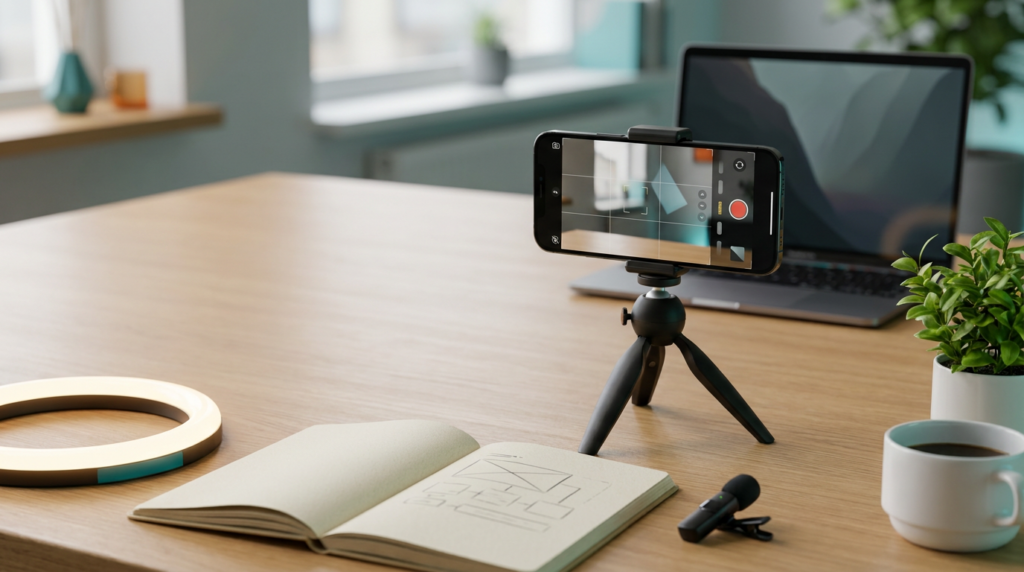
The smartphone you are holding has a camera system that rivals professional gear from five years ago. Combine that with the right apps, and you have a full production studio in your hands.
If you have a skill that solves a problem, you have a digital asset waiting to be born.
Affiliate disclosure: This post contains affiliate links. If you make a purchase through one of these links, ProBusinessStrategy may earn a small commission at no extra cost to you. We only recommend tools we genuinely believe in.
Phase 1: Validating Your Course Idea
One of the biggest mistakes is spending months filming a course that nobody wants.
The 60-Minute Validation Test:
- Survey your audience: Use Instagram/TikTok polls to ask about their biggest pain points.
- Check the “Search” signal: Are people searching for “How to [Your Topic]”?
- The Pre-Sell: Create a simple landing page and offer a “Early Bird” discount before you’ve even filmed the first lesson.
👉 Rule: If nobody clicks, change the topic before you hit “Record.”
🔗 Internal Link
Need help finding that winning topic?
Phase 2: Planning Your Curriculum (The Mobile Mindmap)
Don’t wing it. Use a mind-mapping app or a simple note-taking app to structure your course.
The Success Structure:
- Module 1: The Quick Win. Give them a result in the first 20 minutes to build momentum.
- Module 2-5: The Core System. Break down your method into bite-sized steps.
- Final Module: The Roadmap. How do they continue after the course?
Phase 3: Filming Like a Pro (With Zero Budget)
Your phone’s hardware is great, but your technique matters more.
3 Rules for Mobile Filming:
- Light is King: Stand facing a large window during the day. Natural light is better than cheap LED lights.
- Sound over Video: People will watch shaky video, but they will turn off bad audio. Use your phone’s wired earphones as a “lapel mic” or buy a cheap $20 plug-in microphone.
- The “Eye Level” Rule: Use a cheap tripod or prop your phone up on books so it’s at eye level. Never film from “below” looking up.
🔗 Internal Link
Want to master the visuals?
Phase 4: Mobile Editing Workflow
You don’t need Adobe Premiere. You need efficiency.
Best Mobile Video Editors:
- CapCut: Excellent for captions, transitions, and fast cuts.
- InShot: Powerful for basic stitching and music.
- Loom Mobile: Perfect for “screen-recording” style lessons where you show an app or a website.
👉 Pro Tip: Keep lessons between 5 and 12 minutes. Attention spans are shorter in 2026.
Phase 5: Where to Host and Sell Your Course
You need a platform that handles the “tech” so you can focus on the “teaching.”
Mobile-Friendly Hosting Options:
- Stan Store: The fastest way to sell digital products from a social media bio.
- Gumroad: Simple, powerful, and takes care of VAT/taxes.
- Kajabi / Teachable: The “all-in-one” option if you want a full membership site.
🔗 Internal Link
Setup your store easily:
Phase 6: Scaling Your Sales Through Content
A course doesn’t sell itself. You need a “Traffic Engine.”
- The “Trailer” Strategy: Post a 60-second tip on Reels/TikTok and link to the full course for the “deep dive.”
- The “Case Study” Strategy: Share a screenshot of a student’s result.
- The “Limited Time” Strategy: Use countdown timers in your Stories to drive urgency.
Conclusion: Knowledge is the New Currency
Your expertise is valuable. Whether it’s teaching someone how to use Excel, how to bake sourdough bread, or how to manage a team—someone out there is willing to pay to save time.
Stop waiting for the perfect camera. Start teaching with the one you already have.
Related Articles



