Affiliate disclosure: This post contains affiliate links. If you make a purchase through one of these links, ProBusinessStrategy may earn a small commission at no extra cost to you. We only recommend tools we genuinely believe in.
Introduction
Starting an online store has never been more accessible. In 2026, you don’t need technical skills, thousands of dollars, or a warehouse full of inventory to launch a profitable e-commerce business. What you need is the right platform, a solid plan, and the willingness to take action.
This guide walks you through every step — from choosing your niche to making your first sale — using the simplest, most cost-effective approach available today.
What You’ll Need to Get Started
Before we dive in, here’s a quick overview of what’s required:
A business idea or product niche (we’ll help you choose one)
A domain name (~$10/year)
An e-commerce platform (from $1/month)
A payment method to receive money (PayPal or Stripe — both free to set up)
2–4 hours to set everything up
That’s it. No coding. No warehouse. No huge budget.
Step 1: Choose Your Niche and Products
The most important decision you’ll make is what to sell. A good niche has three characteristics:
Demand — People are actively searching for and buying these products
Low competition (or beatable competition) — You don’t need zero competitors, just a gap you can fill
Passion or knowledge — It helps if you care about what you’re selling
The 4 Best Business Models for a New Online Store
1. Print-on-Demand (Best for Beginners)
Design products (T-shirts, mugs, posters, phone cases) and sell them without holding any inventory. When a customer orders, your supplier prints and ships it directly to them.
Startup cost: Near zero
Best for: Creative people, niche communities, personal brands
Supplier to use: Printful or Printify (both integrate directly with Shopify)
2. Dropshipping
Sell existing products from suppliers without holding inventory. You market the product; your supplier handles fulfillment.
Startup cost: Low (~$50–$100)
Best for: People who want to sell physical products without manufacturing
Challenge: Finding reliable suppliers with good margins
3. Sell Your Own Products
Handmade goods, digital downloads, crafts, art, or physical products you manufacture or source yourself.
Startup cost: Varies (higher if you hold inventory)
Best for: Artisans, creators, makers
Advantage: Highest margins, full brand control
4. Digital Products
E-books, courses, templates, presets, stock photos. Create once, sell forever with no shipping or inventory.
Startup cost: Almost zero
Best for: Educators, designers, coaches, photographers
Advantage: 100% profit margin after the initial creation
💡 Recommendation for most beginners: Start with print-on-demand. It’s the lowest risk, requires the least upfront investment, and teaches you the fundamentals of e-commerce without the complications of inventory management.
Step 2: Choose Your E-Commerce Platform
Your platform is the foundation of your store. Choose wisely — switching later is painful.
The Top Options in 2026
| Platform | Best For | Starting Price | Ease of Use |
|---|---|---|---|
| Shopify | All-around best choice | $1/month (first 3 months) | ⭐⭐⭐⭐⭐ |
| WooCommerce | WordPress users | Free (hosting extra) | ⭐⭐⭐ |
| Wix | Very small stores | $17/month | ⭐⭐⭐⭐⭐ |
| Etsy | Handmade/vintage goods | Free + transaction fees | ⭐⭐⭐⭐⭐ |
| Gumroad | Digital products only | Free (10% fee) | ⭐⭐⭐⭐ |
Why Shopify Is the #1 Recommendation
Shopify is the gold standard for e-commerce in 2026, and for good reason:
Easiest setup — Your store can be live within a few hours, no technical knowledge needed
Built-in everything — Payments, shipping, inventory, analytics, discount codes, abandoned cart recovery
Best app ecosystem — Over 8,000 apps to add any feature you need
Scales with you — Works just as well for a $500/month store as a $500,000/month store
Integrates with everything — Printful, Printify, Facebook, Instagram, TikTok, Google Shopping
Get started: Shopify offers a free 3-day trial, then just $1/month for your first 3 months. That’s the best deal in e-commerce right now — use it.
Step 3: Register Your Domain Name
Your domain name is your online address (e.g., yourstorename.com). Tips for choosing a good one:
Keep it short — 2–3 words maximum
Make it memorable — Easy to spell, easy to say out loud
Use .com — It’s still the most trusted extension
Avoid hyphens and numbers — They look unprofessional and are hard to remember
Check trademark conflicts — Quick search at USPTO.gov or Google
Where to register: Namecheap offers .com domains for ~$10/year with free privacy protection. It’s the most affordable and reliable registrar available.
Note: If you sign up for Shopify, you can also buy your domain directly through Shopify. It’s slightly more expensive (~$15/year) but keeps everything in one place.

Step 4: Set Up Your Shopify Store
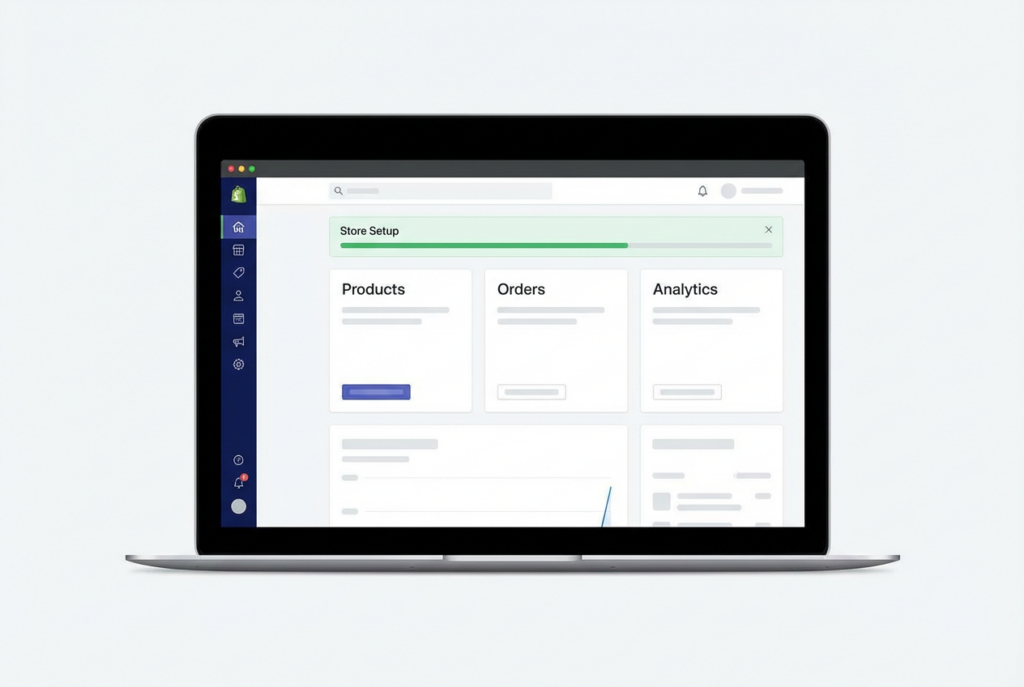
Once you’ve signed up for Shopify and have your domain, follow these steps to set up your store:
4.1 — Choose Your Theme
Shopify offers free and paid themes. For beginners, start with a free theme:
Dawn — Clean, minimal, fast-loading (Shopify’s default theme)
Craft — Great for handmade and artisan products
Refresh — Modern design, great for fashion and lifestyle
Go to: Online Store → Themes → Visit Theme Store → filter by Free.
4.2 — Customize Your Store
After choosing a theme, customize it with your branding:
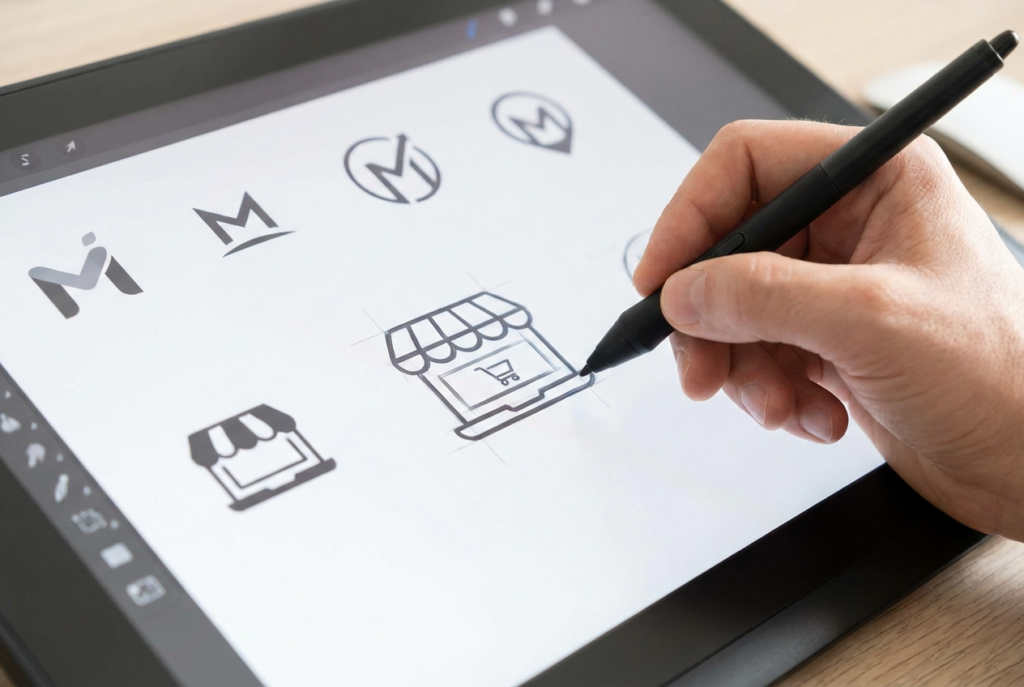
Upload your logo — Create one free with Canva. Takes 15 minutes.
Set your brand colors — Choose 2–3 colors that match your niche
Write your homepage headline — Clear, benefit-focused: “Premium Minimalist Desk Accessories, Shipped Worldwide”
Add an About page — Tell your story. People buy from people.
Add a Contact page — Builds trust with first-time buyers
4.3 — Set Up Payments
Go to Settings → Payments and enable:
Shopify Payments (if available in your country) — lowest transaction fees
PayPal — Many customers specifically prefer to pay with PayPal
Credit/debit cards — Automatic with Shopify Payments
4.4 — Configure Shipping
Go to Settings → Shipping and Delivery:
If using print-on-demand: your supplier (Printful/Printify) handles all shipping automatically
If shipping your own products: set shipping zones and rates
Tip: Offering free shipping (and baking the cost into your product price) dramatically increases conversion rates
4.5 — Set Up Taxes
Go to Settings → Taxes and Duties. Shopify auto-calculates taxes for most regions. If you’re selling in the EU, enable VAT collection if your revenue exceeds the local threshold.
Step 5: Add Your Products
This is where most beginners get stuck — but it’s simpler than you think.
For Print-on-Demand Stores (Printful + Shopify)
Install Printful from the Shopify App Store (free)
Connect your Printful account to Shopify
In Printful, choose a product (e.g., Bella+Canvas Unisex T-Shirt)
Upload your design (create it in Canva)
Set your retail price (Printful’s base cost + your markup = retail price)
Click Sync to Shopify — your product is now live in your store
Printful is free to join — you only pay when an order comes in. They handle printing, quality control, and shipping worldwide. It’s the most reliable print-on-demand supplier available.
For Dropshipping Stores
Install DSers or AutoDS from the Shopify App Store
Connect to AliExpress suppliers
Import products with one click
Set your prices and publish
For Your Own Products
Go to Products → Add Product in Shopify and fill in:
Product title and description (be specific and benefit-focused)
High-quality photos (minimum 3–5 per product)
Price and compare-at price (for showing discounts)
Inventory quantity
Weight (for shipping calculation)
Writing Product Descriptions That Sell
Weak: “High-quality cotton T-shirt in multiple colors.”
Strong: “Ultra-soft 100% ring-spun cotton tee — the kind you reach for every weekend. Available in 12 colors, pre-shrunk, and printed on demand just for you. Pairs perfectly with jeans, joggers, or literally anything.”
The formula: Feature → Benefit → Emotion. Don’t just describe what it is — describe how it makes the customer feel.
Step 6: Design a Professional Brand With Canva
Your store’s visual identity — logo, product mockups, social media graphics, email banners — all need to look professional and consistent.
Canva is the tool for this. It’s free to start, with a Pro version (~$15/month) that unlocks:
Background remover (essential for product photos)
Brand Kit (store your colors, fonts, and logos in one place)
100+ million premium photos and graphics
One-click resize for every platform
What to design in Canva for your store:
Logo and favicon
Product mockup lifestyle images
Instagram/TikTok posts and stories
Email header banners
“Thank you” card inserts (print and include with orders)
Step 7: Set Up Your Email Marketing
Email marketing generates an average of $42 for every $1 spent — it’s the highest ROI marketing channel available. Set it up before you launch.
The Tool: ConvertKit
ConvertKit is free for up to 1,000 subscribers and integrates directly with Shopify. Here’s what to set up:
1. Abandoned Cart Email (Most Important)
Shopify has a built-in abandoned cart recovery tool — enable it in Settings → Checkout → Email notifications
Send 3 emails: 1 hour after abandonment, 24 hours later, 72 hours later
The third email can include a 10% discount code to recover hesitant buyers
2. Welcome Email
Triggered when someone joins your email list
Deliver your welcome offer (e.g., 10% off first order)
Introduce your brand and what makes it different
3. Post-Purchase Sequence
Email 1 (immediately): Order confirmation + what to expect
Email 2 (day 3): Shipping update + related products
Email 3 (day 14): Request a review + refer-a-friend offer
Step 8: Drive Traffic to Your Store
Having a store is one thing — getting people to visit it is another. Here are the most effective strategies for new store owners:
Free Traffic Strategies
Instagram & TikTok (Most Effective for E-Commerce)
Post product photos, behind-the-scenes content, and customer testimonials
Use relevant hashtags in your niche
TikTok organic reach is still exceptionally high in 2026 — one viral video can generate thousands of visitors
Engage with comments and other accounts in your niche daily
Excellent for lifestyle, fashion, home decor, gifts, and creative products
Create boards around your niche and pin your products alongside related content
Pinterest traffic is high-intent and long-lasting (pins drive traffic for months or years)
SEO (Long-Term)
Write blog posts that answer questions your customers are searching for
Example: If you sell yoga accessories, write “Best Yoga Mat for Beginners” or “How to Set Up a Home Yoga Studio”
This drives free, consistent Google traffic without paying for ads
Paid Traffic Strategies
Facebook & Instagram Ads (Best for Testing)
Start with $5–$10/day
Target your ideal customer by interest, demographics, and behavior
Test 3–5 different ad creatives (images/videos) and see what performs best
Scale what works, cut what doesn’t
Google Shopping Ads
Shows your products when people search directly for them on Google
High purchase intent — people clicking Google Shopping ads are ready to buy
Requires a Google Merchant Center account (free) + Shopify’s Google channel app
TikTok Ads
Lower cost per click than Facebook/Instagram in 2026
Excellent for younger demographics (18–35)
Video creative performs best — even simple, authentic UGC-style videos outperform polished ads
Step 9: Build Trust to Convert Visitors into Buyers
Getting visitors is one challenge. Converting them into customers is another. These trust signals dramatically increase your conversion rate:
Essential Trust Elements
SSL certificate — Your site must show “https://” (Shopify provides this free)
Clear return policy — State it prominently. “30-day free returns” converts skeptical browsers into buyers.
Customer reviews — Install a free review app like Judge.me or Loox from the Shopify App Store
Contact information — A real email address and response time builds confidence
About page with a real story — People buy from people they trust
High-quality product photos — Blurry or poorly lit photos kill conversions immediately
Shipping transparency — Show estimated delivery times on product pages
The Social Proof Formula
New stores don’t have reviews. Here’s how to get them fast:
Send 5–10 free products to people in your target market and ask for an honest review
Run a launch giveaway — enter to win by following your page and tagging a friend
Ask your first 10 customers personally for a review with a follow-up email
Step 10: Analyze, Optimize, Scale
Once your store is live and getting traffic, the work shifts from building to optimizing. Focus on these key metrics:
| Metric | What It Measures | Target |
|---|---|---|
| Conversion rate | % of visitors who buy | 1–3% (industry average) |
| Average order value (AOV) | Average spend per order | Aim to increase 10–20% monthly |
| Customer acquisition cost (CAC) | Cost to get one customer | Must be lower than customer lifetime value |
| Return rate | % of orders returned | Under 5% for most niches |
| Email open rate | % of subscribers opening emails | 20–30% is healthy |
How to Increase Your Conversion Rate
A/B test your product photos — Try lifestyle photos vs. white background
Add upsells and cross-sells — “Customers also bought” on product pages
Offer bundle discounts — “Buy 2, get 15% off”
Add urgency — “Only 8 left in stock” or “Sale ends Sunday”
Simplify checkout — Every extra step loses customers
Your Complete Tool Stack
| Tool | Purpose | Cost |
|---|---|---|
| Shopify | E-commerce platform | $1/month (first 3 months) |
| Printful | Print-on-demand fulfillment | Free |
| Namecheap | Domain registration | ~$10/year |
| Canva Pro | Design & branding | Free / $15/month |
| ConvertKit | Email marketing | Free up to 1,000 subscribers |
| Judge.me | Product reviews | Free |
| Google Analytics | Traffic analysis | Free |
| Facebook Ads Manager | Paid advertising | Pay per use |
Realistic Revenue Expectations
Let’s be honest about what to expect:
| Timeline | Realistic Goal |
|---|---|
| Month 1 | Set up store, first 1–5 sales |
| Month 2–3 | $100–$500/month with consistent marketing |
| Month 4–6 | $500–$2,000/month with optimized ads |
| Month 7–12 | $2,000–$10,000/month with scaled operations |
These numbers assume you’re actively marketing your store — posting on social media, running small ads, optimizing your listings. A store that sits untouched will not generate sales on its own.
Common Mistakes to Avoid
1. Picking a niche that’s too broad
“General gifts” is not a niche. “Gifts for dog moms who love hiking” is. The more specific, the easier it is to reach your audience.
2. Launching without any products in stock (or synced)
Test your entire checkout flow before going live. Order a test product yourself to verify everything works.
3. Ignoring email from Day 1
Your email list is your most valuable asset. A store with 500 engaged email subscribers will always outperform a store with 50,000 Instagram followers but zero emails.
4. Giving up after the first month
Most successful stores took 3–6 months to gain real traction. The ones that fail are the ones that quit too early.
5. Competing on price
You cannot out-price Amazon or AliExpress. Compete on brand, story, quality, and customer experience instead.
Frequently Asked Questions
Do I need a business license to open an online store?
In most countries, no — not to start. You can begin as a sole proprietor. Once you’re generating consistent revenue, registering an LLC provides legal protection. Use ZenBusiness to form an LLC for as little as $49.
How long does it take to set up a Shopify store?
With focused effort, your basic store can be live in 2–4 hours. A fully polished store with all pages, products, and apps configured takes 1–3 days.
Can I run a Shopify store from outside the US?
Yes. Shopify works in 175+ countries. Payments, shipping, and tax settings adapt to your location.
Do I need a lot of products to launch?
No. Launch with 5–10 strong products rather than 100 mediocre ones. Quality over quantity — especially at the start.
What’s the difference between Shopify and Etsy?
Etsy is a marketplace (you list inside their platform, competing with millions of other sellers). Shopify is your own independent store. Most successful e-commerce entrepreneurs use both — Etsy for initial traffic and discovery, Shopify for scaling and brand building.
Your 30-Day Launch Plan
Week 1 — Build
Sign up for Shopify (free trial)
Register your domain on Namecheap
Choose and customize your theme
Install Printful and create your first 5 products in Canva
Set up payments and shipping
Week 2 — Polish
Write compelling product descriptions
Add all essential pages (About, Contact, FAQ, Returns)
Set up ConvertKit and abandoned cart emails
Install Judge.me for reviews
Create Instagram and TikTok business accounts
Week 3 — Launch
Announce your store on all social channels
Post 5x on TikTok and Instagram — product showcases, behind the scenes
Run a small launch promotion (10% off first order)
Send launch email to anyone who signed up for early access
Week 4 — Grow
Analyze your traffic in Google Analytics
Test a small Facebook or TikTok ad ($5–$10/day)
Ask your first customers for reviews
Write your first SEO blog post targeting a keyword in your niche
Final Thoughts
Starting an online store in 2026 is genuinely one of the best business decisions you can make. The tools are easier than ever, the market is global, and the barriers to entry are practically nonexistent.
The difference between stores that succeed and stores that fail isn’t luck, budget, or technical skill. It’s consistency. The entrepreneurs who post every day, test their ads, optimize their listings, and genuinely connect with their customers — they’re the ones who build something real.
Your store is one afternoon away from existing. Start today.
Ready to launch? Start your free Shopify trial here → — no credit card required for the first 3 days, then just $1/month for 3 months. Your store could be live before the end of the week.