Affiliate disclosure: This post contains affiliate links. If you make a purchase through one of these links, ProBusinessStrategy may earn a small commission at no extra cost to you. We only recommend tools we genuinely believe in.
Introduction
Social media followers can disappear overnight. Your Instagram account can get banned. Your TikTok videos can stop reaching people. Your Facebook page can lose organic reach. But your email list? That’s yours. Forever.
An email list is the single most valuable asset an online business can own. It doesn’t depend on an algorithm. It doesn’t require ad spend to reach your audience. And it consistently outperforms every other marketing channel — with an average return of $42 for every $1 spent.
This guide shows you exactly how to build an email list from absolute zero — even if you have no website traffic, no social media following, and no experience with email marketing.
Why Email Marketing Still Dominates in 2026
Before we dive into the how, let’s be clear about the why.
Email reaches your audience directly. No algorithm decides whether your message gets seen. When you send an email, it lands in the inbox of every subscriber.
Email subscribers are your most engaged audience. Someone who gave you their email address is more invested than a casual social media follower.
Email converts better than any other channel. E-commerce stores average 2–5% conversion from email — compared to 0.5–1% from social media traffic.
Email is an owned channel. You own your list. Even if every social platform disappeared tomorrow, your business would survive.
The bottom line: whatever type of online business you’re building, your email list is the engine that will power its growth.
What You Need to Get Started
The good news: you don’t need much.
An email marketing platform (free to start)
A lead magnet (a free incentive to get people to subscribe)
A sign-up form on your website or social media
An internet connection
That’s it. You can start building your list today with zero budget.
Step 1: Choose the Right Email Marketing Platform
Your email platform is where you store your subscriber list, design emails, set up automations, and track performance. Choose carefully — migrating lists later is a hassle.
The Top Email Marketing Tools in 2026
| Platform | Best For | Free Plan | Starting Price |
|---|---|---|---|
| ConvertKit | Creators, bloggers, entrepreneurs | Yes (up to 1,000 subscribers) | $25/month |
| Mailchimp | Small businesses, e-commerce | Yes (up to 500 subscribers) | $13/month |
| ActiveCampaign | Advanced automation | No | $15/month |
| Klaviyo | E-commerce stores | Yes (up to 250 contacts) | $20/month |
| MailerLite | Budget-conscious beginners | Yes (up to 1,000 subscribers) | $9/month |
The Recommendation: ConvertKit
ConvertKit is the platform most serious online entrepreneurs use — and for good reason. It’s designed specifically for content creators, bloggers, and online business owners. Here’s why it stands out:
Free for up to 1,000 subscribers — no credit card required
Intuitive visual automation builder — set up welcome sequences, drip campaigns, and tag-based segmentation without technical skills
Beautiful, clean email templates — that actually get delivered (excellent deliverability)
Landing page builder included — create sign-up pages without a website
Creator-focused features — sell digital products, set up paid newsletters, and manage your audience all in one place
Start free: Sign up for ConvertKit here → — free up to 1,000 subscribers. No credit card needed.
Step 2: Create an Irresistible Lead Magnet
A lead magnet is the free gift you offer in exchange for someone’s email address. It’s the single most important factor in your list growth rate.
The rule: Your lead magnet must be so valuable that someone would pay for it — but you’re giving it away free.
What Makes a Great Lead Magnet?
Solves one specific problem — not a general topic, but one precise pain point
Delivers instant value — the subscriber gets something useful immediately
Relevant to your audience — it attracts the exact people you want on your list
Easy to consume — short enough that people actually use it
The Best Lead Magnet Formats
PDF Guides and Checklists (Easiest to Create)
Quick wins for subscribers — specific, actionable, and easy to skim.
Examples:
“The 10-Step Business Launch Checklist”
“7 Things to Do Before You Launch Your Shopify Store”
“The Complete Social Media Posting Schedule Template”
Email Mini-Courses (Highest Perceived Value)
A 5-7 day email course delivered automatically. Builds trust faster than any other format because it keeps people engaged for days.
Examples:
“5-Day Email Course: How to Build Your First Online Store”
“The 7-Day Business Launch Challenge”
“Learn Copywriting in 5 Emails”
Templates and Swipe Files (Highest Conversion Rate)
People love ready-to-use resources. Templates remove the work and deliver instant value.
Examples:
“My Complete Business Tool Stack (Swipe File)”
“10 Plug-and-Play Email Subject Lines That Get Opened”
“The Social Media Content Calendar Template (Notion)”
Free Webinars or Video Trainings
Works exceptionally well for coaches, consultants, and educators. Webinars build authority and trust quickly.
Free Trials and Samples
If you sell a product or software, a free trial is the most powerful lead magnet possible.
How to Create Your Lead Magnet (Step-by-Step)
Pick your audience’s #1 problem — What do they struggle with most? What would solve that in 5 minutes?
Choose a format — PDF checklist is fastest to create; email course has highest engagement
Design it in Canva — Canva has beautiful PDF templates. Free tier is enough to create a professional-looking lead magnet. Canva Pro unlocks background removal and brand kits (~$15/month).
Export as PDF and upload to ConvertKit or your website
Write a compelling title — “Checklist” outperforms “Guide.” Specific outperforms generic.
Lead magnet title formula: [Number] + [Specific Thing] + [Desired Outcome]
Example: “The 12-Point Checklist to Launch Your Online Store This Weekend”
Step 3: Set Up Your Sign-Up Form and Landing Page
People can’t subscribe if they can’t find your form. You need multiple entry points.
Option A: Landing Page (Best for No Website)
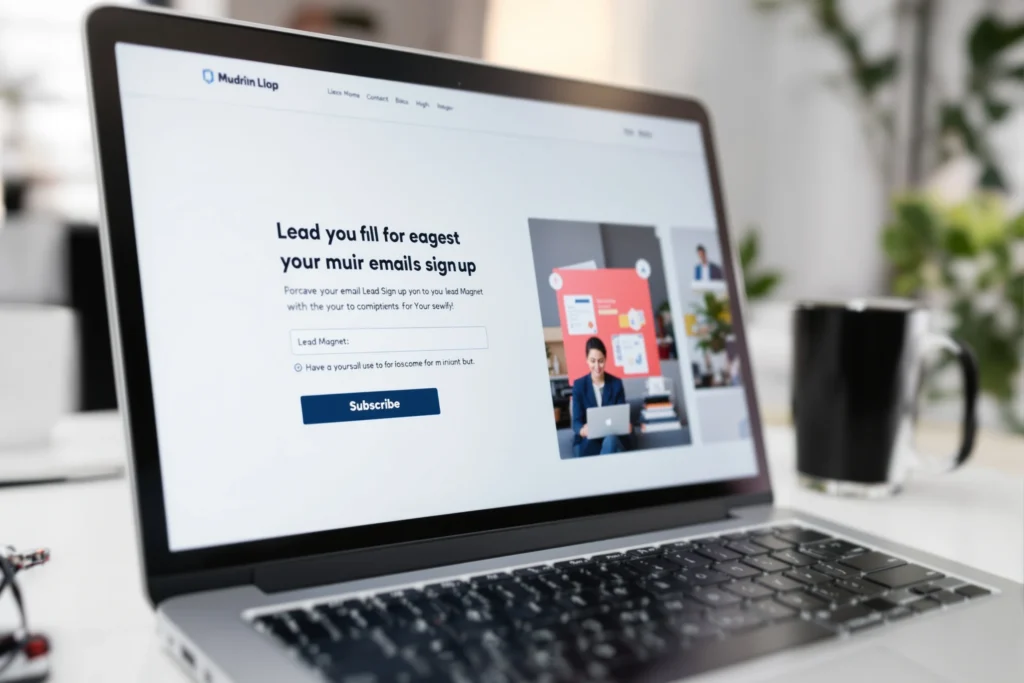
ConvertKit’s free plan includes a built-in landing page builder. You can have a sign-up page live in 20 minutes — no website needed.
How to create a ConvertKit landing page:
Log in to ConvertKit → click Landing Pages & Forms
Click Create New → select Landing Page
Choose a template
Add your headline, lead magnet description, and a mockup image
Set up the delivery email (sends the PDF automatically on sign-up)
Publish — you get a shareable URL
Headline formula for your landing page:
“Get [Lead Magnet Title] — Free. [One sentence describing the key benefit].”
Example: “Get The Business Launch Checklist — Free. The exact 12 steps to launch your online business this weekend, even with no experience.”
Option B: Embedded Form on Your Website
If you have a WordPress website, install ConvertKit’s free WordPress plugin and embed sign-up forms anywhere:
Above the fold on your homepage — highest visibility
After the first 2–3 paragraphs of every blog post — catches engaged readers
At the end of every article — captures readers who made it to the bottom
As a pop-up or slide-in — triggered after 30–60 seconds on page
Pop-up best practices:
Show it after 30–60 seconds (not immediately)
Offer a clear incentive in the pop-up itself (“Get the free checklist”)
Make the close button easy to find — nothing annoys readers more than a hard-to-close pop-up
Show it once per session maximum
Option C: Social Media Bio Link
If you’re building your audience on social media before your website has traffic:
Create your ConvertKit landing page
Add the link to your Instagram bio, TikTok bio, LinkedIn profile, and any other platform
Reference it in your posts: “Link in bio to get the free guide”
Step 4: Write Your Welcome Sequence
The welcome sequence is the most important emails you’ll ever write. New subscribers are at peak interest right after signing up — this is when they’re most likely to open emails, click links, and buy.
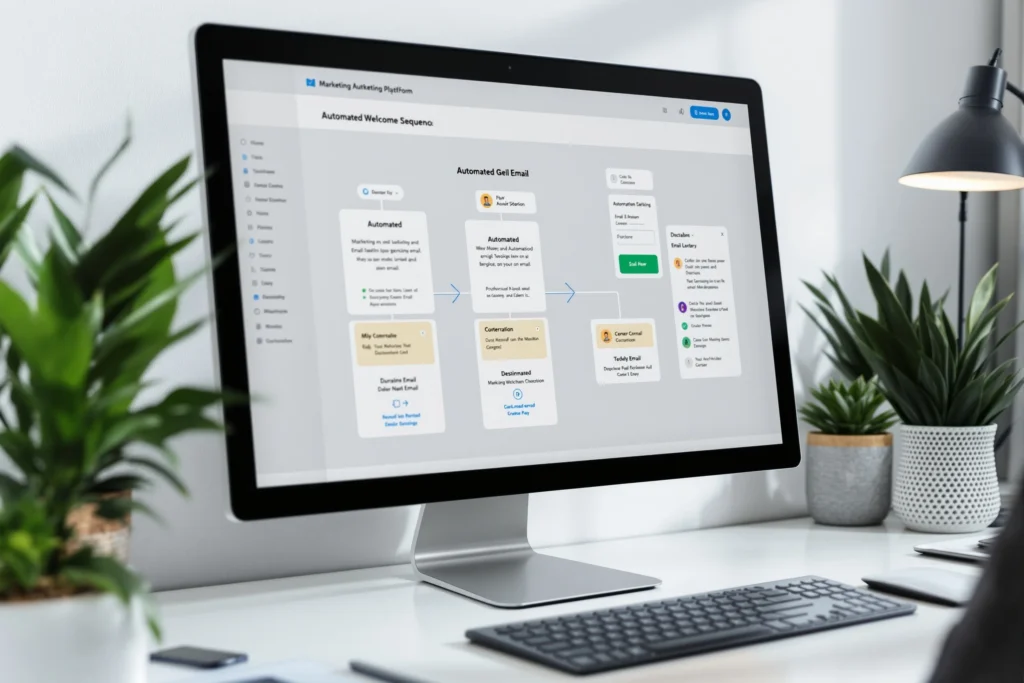
A welcome sequence is a series of automated emails sent over 7–14 days after someone subscribes. Set it up once; it works for you forever.
The 7-Email Welcome Sequence Template
Email 1 — Day 0: Deliver the Lead Magnet
Subject: “Here’s your [Lead Magnet Name] 🎉”
Body: Thank them for subscribing, deliver the PDF download link or first lesson, briefly introduce yourself, and tell them what to expect in the coming days
Length: Short. Deliver the value immediately.
Email 2 — Day 1: Your Story
Subject: “How I went from [before] to [after] (and what I learned)”
Body: Share your origin story. Why did you start this business? What problem were you trying to solve? Be honest, be human, be specific.
Goal: Build trust and connection
Email 3 — Day 3: Your #1 Tip
Subject: “The biggest mistake most beginners make (and how to avoid it)”
Body: Share your most valuable insight. Make this email so good they forward it to a friend.
Goal: Establish authority
Email 4 — Day 5: A Tool or Resource Recommendation
Subject: “The tool that changed my business (and it’s free to start)”
Body: Recommend one product or tool that’s genuinely useful. This is your first affiliate recommendation — make it contextual and honest, not salesy.
Example affiliate products: Shopify, ConvertKit, Canva, Bluehost
Goal: First soft affiliate conversion
Email 5 — Day 7: Case Study or Example
Subject: “How [Name] built a [result] in [timeframe]”
Body: Share a real example (or your own story) of someone achieving results with your recommended approach. Social proof at its most powerful.
Goal: Inspire action
Email 6 — Day 10: Addressing Objections
Subject: “The #1 reason people don’t start (and why it’s not a good excuse)”
Body: Address the most common fear or objection your audience has. “I don’t have time.” “I don’t have money.” “I’m not technical enough.” Dismantle it with specifics.
Goal: Remove barriers to conversion
Email 7 — Day 14: Full Tool Stack Roundup
Subject: “My complete toolkit for [business type] (save this email)”
Body: A curated list of every tool you recommend, with your affiliate links. This email can generate consistent commissions for years — every new subscriber goes through it automatically.
Goal: Multiple affiliate conversions
Set this up in ConvertKit: Go to Automations → Create Automation → choose “Subscriber joins a sequence” → add each email with the appropriate delay. Once it’s set up, it runs on autopilot for every new subscriber.

Step 5: Grow Your List — 10 Proven Strategies
Having a sign-up form is step one. Actively growing your list is the ongoing work. Here are the most effective strategies:
1. Content Upgrades (Highest Conversion Rate)
A content upgrade is a lead magnet specific to a single blog post. Unlike a general lead magnet, it’s directly related to what the reader is already interested in.
Example: A blog post about “How to Set Up a Shopify Store” offers a free PDF download of a “Shopify Setup Checklist.” Anyone reading that post is the perfect subscriber for that lead magnet — conversion rates of 20–30% are common.
2. Guest Blogging
Write articles for established websites in your niche. Include a link to your landing page in your author bio. One well-placed guest post on a high-traffic site can add hundreds of subscribers.
3. Social Media Consistently
Post valuable content on Instagram, TikTok, LinkedIn, or Pinterest and regularly direct your audience to your lead magnet. The key word is consistently — one post a week won’t move the needle; 5 posts a week will.
4. YouTube Channel
YouTube videos rank in Google search and drive highly engaged traffic. Add your landing page link in every video description and mention it verbally in your videos.
5. Podcast Appearances
Being a guest on podcasts in your niche introduces you to established audiences. Always mention your lead magnet and landing page URL.
6. Referral Program
Offer subscribers something extra (a bonus resource, discount, or exclusive content) for referring friends to your list. ConvertKit has built-in referral tools for this.
7. Joint Ventures and Newsletter Swaps
Partner with other entrepreneurs in complementary niches and promote each other’s lead magnets to your respective lists. Zero cost, targeted audience, and immediate results.
8. Giveaways
Run a giveaway where one entry method is subscribing to your email list. Ensure the prize is relevant to your niche — otherwise you attract subscribers with no interest in your business.
9. Exit-Intent Pop-Ups
Trigger a pop-up when a visitor moves their cursor toward the browser’s back button. This captures leaving visitors who otherwise would never return. Many tools offer this — ConvertKit’s pop-up forms and OptinMonster both support it.
10. Paid Advertising (When Ready)
Once you know your lead magnet converts well organically, use Facebook or Instagram ads to drive targeted traffic to your landing page. A converting lead magnet + a small ad budget can scale your list to thousands of subscribers quickly.
Step 6: Write Emails People Actually Open and Read
Growing your list is one challenge. Keeping those subscribers engaged — and converting them into customers — is another.
Subject Lines: The Make or Break
Your subject line determines whether your email gets opened. Write 5 subject lines for every email and choose the best one.
High-converting subject line formulas:
| Formula | Example |
|---|---|
| The curiosity gap | “I almost made this mistake last week…” |
| The direct benefit | “3 ways to double your email open rate” |
| The personal | “A quick question for you” |
| The list | “7 tools I use every single day” |
| The story teaser | “What happened when I tried this for 30 days” |
| The question | “Are you making this email marketing mistake?” |
What to avoid:
Clickbait that doesn’t deliver on the promise
All caps in subject lines
Excessive exclamation points
Generic openers like “Hi there” or “I hope this email finds you well”
Spam trigger words: “free money,” “act now,” “limited time offer!!!”
Email Body Best Practices
Write like a human, not a corporation. Short sentences. Conversational tone. Like you’re writing to one person, not a list of thousands.
One email = one idea. Don’t try to cover five topics in one email. Pick one thing and go deep.
Lead with value, then sell. The rule of thumb: 80% value, 20% promotion. If every email is a sales pitch, your unsubscribe rate will reflect that.
Use plain text formatting. Heavily designed HTML emails often land in Promotions or Spam. Plain text emails with minimal formatting feel personal and land in the Primary inbox.
End with a clear, single CTA. Don’t give people five things to click. Give them one action: “Click here to read the full guide,” or “Try Shopify free for 3 days.”
The Metrics That Matter
| Metric | What’s Healthy | Red Flag |
|---|---|---|
| Open rate | 25–45% | Below 15% |
| Click-through rate | 2–5% | Below 1% |
| Unsubscribe rate | Below 0.5% per email | Above 1% |
| Spam complaint rate | Below 0.08% | Above 0.1% |
If your open rate drops below 20%, the problem is usually your subject lines or sending frequency. If your unsubscribe rate spikes, you’re either emailing too frequently or your content doesn’t match subscriber expectations.
Step 7: Monetize Your Email List
An email list without a monetization strategy is just a hobby. Here’s how to turn your subscribers into revenue:
Affiliate Marketing (Fastest Path to Revenue)
Recommend products and tools your audience needs and earn commissions on each sale. This is the most natural monetization method for content creators and entrepreneurs.
How to do it right:
Only recommend products you’ve genuinely used or researched thoroughly
Always disclose affiliate relationships (legally required and ethically important)
Integrate recommendations naturally into valuable content — don’t make every email a sales pitch
Use your welcome sequence to introduce 2–3 high-value products early
Best affiliate programs for an entrepreneur-focused email list:
Shopify — $58–$150+ per referral
ConvertKit — 30% recurring commission (promote the tool you’re using)
Canva Pro — ~$36/year per referral
Bluehost/Hostinger — $65–$100 per referral
ZenBusiness — $150+ per referral
Selling Your Own Products
Once your list reaches 500–1,000 engaged subscribers, launch your own digital product — an e-book, online course, template pack, or coaching program. Your email list is the most effective launch channel available.
Sponsored Emails
Once your list reaches 2,000–5,000 subscribers, brands in your niche will pay to be featured in your emails. Rates typically start at $50–$200 per sponsored mention and can reach thousands for larger lists.
Paid Newsletter
Charge subscribers a monthly or annual fee for premium content. Platforms like ConvertKit support paid subscriptions directly — no third-party tools needed.
Your Email List Growth Milestones
| Milestone | What It Means | What to Focus On |
|---|---|---|
| 0–100 subscribers | Proof of concept | Refine your lead magnet, test subject lines |
| 100–500 subscribers | Early momentum | Build content consistently, optimize welcome sequence |
| 500–1,000 subscribers | Launch zone | Launch your first product or affiliate campaign |
| 1,000–5,000 subscribers | Real business | Scale with paid ads, add more lead magnets |
| 5,000+ subscribers | Serious asset | Multiple revenue streams, sponsorships, product launches |
Every business starts at zero. The key is starting — and improving over time.

Common Email Marketing Mistakes to Avoid
1. Not starting because your list is “too small”
Your first 10 subscribers deserve the same quality content as your first 10,000. The habits you build with a small list are the habits that scale.
2. Only emailing when you have something to sell
If your subscribers only hear from you when you want money, they’ll stop opening your emails. Send value consistently — tips, stories, resources — regardless of whether you’re promoting something.
3. Buying an email list
Never buy email lists. These are people who never asked to hear from you. Spam complaints will damage your sender reputation and get your account banned.
4. Not segmenting your list
Not everyone on your list has the same interests or needs. Use ConvertKit’s tag system to segment subscribers by interest, behavior, or purchase history — then send relevant content to each segment.
5. Ignoring mobile optimization
More than 60% of emails are opened on mobile. Keep subject lines under 50 characters. Use large, tappable buttons. Preview your emails on mobile before sending.
6. Giving up after slow initial growth
Email lists grow slowly at first and then rapidly. The first 100 subscribers feel like forever. The path from 100 to 1,000 is faster. From 1,000 to 10,000 is faster still. Don’t quit during the slow phase.
Frequently Asked Questions
How long does it take to build an email list?
With a strong lead magnet and consistent promotion, you can reach 100 subscribers in your first month. Reaching 1,000 typically takes 3–6 months of consistent effort. Growth accelerates as your content gains traction.
Do I need a website to build an email list?
No. ConvertKit provides free hosted landing pages. You can build a substantial list using only a landing page link shared on social media.
How often should I email my list?
For most businesses, 1–2 times per week is ideal. Enough to stay top of mind, not so much that you become a nuisance. The most important thing is consistency — better to send one great email per week than to disappear for a month and come back with a sales pitch.
What’s the best time to send emails?
Tuesday, Wednesday, and Thursday between 9–11am or 1–3pm in your audience’s local time zone tend to perform best — but your own audience may behave differently. Test and let your data guide you.
Is email marketing still relevant with social media everywhere?
More relevant than ever. Social media platforms reduce organic reach year after year. Email remains the only marketing channel where you own the relationship with your audience outright.
Your Action Plan: Build Your First 100 Subscribers in 30 Days
Week 1 — Set Up
Sign up for ConvertKit (free)
Create your lead magnet in Canva (PDF checklist or template)
Build a landing page in ConvertKit
Write your 7-email welcome sequence
Add your landing page link to all your social media bios
Week 2 — Launch
Announce your lead magnet on Instagram, TikTok, and LinkedIn
Post 5x per platform referencing your free resource
Email your personal network and tell them about your lead magnet
Add a sign-up form to your website (if you have one)
Week 3 — Content
Write your first SEO blog post — add a content upgrade sign-up form
Create 3 social media posts specifically about the problem your lead magnet solves
Join 2–3 Facebook Groups or LinkedIn Groups in your niche and contribute value
Week 4 — Optimize
Review your ConvertKit analytics — which emails got the best open rates?
Improve your lowest-performing welcome email
Test a new subject line format
Create a second lead magnet targeting a different audience segment
The Bottom Line
Building an email list is not complicated. It doesn’t require technical skills, a big budget, or an existing audience. What it requires is:
A clear, specific lead magnet that solves a real problem
A simple landing page or sign-up form
A welcome sequence that delivers value and builds trust
Consistent promotion — every week, not occasionally
Start today. Your list of 10,000 engaged subscribers began with the first one. And that first subscriber is waiting for you to set up your form.
Ready to start? Create your free ConvertKit account here → — free up to 1,000 subscribers, no credit card required. Your first sign-up form can be live in 20 minutes.